HomerS
Members
-
Joined
-
Last visited
Everything posted by HomerS
-
Only guess would be a walk style changeable via trainer. I would try some different ones and I believe they have different aim styles, however I can't recall.Is this it? https://www.gta5-mods.com/paintjobs/san-andreas-mega-pack-2-textures-4k-lore-friendlyhttps://www.gta5-mods.com/vehicles/air-port-service-and-service-vehicles-template-packAre you implying those who don't support the government 100% are... UnAmerican? What I saw in that ad was a whole lot of blind support for the government and the police. What it shows me is if we don't support the police we don't support the country (as shown by the signs in the protest). Look I don't support the police or the government in this country. Both are riddled with corruption. The police seem to do an excellent job of violating people's rights and being corrupt. Don't get me wrong there are good cops. Those are the cops I support. The ones who focus more on helping the community rather than making an arrest. But overall the law enforcement in America is broken. And yes we do live in a fascist nation at this point. Is it "official"? No. However the government has attempted to silence the press and suppress free speech (*cough* Ajit Pai *cough*) sometimes illegally.
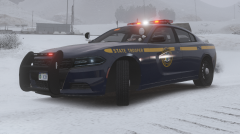 Love my Troop E. Heard the actual 1E39 on my scanner on my scanner many a time.@Zebra1324 To be honest the siren itself hasn't changed in 20 some odd years. Only the controller. Maybe minor differences but not much.I would say anything from Star Signal Vehicle Products. Sirens have some great sounds but it's a small company so it's often neglected. Here's some videos: https://www.youtube.com/results?search_query=star+signal+vehicle+products
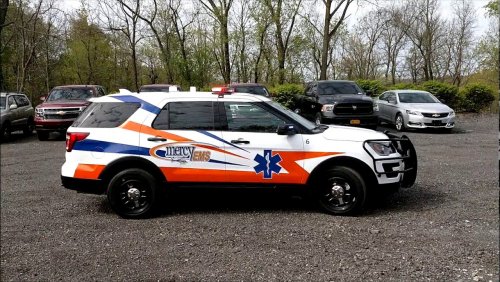 Now as from someone out in Western New York I'm extremely picky about liveries based off the area. But my lord that's accurate. Very high quality. Easy 5 stars out of me. Some screenshots would be nice though.
- 4 comments
- 1 review
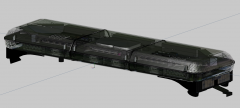 @ISPfan12 Never thought I'd see the day. SSVP is based a town over from me and they are almost the exclusive lightbar provider for all of Western NY.
What lightbar is that based off? No way it's based off a SSVP.There is no alternative. The reason it's not working is you're putting them in outdated locations. You need to put all your vehicle files in the latest patchday folder. I know the instructions say otherwise but this is the way to do it.Can you link the pack? Also do you have ELS installed? And have you installed the .xmls? Those are the most common problems.It depends on what you're using to run the plates. If it's standard LSPDFR I'm not sure. If you use the plate check function on Smart Radio then yes they do appear.@GunnDawg Are you just using the standard LSPDFR plate lookup? If you use Police Radio then they will appear with no extra plugins.Export the textures you want. Then you can replace the ones you don't want by using the "REPLACE" button and locating the file.
@ISPfan12 Never thought I'd see the day. SSVP is based a town over from me and they are almost the exclusive lightbar provider for all of Western NY.
What lightbar is that based off? No way it's based off a SSVP.There is no alternative. The reason it's not working is you're putting them in outdated locations. You need to put all your vehicle files in the latest patchday folder. I know the instructions say otherwise but this is the way to do it.Can you link the pack? Also do you have ELS installed? And have you installed the .xmls? Those are the most common problems.It depends on what you're using to run the plates. If it's standard LSPDFR I'm not sure. If you use the plate check function on Smart Radio then yes they do appear.@GunnDawg Are you just using the standard LSPDFR plate lookup? If you use Police Radio then they will appear with no extra plugins.Export the textures you want. Then you can replace the ones you don't want by using the "REPLACE" button and locating the file. Will we be seeing the Silverado in this pack?Very, very nice. Only thing I would say is, "SAHP TRU" on the back is a bit too big. Five stars out of me.@GabLeGamer I'm sorry I completely forgot. I'll send it over to you right now.@GabLeGamerI made a mod for this. Isn't public though. I can send it to you Sunday night as I don't have the ability currently. It takes care of the bikes but not the peds. It also removes all supercars. Isn't perfect but should work out fine.
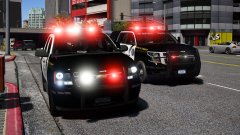 Actually the blue/white (VFF) and green (volunteer EMS, white is not permitted, one green light view-able from 360 degrees) are no longer courtesy lights. Our governor passed a law a couple years ago making it that you have to pull over for them.Are you using T0y's Bearcat by any chance?
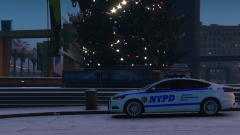 Christ it's November people.
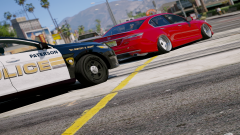 That'll teach those ricers!