OfficerAndrew
Members
-
Joined
-
Last visited
Everything posted by OfficerAndrew
-
I'm not sure a lot of people are looking for a default light bar, try making one, who knows it might be fun.
- 9 comments
- 1 review
-
-

- 4
-
-
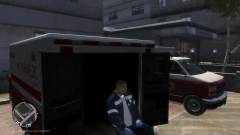 If you are wondering, I am using the FireFighter mod V0.5.
 -
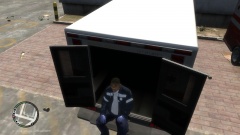 If you are wondering, I am using the FireFighter mod V0.5
 -
Hanging out, using the Firefighter V0.5 Mod and LCPDFR 1.0b Mod.
-
From the album: Hanging out with the FireFighter mod
Second view of hanging out in the back of the Non-ELS and original LC Ambulance. -
From the album: Hanging out with the FireFighter mod
First view of hanging out in the back of the Non-ELS and original LC Ambulance. -
-
When I choose the station it gives me 5 stars, making me unable to use this mod. (probably because i didn't complete the game) Can you make a bypass or fix for this problem?
- 90 comments
- 26 reviews
-
-
-
-
-
Sorry to say, but this skin seems to not be realistic or even "policie". Also "Liberty City State Police" isn't the one to go for a State Police skin. Might want to use Libert State Police. It also seems that you just threw this together without any effort, kinda like you just wanted to rush into making a download. Sorry, but I will not be downloading this skin :(
- 6 comments
- 7 reviews
-
-
I dont know anything about that, but you can try searching your problem in the forms or if it is not there make a post in the support form.
- 14 comments
- 1 review
-
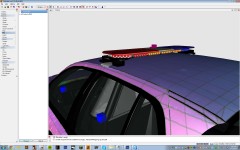 Has this been released?
 -
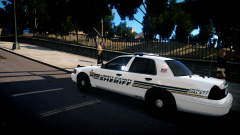 Amazing skin! Whats the model? (if you can give that out)
 -
Nice for a first. You can put more a "oomph" to the skin, but you are there. Also to attract more people to the skin, try to post more pictures of it in different angles.
-
I tried. Same results. I am going to try to experiment a bit.
-
Its pretty clear, how many times did you un-install GTA IV or forced to revert to a backup, or uninstall your mods? My signature says my amount... 5 times. How many times have you un-installed GTA IV? Even the number zero will be an answer (lucky number).
-
When I pulled over a speeder on the highway and my door got clipped off by a speeder. (soo many taxis )
-
Hello, it so seems the ENB I used to terminate my poor FPS rate, kinda sorta destroyed my GTA IV... The ENB or the group of files I am using is VIsualIV 1.7.1, it ran absolutely amazing with over 50 FPS. For a bit. I began to want to un-install it and find a different ENB because all Graphic settings were locked, but the one thing about it that got on my nerves was the Video Mode. It was restricted to 800x600 (23Hz) I think, this made my cars look like small bubbles and it aggravated me. Anyways, I put the back-up files that came with it (VisualIV 1.7.1) back in the GTA IV folders and deleted the command line. I ran GTA, went into the Graphic options to set the VIdeo Mode back to a different length, but it wouldn't let me. It was like the ENB was still installed. I un-installed the game and cleared the files in the GTA IV folder, re-installed it, put LCPDFR and dsound.dll back in the GTA IV and launched it. The game settings were still the ENB's preset. Went to the graphics options, it let me edit them, so I thought it was back to normal, went into the game and I got then never ending loading screen... Is there any other files I should be aware of? How can I get everything back to normal? What ENB or commandline should I use next time? I currently did not re-install GTA IV due to the fear of this problem pursing or repeating. PC Specs or VIsualIV 1.7.1 files will be disclosed if requested. Also if you are going to respond to this topic, PLEASE QUOTE THIS POST. Many Thanks, OfficerAndrew
-
Yes sir, I will edit my post. Thank you for correcting me. (kinda new to the forms...)
-
Hmm. It should fine, better than my PC I'm in the process of learning this type of stuff, to me it looks good. If you feel like I am not the person to say this, might want to wait for another comment.
-
POST EDIT: Removed text, disregard information before this edit. If you (a Moderator) think this post shouldnt be here anymore, delete thius post.