



CryptEclipse
Members
-
Joined
-
Last visited
Everything posted by CryptEclipse
-
 I love it! I just feel like there shouldn't be lights in the grille if there's a pushbar 😕
- 276 comments
- 45 reviews
-
-
-
I deleted my mods folder and reinstalled every mod into my game and it works smooth now. Thank you.
-
I reinstalled just about everything into my game except for the cars. Mainly because of the update, I've added the newly updated scripthook, ragehook, and lspdfr. When you told me to update ragehook, it worked at first. Now I might just reinstall everything unless you have a suggestion.
-
I did so and all my modifications don't work at that point
-
RagePluginHook.log
-
all of a sudden i'm crashing at the loading screen
-
Oops.. didn't realize they came out with another update. Thanks.
-
I continue to crash every time I try to go on duty and change my uniform. I'm not sure exactly why this could be happening since I haven't changed anything in the files. Should I just reinstall LSPDFR into my game or how should I go about fixing this issue? RagePluginHook.log
-
 oh dude this is going straight into my game! never hesitated to download once I saw the amount of detail put into these cars 🙂
- 215 comments
- 38 reviews
-
-

- 1
-
-
Update// I can't figure out which section to edit. I thought I was editting the base model in the "outfits_lspd_eup" folder but I guess that's only meant for my character eup selections.
-
Ohh I understand that now. All I did was edit the "any variation" to "0" so the base would be the ones responding so now I'm going to edit the base models to match my current character. Thank you for the help!!
-
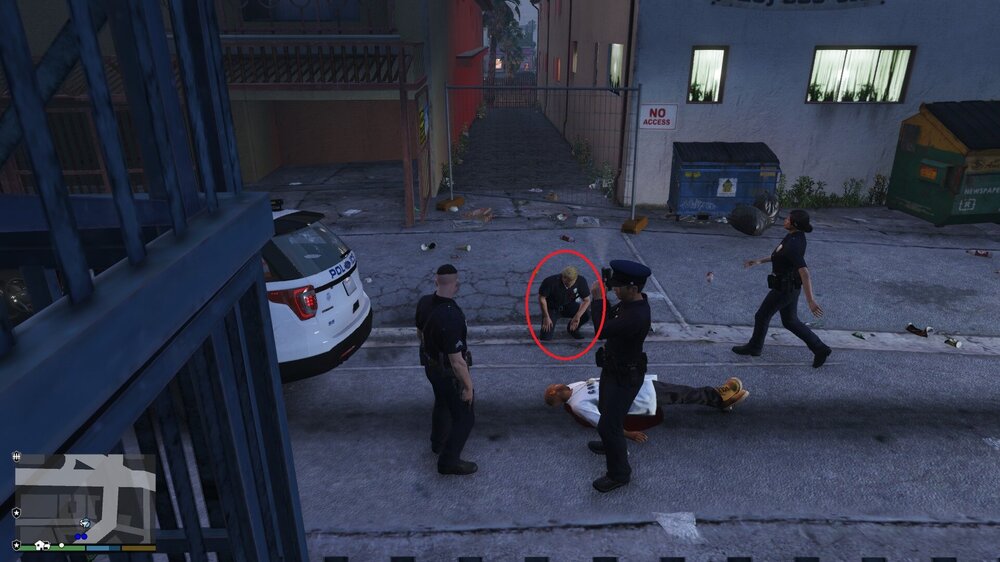
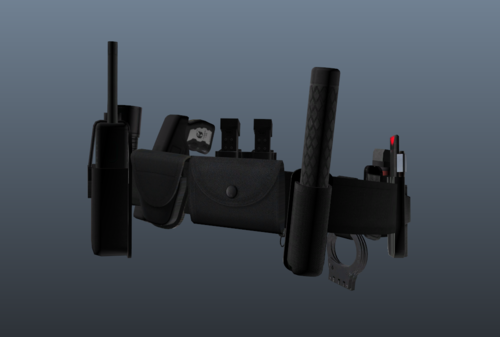
Currently shown in the image the freemode ped has the default belt. Is there a way to get your backup peds to strictly wear the eup belt and radio? if yes then how. Thanks.
-
-
UPDATE// I opened my OpenIV and found that I needed to update my "update.rpf" It got me a step forward but as soon as is said "Loading LSPDFR", my game crashed.
-
RagePluginHook.log
-
I've downloaded LSPDFR 0.4.4 in my game with the new launcher and scripthookv. For some odd reason when my game starts up, it gets stuck on the story mode and loaded plugins. Not sure what the problem is because I have everything up to date.
-
.thumb.png.d50f66baf191fa15c61d731bdc32ad05.png) I love seeing these Code 3 21 lightbars!! I just wish people would use them more often 😕
I love seeing these Code 3 21 lightbars!! I just wish people would use them more often 😕- 14 comments
- 2 reviews
-
-
- 1
-
-
I'm gonna cry 😢 ... great work
-
 I seem to be having an issue where is gives me a zlib call. I've uninstalled and tried verifying it but it doesn't seem to be doing any good.
- 635 comments
- 72 reviews
-
From the album: Champaign PD Skin WIP
-
-
From the album: Champaign PD Skin WIP
Let me know what you think 🙂 -
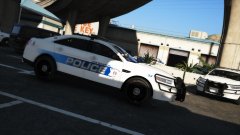
From the album: Champaign PD Skin WIP
I need to figure out if I could do a reflective skin because if not then... frick 😕 Let me know what you think 🙂



.thumb.png.d50f66baf191fa15c61d731bdc32ad05.png)
