



CryptEclipse
Members
-
Joined
-
Last visited
Everything posted by CryptEclipse
-
-
Cool. I'm gonna try this out and hopefully this works
-
Ah okay cause I recognize your profile pic from somewhere
-
didn't we try to help you with that problem on your forum you posted earlier today?
-
Yeah just download all of those and maybe you should reinstall LCPDFR and make sure you have dsound.dll instead of xlive.dll because it's more stable. But another question could be, do you have xlive.dll in your directory?
-
So basically you're saying that when your game tries to load your save, it crashes automatically. Is there anything you installed recently or changed anything in your directory? I know it can't be LCPDFR because it doesn't do that.
-
Are you running as administrator?
-
I honestly don't understand what's really going on with your game. You need to give more information other than a brief of what's happening
-
 It's funny because sometimes when I think that it's just raining it's actually not. After I hear the realistic thunder, I would either think that it's raining outside and so I would look outside for no reason at all or I would get Jim scared. I like this mod if people are looking for realism like me. Great job !
- 12 comments
- 6 reviews
-
It's probably because it's not a supported version of LCPDFR and its old. This is why you want to make sure you install your LCPDFR manually.
-
-
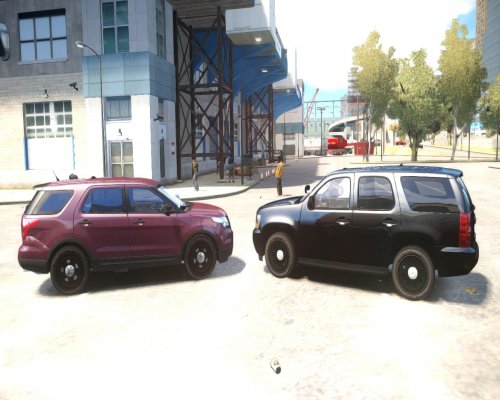 Glad to see some Chicago cars on here! Thinking about making a pack? *wink* *wink*
- 10 comments
- 1 review
-
-

- 1
-
-
I just got GTA V yesterday and when I get in game the game looks fine, but there are a few problems. Here they are: • There are blurry road textures • I get lag spikes sometimes when in a vehicle and driving Everything else works fine and I have not put any mods in the game yet. I did do some research and updated my GPU drivers. I also made sure that my texture quality is on high. My GPU is a AMD Radeon R9 270x which is perfectly fine for running games on high settings with barely any lag at all. Hopefully I can get my game to work fine like in GTA IV (and yes I know GTA V is different)
-
Alright. Thanks
-
Wait so the "CORONA 2.5" would be in value? Also, what do you think I would put to have it slowly come on? I saw that it said "MODE" on the lower part of the ZModeler forum and then it had the code 13 for it to slowly come on and then off when needed to.
-
I'm trying to get a light on my vehicle to slowly light up when it is being used (ex: kind of like how BxBugs123 has for the indicator on his CVPI releases). I did some research and I think it has to do with the user-defined options from this one topic on the ZModeler website. Here's a link. If someone could help me understand how to use the defined options or if someone has experience with doing the indicator thing, please explain to me how you do it. Thanks.
-
I know there's a Whelen Dominator out there released unlocked, but it's unmapped. But I don't want to spend a lot of time mapping it since I really want to finish my pack before I get busy again with work. Is there anyone wiling enough to give me on that's mapped? Thanks
-
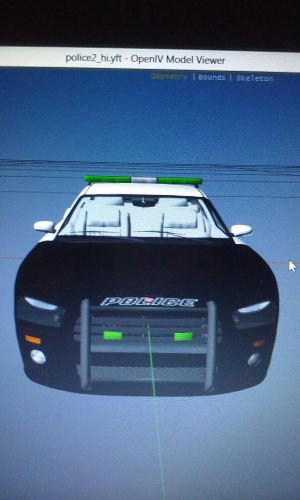 That's weird
 -
I don't understand what all green lights would be used for
-
-
So I recently was playing my game with CryENB v3 and I want to fix these problems: - Shading under the neck for certain peds - Lighting with CVPI taillights and street lights is flickering at night I will keep updated if I find some issues
-
I'll try it out. Thanks
-
I'm trying to edit my lightsemmisive and I can't export it the right because it keeps saying: Missing shader configuration for shader "gta_vehicle_lightsemmisive" in material "indicator lightsemmisive". Defaulting to "gta_default". I have my texture, black texture, vehicle_generic_smallspecmap, and vehicleenvmap128 all set to the correct setting. The only thing I changed was the specular amount
-
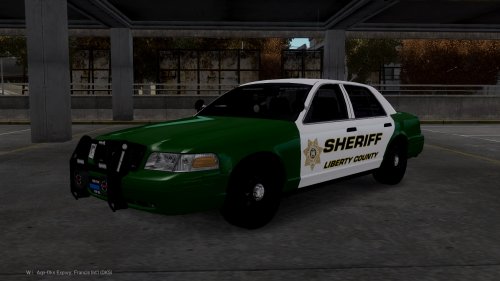 I am amazed on how you put this thing together! I've never seen anything like this before with all of this amazing lighting!
- 16 comments
- 4 reviews
-
-
- 1
-
-
So what are we specifically looking for in the log files. You have to give a brief explanation on what's going on with your game and what we need to check the files for


