Dbeehler73
Members
-
Joined
-
Last visited
Everything posted by Dbeehler73
-
-
-
-
-
two things in my opinion would make this more than just a simple texture change. 1. They are built off of a custom carcols. you would have to go and edit that because it tells the game what lights to put on the car. 2. I haven't messed with modeling with "els" but the model has points on the car where the coronas are, and they are either red / blue, and you cant edit those without opeing them in zmodeler to change them.
-
-
 I mean honestly. the badges are terrible on some of them. there is no way for you to make them a *little* better?
- 2,349 comments
- 238 reviews
-
-
-
well depending on what script is binded either: A: change the key in the GTA settings B: Change the script keybindings (some dont have a config so oh well) C: Change the trainer keybindings, again in the trainer config
-
well for one. using ALL caps isnt going to get you anywhere on a forum. i mean you dont have to shout at us. Second: reword the last part, im confused.
-
its going to be in the carvariations. the sirensettings are going to be responsible. im sure somewhere on the download page, or in a readme it tells you.
-
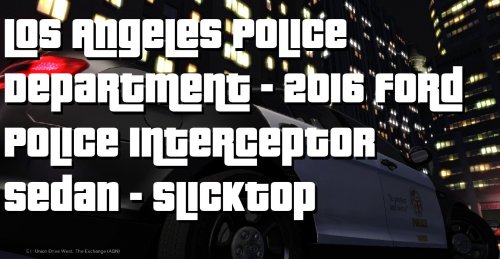 is the decals on the door to far down, they just look wierd I found a pic here. In my opinion, you should move it up some
- 3 comments
- 2 reviews
-
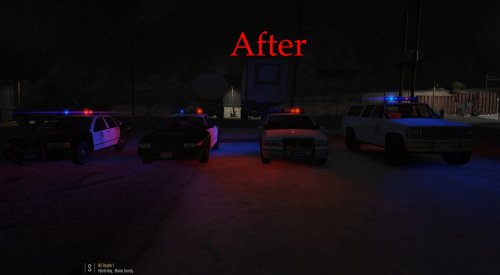 as you can see in the "before" pictures the lights are very dull, and not bright. with my mod it brightens them, and makes them more red/ blue
 -
possibly eyecandy. not sure though, im not good at guessing.
-
if your using lundy's models use my light enhancement for his models *cough cough* and my other model i made
-
thank you.
-
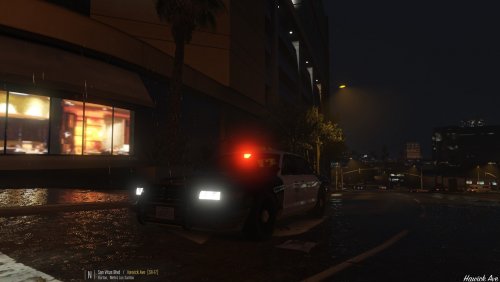 looks deadly similar :D
 -
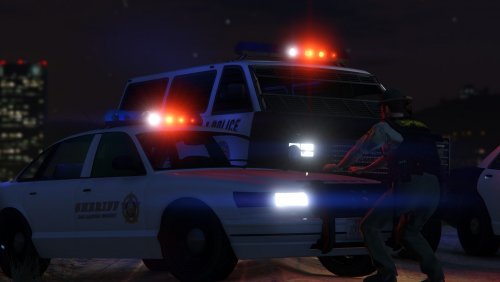 if im not wrong. he edited the whole lightbar on the model and added in a "light" on the rotator for the middle. so, again if im not mistaken you have to use that model for it to work.
- 9 comments
- 3 reviews
-
I love Lundy's "Lore Firendly" LSPD and LSSD cars, but the lights just didnt cut it for me. This was my first project in Zmodeler, and it took me 5 days to figure out how to do this. I made the lights go from a shade of white or almost dull to the default cars lights. In my opinion they look alot better. This file comes with everything you need. install the models, not just the textures. the models are what the fix is. INSTALL THE CARVARIATIONS.META!!!!!!
-
they still use the same setup today also. its just the way you look at it.
-
simply put. when its done.
-
I threw this together tonight, and i liked it so i shared it. Thank you to @Lundy for his amazing work. this is supposed to represnt its real life counterpart. a LAPD CVPI. known bugs: None Expect more of these kinds of vehicles.
-
I have changed the siren settings and everything. not sure...
-
This has been answered probably millions of times, but I havent found a method with the new menu to get your character for EUP. how does one go about this?