


Dbeehler73
Members
-
Joined
-
Last visited
Everything posted by Dbeehler73
-
when programmers release scripts they encode their software, and make it so other people can't change it. So in the short run, there is no "good" way to change it
-
ok D:
-
you should totally reupload it. It looks awesome :D
-
do you know why?
-
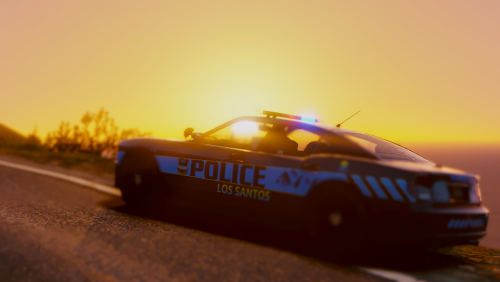 I also have this problem. the first two lights in the center of the lightbar are lit white, and dont turn off with ELS. its not takedown's either First one doesnt have any lights on, and the second is with headlights.
- 82 comments
- 30 reviews
-
-
-
.thumb.png.1725285dd85eea6e5b44124588de4d3d.png) when making skins put the template as another layer so you can see your skin over the template and line stuff up. It helps a great lot and makes it look better too. Im not sure what program you used for making these, but you can do layers in pretty much and program. Hope this helps in the future!
when making skins put the template as another layer so you can see your skin over the template and line stuff up. It helps a great lot and makes it look better too. Im not sure what program you used for making these, but you can do layers in pretty much and program. Hope this helps in the future!- 7 comments
- 3 reviews
-
It looks nice, and pretty good for your first skins, but you should take more time when making sure they are complete. IMO the taurus looks like it was rushed and not done as good as it could be. For instance. The bottom line is not straight and at an angle. For the tahoe I think it looks pretty nice. I believe you should have re sized the "LOS SANTOS POLICE" on the side so that it was not cut off by the door handle. The charger looks really nice, and the only thing I see that could be fixed is some words being cut off by the door at the bottom. Otherwise these are pretty good.
- 7 comments
- 3 reviews
-
not if you are trying to use them with ELS. That is what I got from your statement above, but I might have read it wrong.
-
because they aren't ELS? I think?
-
you can edit the popcyle.dat (I think) download cops back on the beat and look at the files.
-
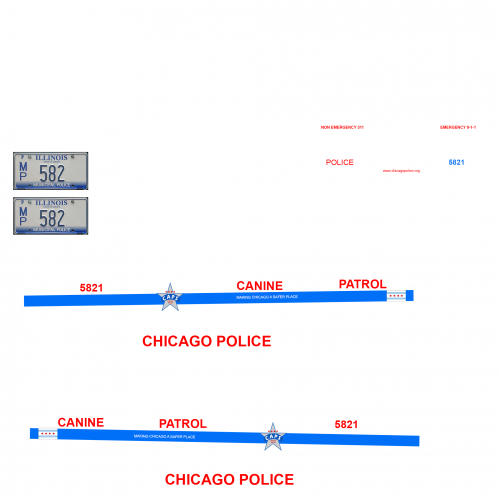 yes, it just doesnt look like it fits on the back where its at
 -
In the third screenshot of the passenger side The line does not match up with the line. Don't know if it is supposed to be like that though.
-
on the back it looks like the flag doesnt line, up with the line
-
That wouldnt be a bad starter computer at all. I have a 1070, and a shitty CPU and I can run gta just fine, so that should do the trick :D. see if anyone else has any input though.
-
so to play gta 5 you will need adleast 8gb of RAM, as just a starting point. My next question is, do you want it to look beautiful? What FPS will you be shooting for here? This will determine the next things in your build. If you dont care how it runs, you can but the lowest things to run it and be happy, but if you want it to look nice and run nice then you will be spending some more money.
-
I like the current releases. hope the new one's will be just as good :D
-
remove your mods folder, like you should have created :D If you didnt. gotta reinstall :|
-
not here, but maybe other websites. only some files are uploaded too, so good luck. Might as well just reinstall.
-
reinstall or if you made backups just rewrite the files
-
I aint to worried about it, im fine with vanilla :D just dont wanna lose LSPDFR. Im fine playing with vanilla stuff just as long as i got lspdfr.
-
I mean I still have it also, just saying it isnt looking good.
-
not enough to instantly say WE NEED TO STOP. 10,000 people will not make a difference when 500 million people bought and play online + shark cards. Do you honestly think that with such a small number of people stop playing gta or whatever it is will make them change their mind? dought it, but hey. it's whatever.
-
still need the FIB cars to complete the pack :D... and HP!
.thumb.png.1725285dd85eea6e5b44124588de4d3d.png)
