
amenbrother
Members
-
Joined
-
Last visited
Everything posted by amenbrother
-
Making a US based mod pack using vanilla or lore-friendly vehicles, based around Washington D.C. (Capital City).
-
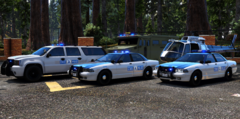
From the album: US Mod Pack WIP
Added SWAT truck and helicopter. -
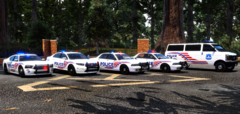
From the album: US Mod Pack WIP
Added prisoner van. -
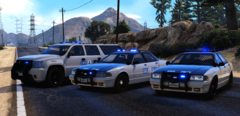
From the album: US Mod Pack WIP
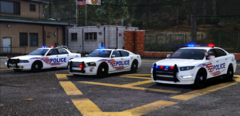
Replacer pack (sheriff + sheriff2) with an all blue lighting setup that took me way too long. -
From the album: US Mod Pack WIP
-
This is shaping up amazingly! I'm so excited to see any more news (and, ofc, the release) of 0.4!
-
Yay, finally!
-
-
-
-
So, I've recently been trying out the boat callouts and the boat pullover script, but it seems I can't find any NPC boats, or they just aren't spawning. Any help would be great! Version - EFLC 1.1.2.0 LCPDFR 1.1
-
I'm not quite sure, but this could be a handling line issue. Are you using the default lines from the game, or are you putting the ones included with the car?
-
How did I NOT see this? Happy birthday, Yard!
-
Tah-Hoe in my case. jk i say hoe-tah duhhhhh
-
 Thanks, man!
 -
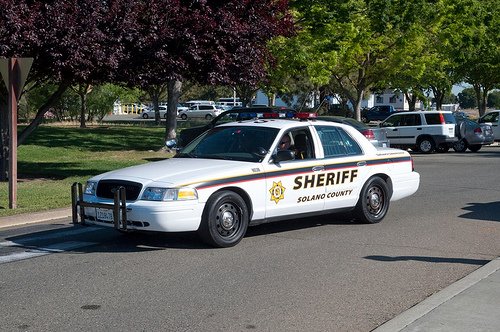
If you could, it's Stafford County, VA. I'd really enjoy you making one!
-
Looks good! Thought this was Stafford County SO though. xD
-
From the album: Kerbal Space Program
A small observation post in low Kerbin orbit. -
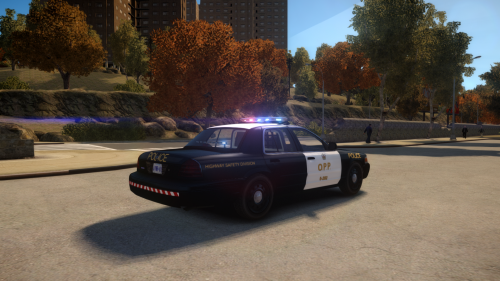 This looks really nice, but what kind of PCs can this ENB be handled on?
 -
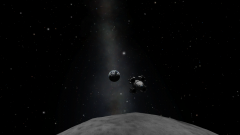
From the album: Kerbal Space Program
Leo II is on final approach to land near the crash site of Leo I to rescue the crew in this picture. Leo II successfully touched down on the Mun within 1.3 KM of the crash site, and the crew safely transferred to the Leo II module. Leo II then fired its engines for the last time during it's return to Kerbin. The entire crew was successfully recovered after a solid landing on the ground, signifying the first successful landing and rescue mission from the Mun in Kerbal history. -
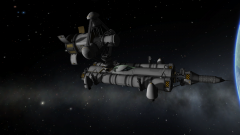
From the album: Kerbal Space Program
The first spacecraft to dock dock with Integrity, Hela II, docked today as a training mission for future missions with the Hela II landing module. Future plans for the station are in progress. -
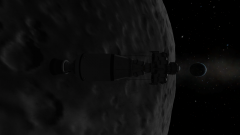
From the album: Kerbal Space Program
The first in a series of Leo landing missions, Leo I's main landing engine was destroyed during a hard landing on the Munar surface. A second mission, Leo II, has been launched to rescue the crew of Leo I. -
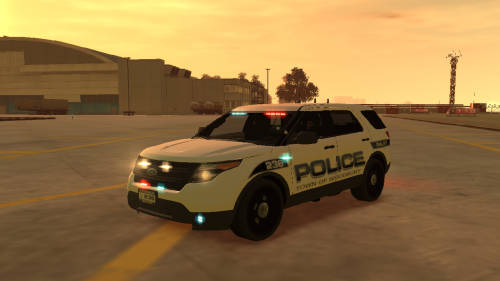 Ingame screenshots of the skin?
 -
-
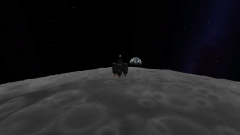
From the album: Kerbal Space Program
During my last mission from the Mün (Moon analogue), I caught this amazing picture! (And yes, I forgot my f**king landing legs)