.png.22897c42e5e93c7e0d52995e3c33fb92.png)
Dippa
Members
-
Joined
Everything posted by Dippa
-
 I think you did a great job bringing a large variety of callouts to us with well thought out work! I will be watching this closely to see where you go with it next! I would recommend using a different ped for the bus driver instead of the police but it was a cool easter egg lol. I would also recomend using the Y key to read the text but let it stay up longer with more dialogue. One more thing, I think it would be a cool option to put in your ini file the ability for us to choose what cars Police Impersonator uses. For me I know I've added crown vics, and other vehicles to me game that are not police vehicles but could be used a fake ones for the impersonators. Great Job nevertheless! A+ from me✌️
- 195 comments
- 36 reviews
-
-

- 1
-
-
 @OJDoesIt This still works like a charm! I set it up lastnight for the first time and it works great! I did notice one thing that could improve on this should you do an update on it, the modifier button acts as the "off" button as well as the modifier button. This should be seprated so that the off button can be chosen by the user should they want to sync the buttons with ELS. I was trying to get it to engage with the same on and off used when engaing ELS siren but wasn't able to do so because the mod turns on with just a single press of the cycle button but only turn off with a modifier button. Having the ability to use or not the modifier feature button while still having the ability to change which button can turn it off or on would be ground breaking! You did a outstanding job on this bro please come back to it!
 -
 Bro I had the same thing happen when the cut scene started it all went south lol I LOVE this callout pack tho!
- 106 comments
- 13 reviews
-
-
I had to come back to the site to write a review! This is a well written mod and very creative! This is a must have and I can't wait to hopfully see many more additions to this callout pack!! Excellent work!
- 106 comments
- 13 reviews
-
 You've done some outstanding work with this! I look forward to its growth! Great work!
- 160 comments
- 20 reviews
-
-
- 1
-
-
 Also do you have "RichsPoliceEnhancements" mod installed? If so there is a priority radio traffic (PRT) feature where a priority traffic tone will beep periodically when selected in PoliceSmartRadio. If PursuitUpdates is enabled, this tone will begin automatically when a pursuit starts. // Default is false EnablePriorityRadioTraffic=false
- 2,699 comments
- 240 reviews
-
Can you take a screen shot of your GTA main directory folder and post it? No. Yes That is your Visualsettings.dat file, not ELS. Did you add a visual lighting mod to your game? That is not ELS doing that. Areyou using another mod like "RichsPoliceEnhancements"? Can you post a screenshot of your plugins folder and your LSPDFR folder that is INSIDE the plugins folder.
- 2,699 comments
- 240 reviews
-
-
 @timnboys Just a FYI, your plugin seems to conflict with the 'Spotlight' plugin. Yours will crash when the spotlight plugin is loaded and yours will crash there after if you try to load it while the spotlight plugin is running.
- 535 comments
- 42 reviews
-
-
-
-
 That sounds great! The thing is, I've changed the game agencies to fit where I live such as Maryland State Police for hwy patrol, PG County police for the county etc. Those angencies would not appear in the allotted box regardless of callout developers yanno? And I personally do not load or put in say FBI callouts if I am playing as State troopers. Great stuff anyway you slice it though.
- 451 comments
- 50 reviews
-
@opus49 You knocked this right out of the park!! I LOVE this mod! Is it possible to be able to manually config the empty Agency box on the ini? I would love to be able to put in what ever agency I am using at the time in there!
- 451 comments
- 50 reviews
-
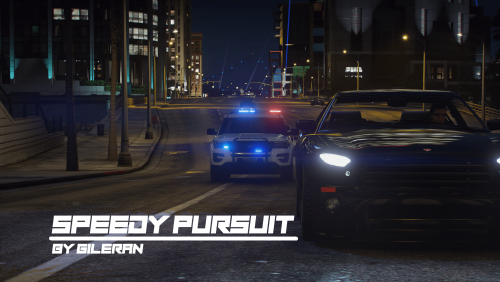 Hey Jordan, I have also noticed on the Hawick ave carjacking callout no matter where It tells you the location is (such as grapeseed) the callout will always stat at Hawick ave.
 -
I understand that not deleting the OpenIV.asi may have worked for you and that is great, however the purpose of me telling him to do so is because the problem isn't just the ASI. loader. If you are going to recognize my solution, please post the solution I posted without altering it.
- 2,699 comments
- 240 reviews
-
I think I've come across one other issue. For some reason whenever and AI do an arrest after the pursuit the suspect walks back to his/her car handcuffed and drive off or walk off. The way I stop it is I call for a towtruck soon as they are arrested. Great work otherwise!
-
Very nice job with this. Great work. I look forward to what you have in the pipeline!
-
 What patch is that? If you're refering to the latest update 1.0.2545.0 then yes.
- 534 comments
- 206 reviews
-
Update the ScripthookDotNet to the latest: https://github.com/crosire/scripthookvdotnet/releases Please download and put in main directory. Only put these files in ScriptHookVDotNet.asi ScriptHookVDotNet.ini ScriptHookVDotNet2.dll ScripthookVDotNet2.xml Do NOT put the ScriptHookVDotNet3 files in yet.
- 2,699 comments
- 240 reviews
-
Ok let's start there. Open your Anti-virus and make sure you do an exception for AdvanceHookV.dll. A tell tell sign that it was being blocked is if you put in the file and the first letter is uppercase but once tou do an exception the file in the main directory becomes lowercase. Try that and see what happens. You have A LOT of asi files that are being loaded. I would also check to see if any of those have updates. Some asi are known to conflict with other asi files when one or more is outdated.
- 2,699 comments
- 240 reviews
-
Ok well without being able to see logs or the inside of the game itself I'm flying blind unfortunately. Sometimes once I hear the symtoms I have a good idea of the issue but without anything to look at I will not be able to help. I want you to try this. You have a mods folder correct? If so, (I really reccomend you do if you don't) copy the common.rpf file from the main directory and put it in your mods folder. Also do these things: 1) Update your Gameconfig.xml (VERY Important) path: C:\Program Files (x86)\Steam\steamapps\common\Grand Theft Auto V\mods\update\update.rpf\common\data https://www.gta5-mods.com/misc/gta-5-gameconfig-300-cars 2) Update to the latest RageNativeUI: https://github.com/alexguirre/RAGENativeUI/releases 3) Update the latest ScripthookV: https://www.dev-c.com/gtav/scripthookv/ 4) Update the ScripthookDotNet to the latest: https://github.com/crosire/scripthookvdotnet/releases 5) Graphics driver make sure you have the latest. 6) Make sure if you have this that it is the latest Works VERY well with stopping crashes: https://www.gta5-mods.com/tools/packfile-limit-adjuster 7) Another awesome file that should be added with the packfile-limit-adjuster to stop or decrease game error and crashes: https://www.gta5-mods.com/tools/cweaponinfoblob-limit-adjuster 7) If you have this in your game remove because it is broken. You would need to increase the numbers in the file for it to function: CScenarioPoint All of these updates are are vital. Some may seem like they do not effect the other but trust me they do.
- 2,699 comments
- 240 reviews
-
Ok, let's try this then, can you post a screen shot of your main directory, and plugins folder, (the LSPDFR folder). Alos I need a bit more information: when GTAV updated did you try to run it and it would not load? Or did the for GTAV happen and you put the new LSPDFR update in and rage would not load? Also did you use the auto install for LSPDFR or manual install? I want to gauge all that was updated. You also said, "The only method for the moment is deleting the ELS.asi to get the game to load". So did the game load, with the exception of the els.asi file, and now will not load at all?
- 2,699 comments
- 240 reviews
-
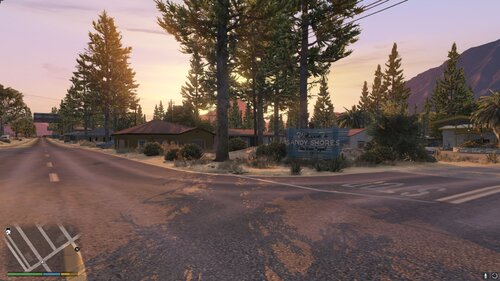 Isn't this the same mod by Smilemore that is on here? https://www.gta5-mods.com/maps/sandy-shore-remastered
.thumb.png.69333a247b9117caac821eda3fa59672.png)