


LMS
Management Team
-
Joined
Everything posted by LMS
-
It appears to be black because I decided to increase the intensity of the light which also increases the dispersion, so it no longer looks like a small solid light. The lights are coronas and drawn the same way the headlights, brakelights etc. are. The code is located in the GTAIV.exe/EFLC.exe and can be opened using a disassembler or a debugger at runtime. But if you just started getting into C++ it's a vain project, you need to have at least basic assembler and reverse engineering skills.
-
The traffic light colors are hardcoded to green, amber, red. There are two different colors in memory. Those for the actual traffic light and those for the light shining on the ground. The actual colors are retrieved from a switch (trafficLightState), so you would have to change the code directly, the ambient lights are static floats which can be changed a little easier then. An example of how it may look: Different colors, changed brightness
-
Hello, this is not going to happen, we focus on GTA. LMS
-
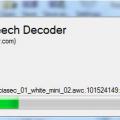 Oh my god, did Sam just create a standalone application? By the way, you can change the title of the form in Visual Studio so it is no longer called "Form1".
- 12 comments
- 1 review
-
Changing the size is not possible. When using the Quick Action Menu you can deploy as many areas as you wish as long as you don't leave them. The "M" key however toggles the area.
-
Check out these properties of GTA.Vehicle: Color FeatureColor1 FeatureColor2 SpecularColor
-
I'm with unr3al on that, rewriting 1.0 took me about 2 years and I don't think I will ever do that again, even if I were really unhappy with the design in the future (which I probably won't! :P). If V ever comes out, I'll try my best to get all things running on it, but it will take a lot of time to adjust all the functions in AdvancedHook, LCPDFR not so much since I designed it to be more or less "portable", so it can be done within a reasonable amount of time. But 5 years is a long time and no one can tell what will happen, but this year we'll roll out a few batches to fix things and add features.
-
If the dlls exist, I have no idea why it doesn't work, sorry.
-
Please don't use so small images, I can barely see anything. Please verify these files exists: 32bit Windows: C:WindowsSystem32msvcr100.dll and C:WindowsSystem32msvcr110.dll 64bit Windows: C:WindowsSysWOW64msvcr100.dll and C:WindowsSysWOW64msvcr110.dll
-
I personally miss my Windows 7 when playing IV/EFLC. I found it to be more stable, but not sure about the performance.
-
Maybe ;-)
-
Ah sorry, I thought you just wanted to disable any LCPDFR actions via the controller. Forcing keyboard actions when using a controller is not possible, sorry.
-
Hello, this is a native function only available in EFLC. It is used to improve the behavior of cops when they get into water, but not available in IV. Nothing to worry about though, it doesn't have a big impact and will never cause a crash. LMS
-
I never tested this, but maybe cp702 did. To change locations, you have to insert your coordinates into the "barPositions" array.
-
Hello, in order for LCPDFR to recognize it, use the "AdditionalCopCarModels" setting in the .ini file. LMS
-
Hello, LCPDFR will always switch to the most recent input device, so if you use your keyboard during a traffic stop but then press a button on your controller, it will use the controller. To entirely disable all LCPDFR controller settings, you have to map all keys to None. There is no other way at the moment. LMS
-
Hello, the check uses the same data as the pullover, so you're probably just unlucky. Try again a few times. LMS
-
Hello, please remove the file "LCPDFR Loader.net.dll" from your game root (where the .exe file is). It must only be in the "scripts" subfolder. LMS
-
I had a closer look and it turns out .NET 4.5 just overwrites the content in 4.0 hence the same name. As for error 0x1, it failed to automatically find your game installation (reg keys missing), tick advanced mode checkbox and manually navigate to your installation.
-
Hello, good to see you back! As for the logs, I can see it crashed when you got the ID of a ped via the computer, but I can't find any other crashes you mentioned (pulling out weapon for instance). Those probably occured somewhere in IV's memory. LMS
-
It has nothing to do with LCPDFR and I'm not sure why it crashes for you, sorry.
-
Hello, thanks for your feedback. No one of the dev team plays using a controller, that's also why most actions are not bound. If the current controller layout is not efficient, feel free to provide us your settings here so we can add them to the next release. You can assign every single action with up to two keys in the .ini file for full customization. About the networking issue, I'll have a look at that. LMS
-
Looks to me it runs on .NET 4.0 for some reason while it should run on 4.5. I'm not sure if that's the crash reason here, but that's all I know.
-
The suspect will automatically walk to the police car that has been dispatched to transport him. This might be a few blocks away.
-
Please attach ScriptHookDotNet.log and LCPDFR.log.


