LMS
Management Team
-
Joined
Everything posted by LMS
-
Nothing that looks suspicious to me from the code. I guess I'll try running it locally and see if I get the same, but that might take a few days. If you do find the issue in the meantime, please let me know here.
-
Resources are everything with an Addon, Replacement and Resource tag. Their name is indicated by the script name. Groups support tags for what you want, such as "isRequired" and "disabledByDefault". The example below shows how a resource is referenced from a group. Note that you can also use the Mod Manager to browse your mod and see how it parses it to understand if you have set up everything the way you want it. <ResourceGroups> <ResourceGroup name="Descriptive Name" scriptName="myGroup" disabledByDefault="true"> <Description>Installs a certain file</Description> <Resources> <Resource>myResource</Resource> </Resources> </ResourceGroup> </ResourceGroups> <Addons> <Addon name="My Variations" scriptName="myResource"> <DataFile>carvariations.meta</DataFile> </Addon> </Addons>
-
That looks fine to me, could you perhaps post a more complete source code example? Also is there anything in the log file that looks like a cop failing to arrest?
-
I saw that you also have a request in the Coastal Callouts support thread which is probably a better place.
-
I don't think this is LML related, but feel free to attach your logs here and I will have a look.
-
You're running an old version of LSPDFR (Running LSPD First Response 0.4.2 (0.4.7110.32590)). Update it and you should be good.
-
-
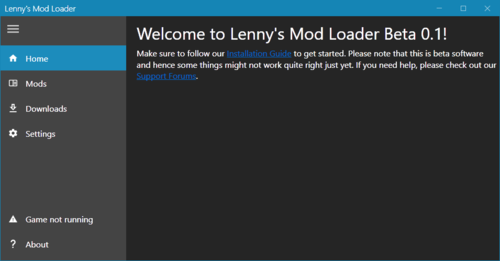 Thanks for your report. I just checked in my game and I cannot reproduce using the latest LML and Coastal Callouts version. What character model and outfit are you using? Edit: Seems to affect the male multiplayer model only. I will push a fix soon. Edit2: Uploaded a fix, please redownload and replace vfs.dll in your game root and try again.
- 338 comments
- 18 reviews
-
Audio support has been added in version 0.2. See how it works here:
-
Since version 0.2 audio archives (.awc) can now be replaced using Lenny's Mod loader. The syntax is the same as for any file replacement, but you need to make sure you are using the audio:/ path. Example for vehicles.awc To replace your vehicles.awc (located in RESIDENT.RPF) with a modified version, you can use the code below. This assumes you have a modified vehicles.awc in a folder called audio (the name can be any). It is important to use the audio:/ mount name. <FileReplacement> <GamePath>audio:/sfx/resident/vehicles.awc</GamePath> <FilePath>audio/vehicles.awc</FilePath> </FileReplacement> Full install.xml example A full example ready to be copied can be found below.
-
You cannot easily integrate Windows Forms (or WPF for that matter) inside the game. From what I can tell Computer+ uses the RPH "clone" of Windows Forms which allows you to render basic form controls in GTA V. It is powered by GWEN which is a bit outdated but gets the job done. I'd recommend looking into the RPH.Forms namespace and going from there.
-
All good, I didn't think you were unappreciative at all 🙂 I definitely understand that it is annoying and I know that there are still quite a few people having problems with it, just wanted to be honest about not getting your hopes up anytime soon.
-
It's unfortunately hard at this time to further improve the framerate since we cannot really narrow it down to slow code bits anymore. I've sent out quite a few diagnostics builds after the 0.4 release to fix the biggest issues but the ones you mention seem to occur even for some people on higher-end hardware without a clear indication as why. I'll keep an eye open but for the time being I think you have to live with it.
-
So you mean you have the phone on screen (if you want) at all times and it displays the current screen so you can see the info you just pulled up?
-
Thanks for the suggestions and good to hear that you are enjoying the companion app. We definitely want to improve on it and make it more useful. Most of these things seem doable and I'll see what we can do. Only 6. is confusing me a bit, do you mean that whenever you are in a police car and use the computer you would like to be able to access the companion app as if it was a website in the game? @Cyan might also have some further comments regarding the map suggestions.
-
Parking AI (or driving AI in general) in V is not great, so I am not sure if there is a real fix for this. You could try checking their distance to the target position and also compared desired heading and current heading and perhaps just mark them as parked yourself.
-
You can keep everything you have and just install new resources through LML if you want.
- 338 comments
- 18 reviews
-
All regions have the same version. Make sure to update it via Steam or Rockstar Games Launcher and see if that helps.
-
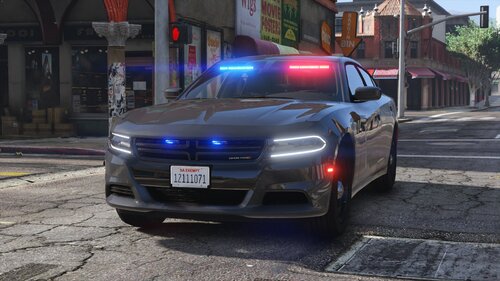 Yeah it makes total sense for manual installations and I think "abusing" resource groups for that is not a bad idea. I am also still looking for a better way to handle manual installations that need files copied (such as ELS vehicles). I decided against doing it on game launch as I thought it might be confusing to get a pop up about installing files when launching the game, but maybe I can find a better way in the future so you do not have to launch the Mod Manager again. If you have any ideas or feedback, feel free to PM me. Thank you! Looking forward to more LML cars 🙂
- 34 comments
- 14 reviews
-
-

- 1
-
-
The feature is still present. Please note that it is incredibly hacky and hence yields mixed results. Essentially what we do is try to figure out what cars might want to pass the player, modify where they believe the middle of the road is and then let them drive again. In many cases this makes them drive around the player quite nicely with enough space between them, but it does not always work. We can also only make them yield so much as they sometimes otherwise really like to dive into oncoming traffic. If you think that the mechanic is totally absent after a few tests in areas where you are sure it used to work, please let me know again. This is a bit similar to what I explained above. We have to rely on the way the pathing is presented to the AI in the game, which does not always reflect what you see on screen (i.e. the AI might be totally unaware of a large shoulder and so it is much harder for us to detect it). While a car is trying to park, we constantly probe the surroundings for what we believe is a suitable parking spot depending on many indicators, which sometimes works quite well (and can be very rewarding) and sometimes does not. Note that the mimic mechanic was never a feature in LSPDFR 0.3, but a plugin. You can drive in front of cars in 0.4 and lead them, though. You can also press your horn to make them stop immediately.
-
We hope to improve on those features soon (and just launched the first version of our global leaderboard here), but if you have any concrete ideas feel free to share.
-
Please try installing the x86 (32 bit) version of this https://www.microsoft.com/en-us/download/details.aspx?id=30679
-
Minor FYI: If you install it via the "Download with Mod Manager" button you can skip the "Copy files to game" step as that is done automatically for you.
- 34 comments
- 14 reviews
-
-
- 1
-
-
There are currently two apartment options available from which you can choose in-game via the Interaction Menu.
-
Do you use any other file mods? If so, please disable your mods folder and try again.