


Creators: Due to background reprocessing of files, approvals and file security checks may be delayed. Thanks for your patience.


Mikofiticus
Members
-
Joined
-
Last visited
Everything posted by Mikofiticus
-
-
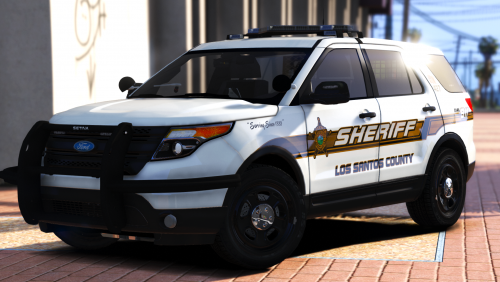
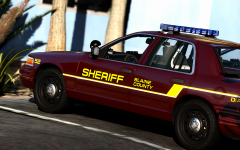 Honestly, fixing that would elevate these models to superb quality. Cars look janky as shit when people don't do stuff like that.
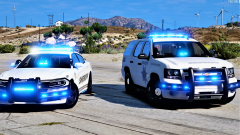 Back at it in FiveM!I don't think I've had issues. I've uploaded massive photos to them and haven't really had issues. I know to see full resolution you sometimes need to either open in new tab or save the image.You could use imgur, that's what I've always used as image hosting.
 Well. That's the model that's in GTAV. A x26 won't fit in the holster unless you completely edit the size of the tazer. Then it would look dumb. So there.
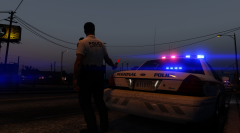 It's already in the game. It's a scenario. Can't remember the name off the top of my head. Something to do with parking.
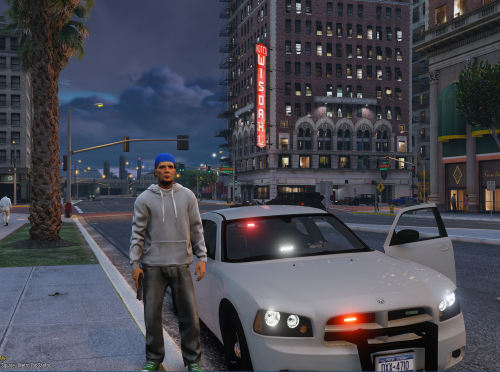
 What can I say, but simply amazing. This is a must for any RP/FR/Screenshot needs. It adds so much depth.
- 79 comments
- 27 reviews

From the album: GTAV - PC
Get it here! That Cj184 is waaaaay too big. Should be about this big, give or take.This is essentially the grandparents (Take2) having no clue what the fuck their doing, and now the kids (R*) are trying to limit the damage control.
 You didn't need to upload 5 nearly identical pictures though.It's not just GTA, it's all reviews. Steam is experiencing issues.Add Fallout and Skyrim. Those are huge AAA games that support moddingI beg to differ. If Take2 has these opinions on just OpenIV, then Scripthook, RagePluginHook, FR, 5m...they're all in danger now.RDE isn't a clusterfuck if you only use the car and ped edits. I see no frag grenades. Dunno what crack you're smoking.





Account
Navigation
Search
Configure browser push notifications
Chrome (Android)
- Tap the lock icon next to the address bar.
- Tap Permissions → Notifications.
- Adjust your preference.
Chrome (Desktop)
- Click the padlock icon in the address bar.
- Select Site settings.
- Find Notifications and adjust your preference.
Safari (iOS 16.4+)
- Ensure the site is installed via Add to Home Screen.
- Open Settings App → Notifications.
- Find your app name and adjust your preference.
Safari (macOS)
- Go to Safari → Preferences.
- Click the Websites tab.
- Select Notifications in the sidebar.
- Find this website and adjust your preference.
Edge (Android)
- Tap the lock icon next to the address bar.
- Tap Permissions.
- Find Notifications and adjust your preference.
Edge (Desktop)
- Click the padlock icon in the address bar.
- Click Permissions for this site.
- Find Notifications and adjust your preference.
Firefox (Android)
- Go to Settings → Site permissions.
- Tap Notifications.
- Find this site in the list and adjust your preference.
Firefox (Desktop)
- Open Firefox Settings.
- Search for Notifications.
- Find this site in the list and adjust your preference.