




Mikofiticus
Members
-
Joined
-
Last visited
Everything posted by Mikofiticus
-
Deputy Rick Grimes and and his shitwad partner Shane!
-
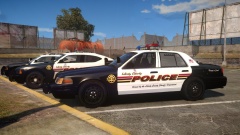 That Texture looks great with the MX7000
 -
I love that you redid the fatcop too!
-
New little video from GTAV!
-
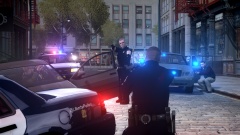
From the album: Action Shots!
After a crazy pursuit, a suspect rammed into a LPB patrol car that was blocking the road. With the suspect wedged, LPB swarmed in and apprehended the suspect. No injuries were reported. -
-
Great job! Always great to see you on here. Not a fan of the arjent or hubcaps, but it's a great model none-the-less that will see some time!
- 18 comments
- 8 reviews
-
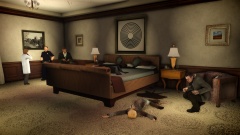
From the album: Action Shots!
Officers were called to a hotel room at the Majestic when neighbors complained about arguing and a loud "pop" noise. When officers showed up, they found the body of Emily Grainer, 25. Detectives Scott Freeman and Marcus Lindage scan the room for clues that might lead to the killer. The medical examiner chats with the first responding officer, Alex Tennan. -
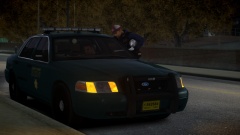
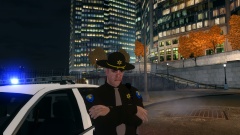
From the album: Action Shots!
A LCSO deputy was approached by a citizen and chit-chated about the community and what it's like to work in LC. -
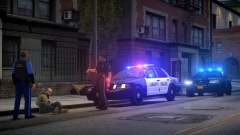
From the album: Action Shots!
A LPB officer and a LCSO deputy talk to a man about stumbling into the street and having an open container. -
 Nice ped model!
 -
 What ENB is it? Looks similar to EyeCandy v6 and CryENB.
 -
 This is awesome!
 -
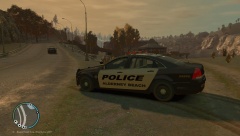 That Caprice is not released anymore. IronicRainbow took it down.
 -
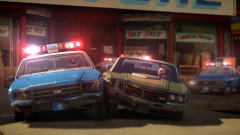 That quality is just from what I get in-game. I just used CryENB v1.
 -
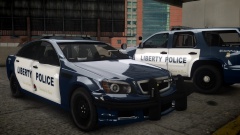 Gotta love Portland for introducing the blue and white scheme. Anything is better than that dated white livery.
 -
From the album: Textures! WIP/REL
Almost done. Just need the explorer to be finished. Each car will have 4 unique plates. Tahoe and CVPI will come with Supervisor variants. -
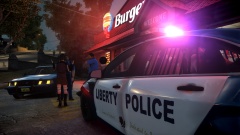 Your sentence made me think of this game. Cause that did not sound very good lol.
 -
Also Ambulance works.
-
1949 Ford NYPD
-
Prepare....I was at the Portland Auto Show, and the PPB was there. Here are some pics I took! The PPB brought their 1969 Plymouth Belvedere, A Cadillac Ambulance and a Mack Firetruck. Does anyone know of the device that's on the Belvedere's dash? And look at that radar unit on the window! Lightbar was made in state by a company called Cheetah. Never heard of them though. Caution, ton of pics incoming!!
-
Yeah, but I always liked the two-tone uniforms. It's like FY Burger Shot or something. I was expecting something else, but I said screw it.
-
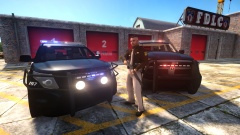 That sheriff ped is pretty rad. That's exactly the scheme we had when I was a cadet.
 -
From the album: Action Shots!
A man, Carlos Martinez, was arrested when he robbed the Burger Shot in Westdyke. The Liberty Police Beurau found Carlos was not far from the crime. Once he was arrested, he was transported back to the scene of the crime so the employee working, Angela Burray, could identify him. Below are more shots from the incident. No injuries were reported. -
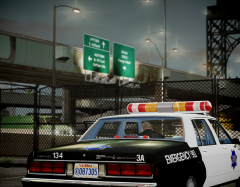 I really like this picture.


