




Mikofiticus
Members
-
Joined
-
Last visited
Everything posted by Mikofiticus
-
-
She's in there!
-
Magic. But really though, just director mode. I'm exporting the movie now. Should be up today.
-
I just made a movie with a female sheriff character. I'll post soon!
-
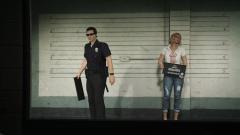 It was patched? I lost it by my own doing. And what do you mean the mastermind?
 -
Yeah, I'm getting notifications that people are posting, commenting or uploading things. To be honest, I don't really care what most of the people do, except for a handful of people. I'm hoping I can customize my notifications, because this is gonna get nasty in a hurry. I don't want 1000 notifications for stuff I don't care about and miss out on something I do.
-
-
-
-
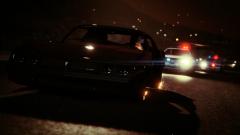 That didn't take you long!
 -
Awesome stuff Strike!
-
-
-
No dice. Still not working. Hm. What should I do?
-
Thank you Willpv! I'll test them out and see if it works!
-
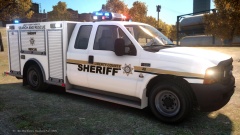 Are you releasing the texture on the truck to match the other one?
 -
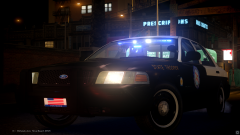 Nope. The TS is only for staff right now.
 -
After a few days of fiddling with the settings, I've finally decided to make a topic about this. So I manually installed LCPDFR 1.1 (After having 1.0d) and I want to disable boat callouts, radio chatter and the prisoner cutscene. However, when I launch the Diagnostic app, I check that I want to disable these features. When I apply and close, it doesn't effect my game even though the settings are checked to disable them. Is there a way to add these as "true/false" settings in the config settings? Should I redownload 1.1 with the auto installer? (I'd rather not, but if I have to, I do). Please and thanks for any help.
-
Got some vintage Portland/Oregon State Police pics from their FB page
-
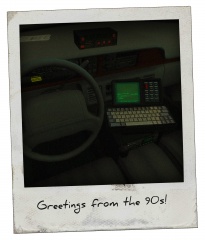 Stop teasing us classic cop guys! This is killing me!
 -
I dunno if we've posted this or not. Love the 65 and 69 Polara.
-
New video! Still processing, so 1080p should be up shortly.
-
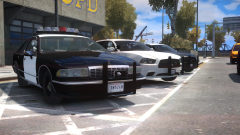 Old squads ftw! Any way you can brighten the glass texture? I might just be your ENB though.
 -
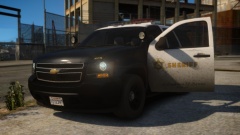 What's the poly size of these? I might really like to use these.
 -
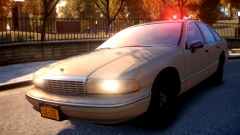 Is this Bugs' Caprice? Is the extra 10 the light on top? That's awesome.




