



googleplex2010
Members
-
Joined
-
Last visited
Everything posted by googleplex2010
-
Where are the dummies?
-
Listen buddy, we aren't paid to model for you spoiled brats alright, The original modelers were paid money by LARGE companies. The fact that we do it for free is enough already. Make your own mods buddy. We don't want people to steal our mods because we spent lots of OUR time working on these models.
-
You're not allowed to give EVI's files to people, He said that he does not want anyone giving out his stuff. Don't share the files.
-
 It dosent matter if hes not releasing it he should still respect the modder by asking before he converts it. Its common courtesy.
 -
do you even have perms to convert it?
-
welche Controller?
-
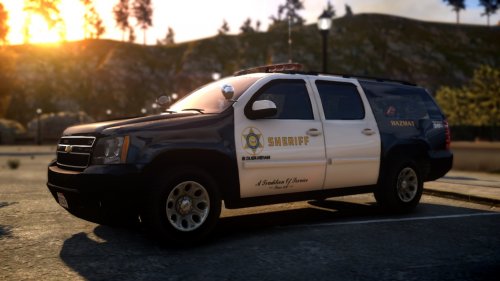 Great job Brad, the attention to detail is amazing. And the textures are sehr gut.
- 8 comments
- 4 reviews
-
-

- 1
-
-
 Bugs go home you're drunk.
 -
zu tun, so kopieren Sie die Verzeichnisposition der Mod an den Mod-Ordner und es zu laden sollte.
-
 HARDER.
 -
 Driver San Fransansiscososan
 -
Amend what?
-
it was under gta iv development...
-
*Face palm* That vehicle model is for grand theft auto iv NOT GTA V. Maybe look before posting?
-
 is there a limit to how many lights you can have working?
 -
 lol
lol -
 Nioce
Nioce -
![[WIP] Rescue Mod V: Stretcher](//s3-gallery.int-cdn.lcpdfrusercontent.com/monthly_2015_08/small.vlcsnap-2015-08-13-13h53m02s762.png.09b4516cd0e961377e43ce0262305109.png) Watched the preview, very nice!
Watched the preview, very nice! -
He didnt eat a muffin.
-
This is I think chasez's crown vic not the one im talking about.
-
wheels are fixed
-
Some one has converted their FCV model to gta v.
-
Done, cant tell its private.
-
Thanks man.
-
 Clap Clap

![[WIP] Rescue Mod V: Stretcher](http://s3-gallery.int-cdn.lcpdfrusercontent.com/monthly_2015_08/small.vlcsnap-2015-08-13-13h53m02s762.png.09b4516cd0e961377e43ce0262305109.png)
