




Sniper296
Friends of LSPDFR
-
Joined
-
Last visited
Everything posted by Sniper296
-
OSHPTROOPERSHORTY Huh. Learning the touch-typing positions but not to actually touch-type is quite useful.
-
HFgamerzPC Close
-
Happy birthday! Now give me a slice of cake!!!
-
My name means that I'm going to shoot you in the head 296 times from afar. Don't know why I chose it or where I first used it. All I know is it is 1.96432×10⁶ times better than previous names I have used and that may still be lurking out there on the web.
-
I would congratulate you, but then the lot of you spam invited me on Steam. Your congratulations from me is me not blocking y'all.
-
Two of my photos and a classic background in my current 15min rotation.
-
Flickr thumbnails (click for full size) >>> >>>>>>>> >>>
-
Screenshots from my desktop Specs: Intel Core i7-2600k @ 3.40GHz Corsair 8GB Dual Channel DDR3 @ 1866MHz EVGA GeForce GTX 680 @ 1006 MHz 2048MB Acer X193W 1440x900 @ 75Hz Game settings: All highest ENB: Modified L3EVO (2012 NY) v1.2 NVidia
-
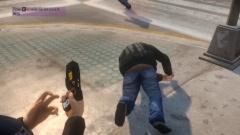 "Stay down, scumbag!"
-
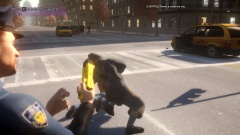 "I'll reload this thing all day if I have to!"
-
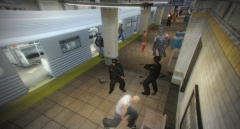 Ever Vigilant LCPD Caught on CCTV
-
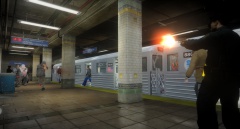 "Put your trash in the fucking trash can!"
-
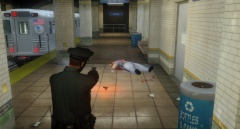 LTA and Transit Police Clamp Down on Fare Dodgers
-
 New Taser Preview
-
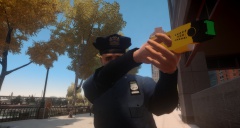 New Taser Preview
-
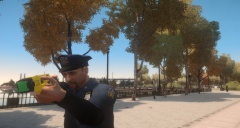 New Taser Preview
-
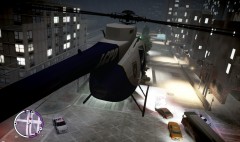 Spotlight Helps Hide Police Brutality
-
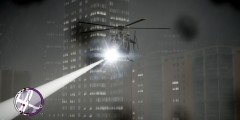 Air support
-
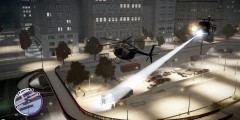 LCPD Shootout
-
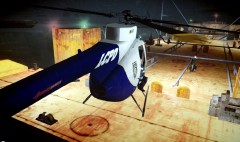 Medevac
-
 “No way he gets away with us on his ass!�
-
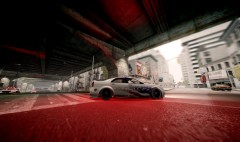 “Keep up back there!�
-
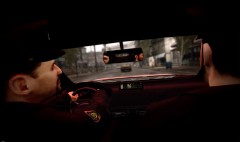 “When he stops...
-
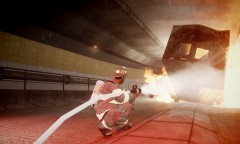 Tunnel Fire
-
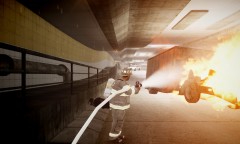 Tunnel Fire
-
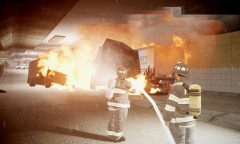 Tunnel Fire
-
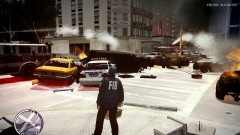 FDLC always busy
-
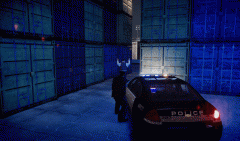 Arrest
-
-
-
-
These appear to be the first images posted on the GTA Forums topic. Boring bit about finding
-
I believe I win download speed. I love this new ISP, they have a goal and achieve it! [disclaimer]Seriously not edited image or swf. True speed. You think I would fake that DL and leave that UL?[/disclaimer]
-
Desktop: Windows 7 Home Premium x64 OEM (Was not dumb enough to buy "better" version) Server: Debian Wheezy amd64 Router: DD-WRT v24-sp2 micro Laptop(KIA): Arch Linux x86_64 And various VMs.
-
From the album: Screens
-
From the album: Screens
-
From the album: Screens
-
This is what I am stuck with when my connection is down. The test just freezes there and never continues.
-
Before: That would be 152Mb/s now too! After: Worst Case: [NO TEST AVAILABLE] It will not even complete the test. It dies half way.
-
-
Screw drugs! FSX is a much more expensive habit! *Stares at $384.88 PMDG shopping cart longingly* This is one of the only pics I could find from my flights. (had to attach it as IPB is developed by retards!)
-
Really? In the case of the NSA I think of it more as:You enter the store(site) you will be watched by security(site security). You will also be watched by a theif(NSA). The thief is not there to knock off the store, they are there to observe the customer's purchases. 'Oh, that guy is buying a 50" plasma and top end BluRay recorder!' He then calls his buddy outside with your description and gets him to follow you. They now know where you live and about your new pricey purchase. Being watched by the site you are visiting is perfectly reasonable. Being watched by a third party like advertisers, analytics providers, analytics providers disguised as social networking(Facebook) and others is unreasonable. Being watched by spooks of a country that has no competence in catching bad guys and therefore has to spy on every person on the planet just in case, is disgusting. @tinfoil hat wearers: Adblock, Noscript, Ghostery, et al., are not going to stop these people. They are there so that you can regain control on what your computer is receiving over the internet. De-crapifiying the internet. You need to use encryption, proxies, false identities, disposable payment methods, etc. to escape these scum spooks. Until you are in a tinfoil suit within an underground tinfoil bunker, they will still get you. Totally not the NSA.
-
From the album: Screens
A preview of the new taser model and textures. -
-
-
Tutorial how to make a server here: http://www.teamspeak.com/?page=tutorials&type=server#ts3_tutorial_1


