




CrossFire
Members
-
Joined
-
Last visited
Everything posted by CrossFire
-
-
Who wants to play? I don't use skype, so you will have to get on the LCPDFR TS server , if you want to play PM me. I am using CriticalFactions LC State Police pack with DAS.
-
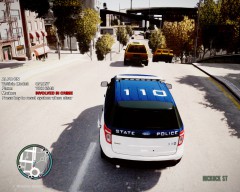
From the album: Grant on patrol
My first pursuit in my brand new Ford Explorer -
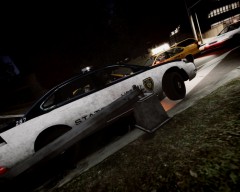
From the album: Grant on patrol
-
-
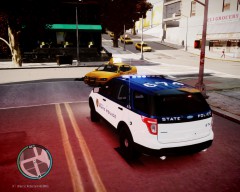
From the album: Grant's ENB's
I was looking in my downloads and saw a file called ELS ENB and thought I should give it a try. -
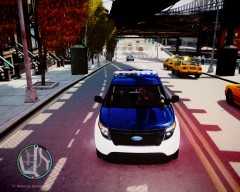
From the album: Grant's ENB's
I was looking in my downloads and saw a file called ELS ENB and thought I should give it a try. -
I saw that on "End of watch" and I started to do it, knowing those grannies with uzi's
-
-
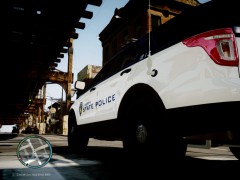
From the album: Grant on patrol
-
I really don't know, he said the video was not good. You don't have to put emoji's after every post (But I can't tell you what to do and what not to do)
-
He just wants to make a video.
-
He was talking about the video
-
Are you talking about the video or the bike?
-
Oh, I thought their was a specific pattern that you go to
-
Does anybody know the ELS7 pattern that changes the lights automatically when you switch the siren tone?
-
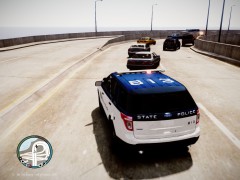
From the album: Grant on patrol
-
Where did you get that idea?
-
-
Yea but when I tried to open the backup, it somehow got corrupted. EDIT: Reinstalling
-
Okay I put in the HD Times Square advertising mod, and it gave me the RESC10 error , so I took it out, but it STILL gives me the RESC10 error, anybody know why?
-
-
![[W.I.P] Super Stealth Suburban](//s3-gallery.int-cdn.lcpdfrusercontent.com/gallery/album_1565/sml_gallery_65185_1565_109016.jpg) I think you should!
I think you should! -
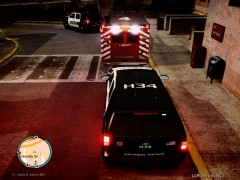
From the album: Grant on patrol
At 12:20 PM, LCPD dispatch got a shots fired call, at 12:30 LCPD officer Jerry Tracey arrived on-scene to find multiple men armed with 9mm Glock Handguns, when Officer Tracey went to his cruiser to get a standard-issued M4A1 Assault Rifle, one of the armed men came behind him and shot him in the back two times, another officer on-scene called LC Paramedics, and they carried him to the hospital, but on the way, medic Blake Woods noticed there was a black Cadillac Escalade following them, he called dispatch and dispatch sent four officers (Two in each car) to escort Officer Tracey safely to Schottler Medical Center. When the Escalade saw the officers, they moved away. But the officers still escorted them all the way to Schottler Medical Center. -
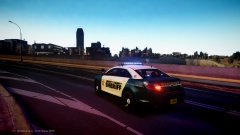
From the album: Grant on patrol
At 12:20 PM, LCPD dispatch got a shots fired call, at 12:30 LCPD officer Jerry Tracey arrived on-scene to find multiple men armed with 9mm Glock Handguns, when Officer Tracey went to his cruiser to get a standard-issued M4A1 Assault Rifle, one of the armed men came behind him and shot him in the back two times, another officer on-scene called LC Paramedics, and they carried him to the hospital, but on the way, medic Blake Woods noticed there was a black Cadillac Escalade following them, he called dispatch and dispatch sent four officers (Two in each car) to escort Officer Tracey safely to Schottler Medical Center. When the Escalade saw the officers, they moved away. But the officers still escorted them all the way to Schottler Medical Center.



![[W.I.P] Super Stealth Suburban](http://s3-gallery.int-cdn.lcpdfrusercontent.com/gallery/album_1565/sml_gallery_65185_1565_109016.jpg)
