




CrossFire
Members
-
Joined
-
Last visited
Everything posted by CrossFire
-
-
-
No problem :)
-
Obviously you didn't look all around 1.http://gtapolicemods.com/downloads.php?do=file&id=2138 2.http://gtapolicemods.com/downloads.php?do=file&id=1981 3.http://www.gta-modding-chest.com/index.php?page=DatabaseItem&id=111 4.
-
Thats a AWESOME idea, although I heard IV-Multiplayer was very buggy, but this would take ALOT of planning, if it gets going I will definitely use it :)
-
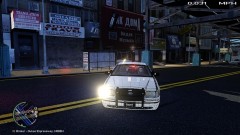 LOL
LOL -
What theme
-
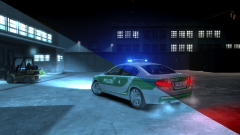 What ENB?!
 -
Yes! It's very simple and nice!
-
The lines look like they are a different shade of blue, other than that, it's good for a first skin!
-
![[WIP] 2009 Alaska State Troopers (Widlife Troopers) Ford F250 Super Duty](//s3-gallery.int-cdn.lcpdfrusercontent.com/gallery/album_628/sml_gallery_2982_628_16434.jpg) I don't really think the AST uses those rims, other than that, great model :)
I don't really think the AST uses those rims, other than that, great model :) -
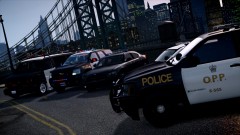 Am I the only one who hates that tahoe, It has too many lights
 -
Looks VERY nice but i'm sticking with Nutt's ENB.
-
It's okay, just wonderin'
-
I'm sorry, but how is this related to Southland at all?
-
Is your numpad lock on?
-
It does not have to say "Lightbar", he can name it whatever he wants. try both of them and see what you get
-
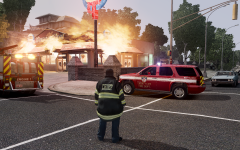 A FDLC Tahoe in Alaska, very realistic
 -
That's better
-
1. I do think before i type 2. I'm 100% sure that's the model 3. Check the files before you type It has not he just did not take the time to look into it, the thumbnail is the slick top and he saw that and said "that's not it" without looking further into
-
You could always do a retexture, just go to paint and cover it with blue
-
I don't see anything wrong
-
Yes a SWAT officer was shot in the hand
-
Please do a little more digging before you post on the forums:
-
Thanks updating now


![[WIP] 2009 Alaska State Troopers (Widlife Troopers) Ford F250 Super Duty](http://s3-gallery.int-cdn.lcpdfrusercontent.com/gallery/album_628/sml_gallery_2982_628_16434.jpg)
