




CrossFire
Members
-
Joined
-
Last visited
Everything posted by CrossFire
-
YYYYYYYYYAAAAAAAAAAAAAAAASSSSSSSSSSSSS
-
So, apparently Fox wants to bring back "The X-Files", and I feel that's the best decision they've ever made, one of my favorite shows! (And ineseri's) News article here.
-
If you were wearing a badge that looked real, he had a perfectly legitimate reason to stop you.
-
 Fabulouth
 -
-
XaPKPaX. I remember coming home from school and seeing a new video, I was so happy. And then I saw his video about him leaving, and I got really sad.
-
I wish I could like this more than once.
-
No. They are completely different. Textures are textures. But materials are what makes the textures fit on the car, they decide how much dirt should be on the car, they decide if something is shiny or not, they decide if something should have shadows or not, and much more things I will not go into detail about.
-
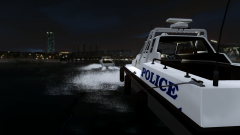
From the album: CrossFire's Pics V2
-
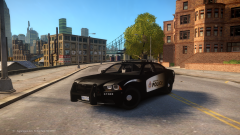 They're there.
 -
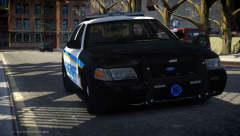 Really good picture!
 -
 Okay. Thanks for the clarification.
 -
Do you mean like equipment-wise? Or just a whole new interior?
-
Unlike in Ferguson and Staten Island, Dominique Perez and Keith Sandy may go on trial for killing an unarmed man. Do you think they should be charged? View the story here.
-
What exactly do you mean by "HQ PPV interior"?
-
<3
-
Well, you see, It is California State law that all emergency vehicles have at least on steady-burning red light, and Chippy is trying to make an accurate CHP car. So to make it accurate he has to make the red light(s) solid.
- 22 comments
- 11 reviews
-
Hey guys, because of all of the next-gen games coming out, and my PC being more than 5 years old, I decided it was time to upgrade my PC. I found some specs I like that may/may not be in my budget and I want you guys to take a look at it to see if it should run all next gen games. I'm assuming it will, but I want to make sure. Specifications: Processor: AMD FX-8320 (8 Core) (3.5GHz) (8 MB Cache) Motherboard: FX Series CPU Compatible - ASUS M5A78L-M LX PLUS (AMD 760G Chipset) (MATX) System Memory: 8GB DDR3 1600MHz Digital Storm Certified Performance Series (Highly Recommended) (Hand Tested) Power Supply: 850W EVGA SuperNOVA Optical Drive: DVD-R/RW/CD-R/RW (DVD Writer 24x / CD-Writer 48x) Storage Set 1: 1x SSD (120GB Samsung 840 EVO) Storage Set 2: 1x Storage (1TB Seagate) Internet Access: High Speed Network Port (Supports High-Speed Cable / DSL / Network Connections) Graphics Card(s): 1x NVIDIA GeForce GTX 780 3GB (Includes PhysX) Extreme Cooling: AIR: Stage 2: Noctua NH-D14 SE2011 Extreme Performance Internal Lighting: Internal Chassis Lighting System (Blue) Boost Processor: Stage 1: Overclock CPU 4.0GHz to 4.4GHz Boost Graphics Card(s): Yes, Overclock the video card(s) as much as possible with complete stability Boost OS: Yes, Disable and tweak all of the non-crucial services on the operating system Windows OS: Microsoft Windows 7 Home Premium (64-Bit Edition)
-
Refer to theninja35's post.
-
It depends on what kind of clothing it is.
-
I made mine LCPDFR a few months back, but I selected the option in Chrome settings where when you close the browser, all of the tabs are there when you open again. So unless I accidentally press the home button, I won't be going to my "homepage" anytime soon.I'm not sure.You do not select the L1's.I'm going to be honest, I have a nice sense of humor, but I didn't find this funny.



