


Dhruv
Members
-
Joined
-
Last visited
Everything posted by Dhruv
-
Ah! The one straight from Lex91,eh? I was expecting a marked Charger.That one's pretty nice.I can tell as I'm using it.
-
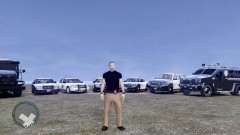 Good.But you need to sharpen your photoshop skills a bit more.
 -
No,actually,it even does it with Sam's modified CV.I believe it has something to do with ELS installed.Although,I have all the slots set to Active=0,it still manages to turn it on somehow.Not sure how it does,but while responding to a call,turning on the sirens I notice that it does.Actually,I realize it when I exit the car,cuff the dumbass,and he follows me to the car,I notice doors fluctuating while opening it and then come to realize that ELS is on! Rambar fluctuating is pretty obvious and self-explanatory as ELS uses extras to flash,and in that case,rambar is an extra.
-
On topic,I have barely seen any Chargers with spoilers and would love to ssee more.Where are the other two?
-
@Eagle: Whats the point when other cars aren't using the lights.You must be the same in the league as me,then. @Slimory: What spotlight? Takedowns? Or do the spotlights really work? I thought they were non-functional? Never noticed it :shrugs:.Please do tell how can I switch that ticking off. I have one more problem.I have EFLC with all-ELS models and GTA:IV with non-ELS models.Still,I disable all vehicles from using ELS by putting Active=0 and let ELS in the directory to use its ground reflections.But while playing LCPD:FR,sometimes my primary ELS lights go ELS,automatically.And the rambar starts to fluctuate.This is becoming a headache for me.Ideas anyone? I know,this would be thread hijacking,but I don't think somebody would mind providing a solution for this tiny problem.
-
ELS v6,mysteriously, works for a limited lucky people only.I still haven't succeeded in finding out why it behaves differently for different machines,but theres some unsolved mystery in it,indeed.ELS v6 crashes just too much for me (and some others) for some unknown reason.It works perfectly fine for the rest.Lt. Caine was the one who could reveal what actually is the reason behind this,but you know...he's gone.Even today,I see people using ELS-H patterns on youtube and I burn my heart to hell,and at the same time I'm left wondering how on earth can a thing respond differently for different people.Even some people with way weaker PCs than me manage to run v6 better than me.It sometimes just baffles me how its so strangely created.
-
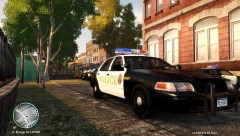 It is for EVERYONE
 -
I warned ya,I'm not too sure.I never tried it cuz I use v5 and that glitch's for v6.I just poured out what I dropped by and took a quick glance at,once upon a time.
-
Thats why they say 'Look before you leap'. You're wrong as he has created non-K9 vehicles,too.If not earlier,then currently he releases two versions of all his cars: K9 and Non-K9.If you haven't spotted any Non-K9 versions,well....thats your problem,but he HAS churned out non-K9 versions as well.
-
Its called "optimization of a vehicle for one or some specific particular slots",my friend.Nobody can do anything about it other than the developer of the mod,itself.An example can be found here: Read the "Please read before installing".
-
There was a tutorial on GPM about it by SSanchez10.It stated in glitch in ELS v6 which helps it make em flash faster.It was something like if you turn on the takedowns and with your other lights turned off,and get out of the car and press Alt+O and get back in the car,you'll find lights flash faster.I'm not too sure that what I wrote above is 100% accurate but thats all I can remember.You might want to try out.
-
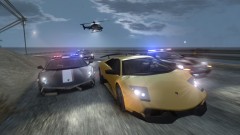 ^If its Gostown,then how do you play LCPD:FR? Do you have another copy of IV on your PC?
 -
No need to solve it.We were just trolling in there.Leave it as it is.And you should really post it in your previous thread.It was about the same thing,AFAIR.
-
^ There was a public announcement at GPM sometime ago that a diplomatic team was sent to talk with LCPD:FR team and the issues/differences were sorted out.Maybe JMs weren't informed/invited so you might/might'nt know,I'm not too sure..
-
What K-9? Are you bothered by the dog model in it or is it just the skin? If skin,then it could be changed to something else,if model...I don't see how you've got a problem with it.Most K9 SUVs have the dog model locked safely in the rear compartment separated with the help of a cage which further helps hiding the model.It shouldn't be a problem unless you patrol in it sitting on the passenger seat.
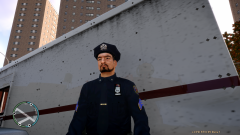 Not as of yet.But we can hope he does put them up for download soon.Cuz I'm dying to get it.Real High Def skins,man! You're a pro,Raggio :thumbsup:You can play LCPD:FR with Niko or Luis "Lopez" Fernandez or Johnny Klebitz or Roman Bellic or even Mallorie and hundred others.Just use the trainer to "model spawn" whatever you wish to play as.To add,we,so called "policing enthusiasts" just comprise 1% of the whole GTA community.So don't expect anything fair to happen.Yeah,we got a little *looks at Francis' avatar* distracted....down...there.
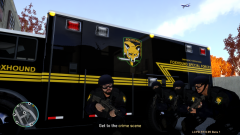 Amazing...er...Raggio ;DGuess I'm at safe side,then.My response wasn't spontaneous and/or mad.
Guess who's back... O HELL YEA!!
Amazing...er...Raggio ;DGuess I'm at safe side,then.My response wasn't spontaneous and/or mad.
Guess who's back... O HELL YEA!!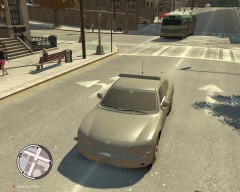 Under........Cover Yeah!! Certainly under a lot of cover.Yeah,he has a separate road texture mod ONLY,too.

