


Dhruv
Members
-
Joined
-
Last visited
Everything posted by Dhruv
-
I use 0.6.7 Been using it for 3 months daily,now.
-
Glad to help.
-
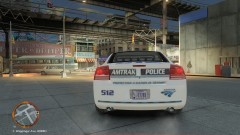 Oh,my GOD! Can I have it,please?
 -
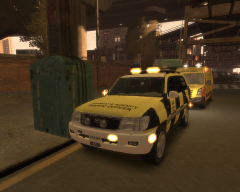 There's something in European cars that attract me to them.
 -
Everybody has it.I just looked up my own file.Pressed F3 and typed "PSTOCKADE".It was there. I have a faded memory of a time when I was new to the GTA modding scene,I too couldn't find it in the handling file.I don't remember what I did back then,but I have done a dozen reinstalls since then.So,if its fresh in my file,should be in yours too.Look up your vehicles.ide file.If its there,then just go ahead and add the handling line in the handling file.Make sure you do it in the correct order,i.e. alphabetical order which GTA files do use.Okay?
-
No problem.The thread should be closed by now,though.He got what he wanted.
-
^Whatever you say,sir.You're the pro :thumbsup:
-
No,Pstockade would be there.Look again.
-
Nice to meet you,Mr. GaryKiller15 and welcome to the site.We hope you enjoy your stay here. LCPD:FR installs any ASI loader (any one of the existing two) at your will,during initial installation steps.Though,LCPD:FR is just a modification itself,so it would not be appropriate to say that it runs other mods.It just gives an ASI loader to your directory through which other mods (and the LCPD:FR itself)runs. Patches,are,as usual to improve the gameplay and fix the bugs in game,officially released through the parent Developer company,in this case Rockstar North.As for running the mod,you need 1070 patch to run the latest 0.95 RC2R2 installation of LCPD:FR. You might/might'nt need a trainer,necessarily.Trainer is just a simpler form of cheatcodes.Here,I'm assuming that you have a basic knowledge of games being a hardcore gamer and you know what cheats are. Although,I'll recommend installing a PDF reader and strongly recommending installing WinRAR (a program to open rar files,exactly). You'll find the guidelines regarding every mod upon opening the winrar archive of every mod,so try and read them as much as possible. As for drag and drop and copy thingy,I hope you'll learn that only by playing around with things since every man understands those basics on their own. The only solution to get yourself outta this trouble is just keep reading and trying.Its not that hard,believe me.Wishing you good luck. Best, Dhruv
-
I recommend removing them from *whatever* and adding to POPCYCLE_GROUP_AIRPORT_WORKERS,DOCKS,FACTORY,etc. so they only have workers in them.
-
I said,"Its not the same car",that means I know its not the same.I just recommended the car to him.
-
Er...actually,thats not the case,Tom.It isn't that devastatingly costly.
-
A police stockade? Hmm....yeah,okay.Just don't forget to change the handling.
-
-
-
While importing you should've ticked all the boxes,man.
-
-
Its not the same car,but I'd recommend it: http://gtapolicemods.com/downloads.php?do=file&id=1504 DL it before GPM goes down for maintenance again
-
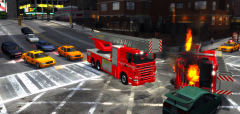
From the album: My Diary
[RADIO] Dispatch a firetruck from Algonquin for a fellow truck in need of assistance You arrive on scene and realize what *actually* dispatcher meant by "fellow truck in need of assistance"... -
-
^Ow Sh!t lol hahah!! You forgot to export the textures,Harp? And the wheels too lol.
-
police2, police2, bike, POLICE2, HAKUCH, VEH@BIKE_SPT, NULL, 100, 999, 0.2287, 0.2246, 0, 5, 1.0, 0 noboot Now,replace the police2 with anything you like.This one's for Britishpolicemods' Hakouchou police bike mod.
-
-
 God "helps" us all,no? Or was it "God! Help us all"?
 -
I guess the first lot will do it.t has red ones,which will blend with the rest.



