


Dhruv
Members
-
Joined
-
Last visited
Everything posted by Dhruv
-
Its not like that.LCPD:FR also has some exclusive stuff.When you go to the downloads section,the second panel on the left says: Exclusive to LCPD:FR.com Nothing bad in possessing exclusive stuff.
-
-
-
Hope the above method will help you guys and others who stumble upon this thread in future.
-
Now,why on earth would you do that?
-
No problem. Same to Two-Niner-Six.We both just intended to help.Issue's been solved,regardless of whoever did it.Could you close the thread,please?
-
Go to Image> Mode and select RGB color.Its alright cuz the image was in Index mode,you see.
-
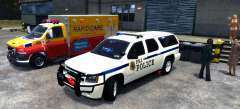 First off,the above one is a Tahoe,not Suburban. Secondly,I make fictional skins (99% of them are purely based on what I love to make) because LC is a fictional city and I play GTA IV: Liberty City.Now,I know there are people who like to play GTA IV: New York and Los Angeles and whatnot,but thats the way I am. So,if you need something from me,you're most welcome. If you don't like my stuff,then its alright,as well.
 -
BxBugs123 is GPM staff.GPM featured developers and staff members are now supposed to release GPM-exclusive mods only,according to the new rules and regulations.And I think they're fine with it.
-
Ay,Harp! That vid was supposed to be my sig,but since it didn't support the recommended resolution :\
-
Yea,sure.Here you go: But I haven't done the lightbar.Its just for the rambar lights and lower trims.
-
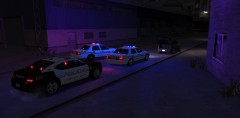 Location? Port Tudor?
 -
No need to freak out,MAN.LOL! Go to downloads section and get yourself TrafficFlow V5R2
-
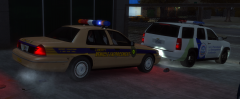 @Ninja:LOL! Thanks,everyone.
 -
I don't pay much attention to the patterns unless needed ie, until I'm given a cruiser,with LED board display,to patrol in.
-
Thanks so much,Sameer.But the irony is that I had to create a fictional skin.Our Govt. never thought about making police units look cool or at least effective.Makes me sad.They are so busy making money (and I bet this condition will not improve for many years to come) that they've gone blind.They can't see where actually is our police and intelligence is headed.Whats the future of these agencies.Nothing.If only they would've listened to that weak info IB provided them with.My heart goes out to all those who died in the 26/11 attack.May God provide some fucking brain to our politicians. And,I don't think anyone would like the skin.Really.I'm even surprised you liked it.
-
Great,then!
-
And the NoOSE tank is called in for additional Emergency support.
-
No.I was just waiting for the Tahoe guys to move and parked my CV very professionally after the Tahoe.Why?
-
Keep up the good work. :thumbsup:
-
YAY!! :D
-
LOL! So true,man.But you know GPM is down for some last 1 week or so.Hence,I didn't even get to check it.Nice work you did there on the skin,BTW.I,too,made one for Carbon E7 a long time ago. Here:
-
Thats why your Caprice was non-ELS,huh?
-
Ah! Its down again.Thanks,Sameer and Cj24. BTW,was it your skin,Sameer?
-
Yes,exactly! But he didn't give any links.And I don't think theres something like that on GPM.

