


Dhruv
Members
-
Joined
-
Last visited
Everything posted by Dhruv
-
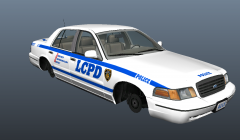 Seriously,bro.I never say "can't wait" in any of the WIPs because I know it'll be done when it'll be done.But....CAN'T WAIT! :drool:
 -
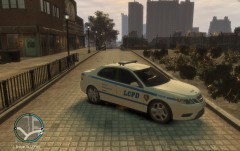 Yeah.Its all good except the main LCPD decal.Should be scaled up and skewed a bit more.
 -
Are you using weapons weight script,friend?
-
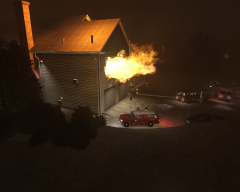 Don't take it too seriously,EFox ;|
 -
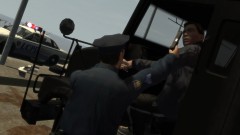 "Peace" of shit? And how's he sitting in a blown truck, in the first place?
 -
Yeah,I see the advert every now and then at GTAInside.Must say, the editing of that .gif was impressive enough.When I first saw it,I was yearning to play,but after clicking the advert,realized it was a German game.
-
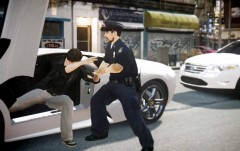 Yeah. "Couldn't you purchase an Aventador,idiot? I like it more than this LP640."
 -
Strange.Chicago PD scanner seems to be the most active ones of all.Even more than the NYPD Traffic and Spec Ops.I can listen it to 24x7 without detecting ANY silence.
-
LMAO!
-
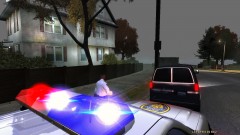
From the album: My Diary
© © Dhruv's screenies
-
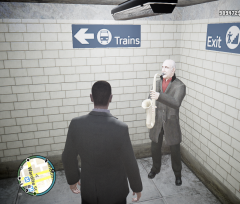 Thats why R* put em there ;D
 -
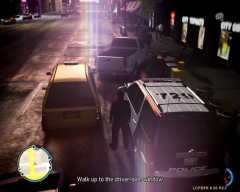 Awesome lens flare!
 -
Also, irl, cops don't hail taxis. They carjack in the name of "police-emergency" :devil:
-
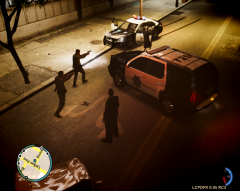 Didn't know you use a non-ELS fleet too.
 -
Sure.Its called FY PManhat 02 under the Model Spawn.
-
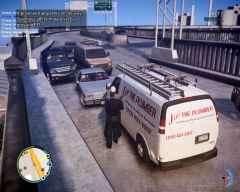 LOL @ the title.
 -
![International JERR-DAN Wrecker / LCPD [WIP]](//s3-gallery.int-cdn.lcpdfrusercontent.com/gallery/album_657/sml_gallery_8683_657_259851.jpg) Cookies for all.
Cookies for all. -
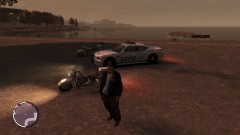 That Black Auxiliary Charger...
 -
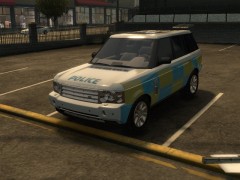 Where the hell is its lightbar gone?
 -
-
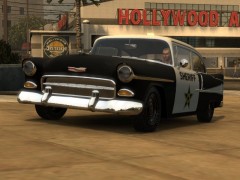 GTA:IV doesn't have such low-poly crapmobiles.
 -
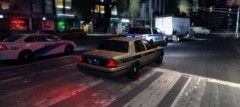 Its a customized version of Sgt. Kanyo's Real Time Cyc v5
 -
@Paddmadd: Its loosely based on the Kentucky Vehicle Enforcement squad.Thank you. @theninja35: Thank you,bud.I don't use ENBs.They screw my game up.And then,I screw them up.
-
See,Ekalb, or anyone wondering, I played IV for a year with a strict NYPD theme.Lets admit we already have enough of that "strict" police theme everyday.I sit on my PC to play GTA:IV and I hope to relax and enjoy a "fictional" city.Thats why,now, I don't stick to a theme but use multiple skins without any confinement.After all,its all fictional,and I'd want to break free and live how I like.So,I don't restrict my model or even liveries to stick to a specific theme.I'm there to have fun for a limited time,so I'll have it.I just install any theme I like.I've grown bored of all those "oh,I use NYPD; oh I use BPD" stuff.
-
From the album: My Diary
Under the fear of chemical attacks from Russia, Liberty City witnesses another shocking news.Intel reported a cargo ship named "Platypus" unloading a suspicious cargo into a Steed truck later in the evening today.LCPD responded and the Liberty Truck and Vehicle Enforcement squad found themselves amidst a high-speed chase in no time.The pic showcases the pursuit assistance units trying to pull over the speeding truck which is now travelling at high speeds around Star Junction, one of the most crowded areas of LC.We'll keep you posted as it happens.Thats all for now. Update @ WeazelNews.com High res.:© © Dhruv's screenies


![International JERR-DAN Wrecker / LCPD [WIP]](http://s3-gallery.int-cdn.lcpdfrusercontent.com/gallery/album_657/sml_gallery_8683_657_259851.jpg)

