


Dhruv
Members
-
Joined
-
Last visited
Everything posted by Dhruv
-
-
-
Thanks for the tip,Nickie. Due to the make of StreetHawk, I had to choose another way to tread though. But I hope it'll help me with my other projects and anyone looking for help on this topic. +1 EDIT: I'm still waiting for someone to get me outta this-
-
^Lol! How can I convert red-flashing light to blue one? I know this is possible since I use an ambulance by Lt. Caine and it has 2 red sirens and 6 blue ones.Any ideas?
-
Okay,thanks.I'll redo and report back.
-
But I didn't move them at all? Like I said,there were extras already in the lightbar.Would I need to move them?
-
Hi guys! Another newbie to zmod. Specifically,I want help of someone who knows the know-hows of churning out non-ELS mods. Been working with R*'s stock ambulance for a couple days, now.This is what progress looks like: So, as you can see, its a FedSig StreetHawk which is being forced to replace the stock Vector-type lightbar. What I've done is, converted all the "extras" to dummies (the extras came with this ELS-H Streethawk bar). I was expecting to see the dummies helping the non-ELS lights rotate where they're supposed to be but... Below is what my current hierarchy/setup looks like: The second problem is that I'm getting overlapped textures. I mean the ambulance is set to use two different *cough* livery *cough* styles, by default. They're all appearing at the same time. But thats not such an important issue for me, atm. I don't even know if I'm doing it right, because this is my actually very first time with zmodeler. I've worked with it before as well, but never with a will to aim for a successful and proper export. Just "playing-around", ya know. Any help would be much appreciated. Thanks in advance.
-
-
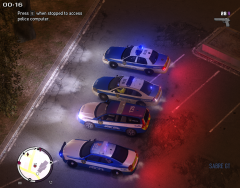 Cool! From the thumb it looked like a drag race line-up.
 -
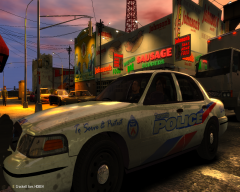 LOL! NYC and LA reflections in Canada.
 -
I love using Canadian Police liveries too.Be it Ontario,Toronto or any other.
-
-
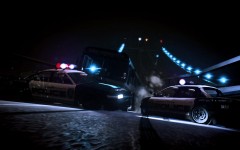 Thats one f****** cool shot!
 -
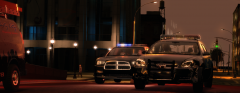
From the album: My Diary
1Adam5, your car looks a li'l damage from all the PITs. Fall back and let me handle him.© © Dhruv's screenshots
-
I've repeated it before,I'm repeating it again- The scheduled match has nothing to do with the downtime.It'll commence like always.
-
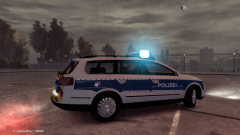 Wow,your ELS lights look beautiful!
 -
Tried re-downloading the setup/installer?
-
ATTENTION ALL LC RESPONDERS MEMBERS This is to notify in the public interest that the site is down, at the moment. We're working on getting it back up and running, but this could take some time. Its difficult for us to forecast how long the downtime will stay, but no worries. The scheduled match must go on. And it will. Thank you, LC Responders Team
-
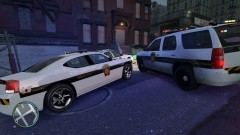 Man,how I love that CHGR!
 -
-
-
-
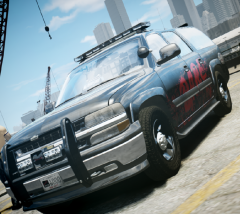 Nice screenshot; DARE = FAIL.
 -
-
LMAO! Camera angle 1: (OP's pic)*Newbie recruit standing in the police station premises asking the question* Camera angle 2: (Iconography's pic) *Fellow cop with a kalashnikov in arms replies while standing on the other side*


