Dhruv
Members
-
Joined
-
Last visited
Everything posted by Dhruv
-
-
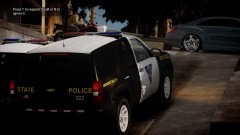 Oh my God! Thats just excellent.gfxle's AST Tahoe with Policewag's Tahoe skin!
 -
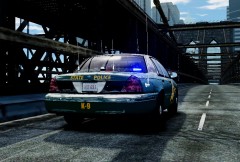 Fuck. Me.
 -
I love 530i :D Spam :dry:
-
Do you specifically need CVPI? Cuz if not,Cj24 released a FHP Tahoe with a Javelin a while ago.
-
-
@Foged: You need a copy of GTA:IV with LCPD:FR and supporting asi loaders and taser etc. installed.Don't bother,though.The LCPD:FR auto-installer installs them automatically in your pc. @sc2142: Nope.Not as of yet.We're discussing on this issue.If something like that happens,we'll let you know.
-
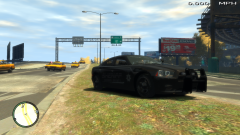 PUTA-MADRE!! WHERE CAN I FIND IT?
 -
Then maybe you're messing with the wrong file. It should be ELS.ini which you're looking for.
-
Remember it back from the SA days.
-
We all know its 2012. XP
-
So...any plans on the dually,yet?
-
Never really tried it out,man.What I meant was to keep the values for those things different than the ones in the first .ini,thats all.
-
Don't forget to keep a significant difference between the ticks and time interval.Or your game may crash.
-
What do you want to make your own,Slime? Its not too hard.Almost everythings clearly understandable in it.
-
Glad you fixed it.You should've asked for help immediately after you noticed the issue.
-
Never too bright.I duuno what your talking about,taximan.
-
I think the LR4 can be found here
-
 Looked like IV for a sec
 -
Find whatever you want.
-
The one cp suggested. Mind you,its fastest,but you'll have to do it everytime.For a perma-fix use Ninja's method.
-
-
-
-
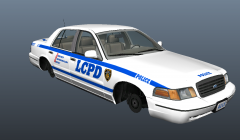 Is approved.And is awesome! I swear to holy God.Its like a dream come true.I always thought if someone didn't do a low-poly CVPI,I might do in future when I learn enough stuff.You're an angel,Frank.Thanks alot. PS: I don't prefer vectors,so I'll wait for another version bearing a go rhino and some other lightbar.Applause for you,dude.Hats off!