komo
Members
-
Joined
-
Last visited
Everything posted by komo
-
From the album: Allentown, P.A. (Outdated)
-
-
From the album: Allentown, P.A. (Outdated)
-
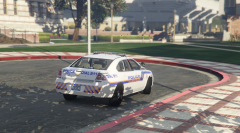
From the album: Allentown, P.A. (Outdated)
-
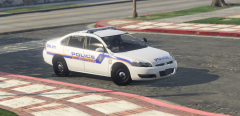
From the album: Allentown, P.A. (Outdated)
-
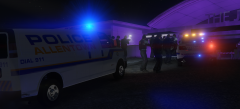
From the album: Allentown, P.A. (Outdated)
-
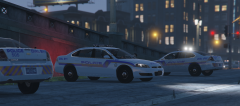
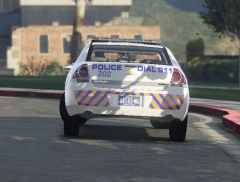
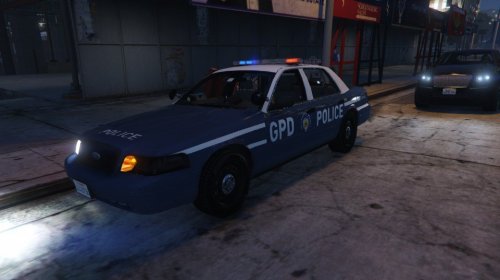 The white lines on the side need to be larger and the letters need to be closer to the lines, look at the picture for reference. "POLICE" on the front either looks too small, or it's the incorrect font, it looks too small and not big and bold like the one in the real image. It is, however, positioned in the right place, you got that part right and I credit you for it. The emblem on the side is also a bit too close to the door handle, just a SLIGHT move should be good. Other than those issues, I believe the skin has potential and is overall great, but it would be better if you fixed those issues I mentioned. The paint-job on it is fine. Here's a better picture of the car to help a bit. One more issue I spotted is the rear "POLICE" decal shouldn't be slanted, it looks slanted, I believe the front is also slanted. Make the two slightly bigger and bolder as seen in the photos I provided, that should make it look more accurate. Please take these words into consideration, though, I do admire and give you credit in making the attempt to recreate this vehicle's decal. Have a good rest of the day and may your decal creating or whatever other things you do guide you in the right path.
- 1 review
-
-

- 1
-
-
-
-
-
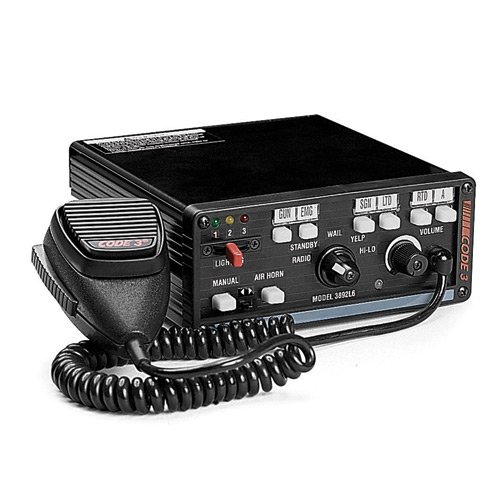
 I love the siren, is there a GTA V version coming out anytime sooner or something?
- 6 comments
- 1 review
-
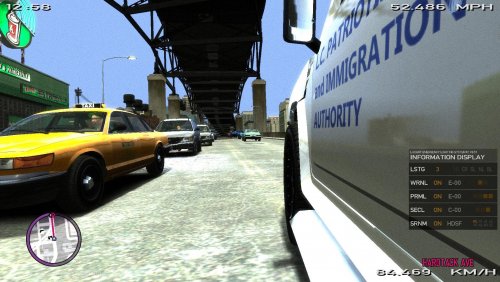 I have been seeing your files uploaded lately and just surfing through them, the screenshots on them are hysterical and hilarious I love it.
 -
-
-
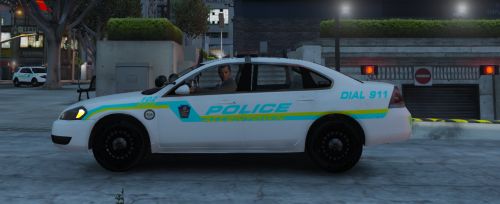 Heh, I am actually glad you noticed them. The skin will be released someday, don't worry, but I can't give an exact estimate when, though. But glad you seem to like them.
- 8 comments
- 1 review
-
Yes, however, I would make that on my own time just for show, y'know. The color scheme used just happened to match how it works in real life, the decals aren't necessarily goldish/orangish bluish looking, they are actually yellow and blue but from different settings it would give it a different color and at night it would reflect showing its true colors, that being yellow and blue. I have picture examples I can provide if you'd like as to explain this ideal. In good bright daylight in my game with my settings and ENB, it doesn't look as bright but looks a bit normal but not orange and blue as shown as they do here. Then again, that's where experimenting always comes into play. I only made them how I did because it worked out better for me and ended up looking better than what was attempted originally and in turn more realistic in my own opinion but I can definitely see why they appear very bright. But yeah, I wouldn't mind making a showcase decal for your own personal use in those general colors just for show. But it would just have to be done on my own time though. But hey, I really love the EPD cars though! Looks like we both did a good job with two different departments.
- 8 comments
- 1 review
-
-
- 1
-
-
Thanks for the feedback Niedosik. Yeah, I know the design is really great but the color scheme is off a bit, it's a little difficult to explain why I chose the specific color scheme I did but other than that it at least looks pretty good in my opinion and from you guy's views. Who knows, maybe someday I'll reedit or experiment with different color schemes to see which would work best. Again, I appreciate the feedback, thanks!
- 8 comments
- 1 review
-
-
- 1
-
-
Thanks for the feedback iansonwheels! I understand and I am aware the color scheme I used doesn't match the exact color scheme of the Allentown police cruisers. I used this specific color scheme I chose because it seemed to cooperate with the in game elements as the real life ones do. (Reflective effects wise) But thanks for being honest and pointing that detail out. Glad you like the design.
- 8 comments
- 1 review
-
IMPORTANT NOTE: Please, DO NOT edit NOR republish ANY of my work without MY consent AND permission. Another thing, this file should include a ReadMe, a Screenshots folder with over 25 screenshots, and an Allentown Police Marked Impala folder with a Marked Impala folder inside of it with eight different decals. The decals included are Car 102, Car 203, Car 202, Car 403, Car 310, Car 506, Car K-9-4, and Car 110. These are all accurate replicas of their real life versions. (in my opinion) (And one more thing, on the K-9 unit livery, I know I missed out on the "K-9 UNIT CAUTION" decal in the rear, I'll fix that another time when I have the time to, but for now, it isn't too major.) Introductory: Hello, I am komo from lcpdfr.com creator of the Marked Allentown Police Chevrolet Impala you are viewing at this moment. More Allentown Police decals will be released sometime sooner, so be on the lookout for those if you wish. I already have a lot of decals in progress anyway. Installation (Also included in the ReadMe) : Before you do ANY of this, you will need Bxbugs123's Chevrolet Impala: http://www.lcpdfr.com/files/file/8952-2014-chevrolet-impala-lspdlssd/ If you already have that, you may proceed to the installation directions. Open up the program OpenIV and select "Grand Theft Auto V". After OpenIV is loaded into Grand Theft Auto V, locate your "Mods" folder and click on it. Navigate to update > x64 > dlcpacks > patchday3ng > dlc.rpf > x64 > levels > gta5 > vehicles.rpf Once you are in vehicles.rpf, locate the file "police2.ytd". This is for the Impala. If your impala is in a different slot, go to the slot your own Impala is in and perform the same steps but with the vehicle slot your impala is in. Once you locate police2.ytd, click on "Edit mode". Double click on police2.ytd then locate impa14_sign_1 and the rest of the seven of them. Once you find all the eight impa14_signs, click on impa14_sign_1 and then click "replace" Navigate to this folder and double click on my impa14_sign_1. Repeat this same process with the rest of the seven of them. (impa14_sign_2, 3, 4, etc.) After successfully getting all eight of my skins into the eight of the files in the vehicle slot, make sure to click on "Save". You're finished, enjoy your Allentown Police Chevrolet Impala decals made by me! Credits: 2014 CHEVROLET IMPALA LSPD/LSSD V1.4RX - Bxbugs123 also slicktop allentown police impala with normal decals, unmarked, and city official use decals coming your way soon. just thought i'd put that out there.
- 8 comments
- 1 review
-
-
- 2
-
-
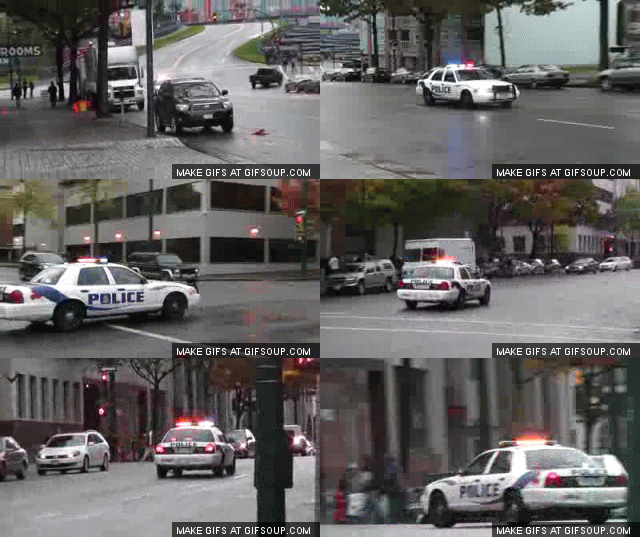 The video is down, just thought I'd inform you. Edit: nevermind I didn't see the Youtube warning
- 10 comments
- 4 reviews
-
-
- 3
-