


komo
-
Joined
-
Last visited
Everything posted by komo
-
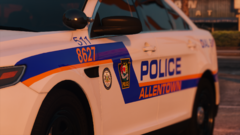
From the album: Allentown, P.A. (12/9/2020)
This is a closer look of the new APD FPIS that I showed two posts ago. In this screenshot, you can see the new and improved APD emblem better. Note: All decals shown in the screenshots are by me unless stated otherwise. Redistribution is fine as long as credit is provided. -
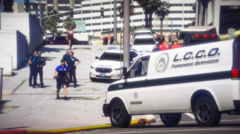
From the album: Allentown, P.A. (12/9/2020)
An Allentown police officer approaches an LCCO (Lehigh County Coroner's Office) van following the aftermath of an officer-involved shooting involving a fatality. The coroners are investigating the body off-screen. In the screenshot are some outdated APD EUP uniforms as well as an outdated APD FPIS. Note: All decals shown in the screenshots are by me unless stated otherwise. Redistribution is fine as long as credit is provided. -
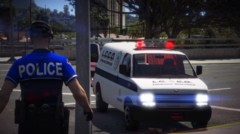
From the album: Allentown, P.A. (12/9/2020)
An Allentown police officer approaches the LCCO (Lehigh County Coroner's Office) van following an officer-involved shooting with a fatality, as the coroners investigate the body off-screen. Note: All decals shown in the screenshots are by me unless stated otherwise. Redistribution is fine as long as credit is provided. -
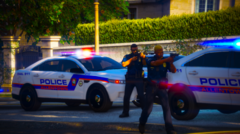
From the album: Allentown, P.A. (12/9/2020)
Allentown police's Car 202 and others are on a felony stop with a van (off-screen). In the screenshot are APD EUP uniforms I've made which have yet to be updated. Note: All decals shown in the screenshots are by me unless stated otherwise. Redistribution is fine as long as credit is provided. -
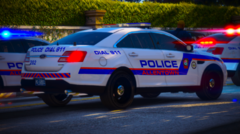
From the album: Allentown, P.A. (12/9/2020)
Allentown police's Car 202 and others are on a felony stop with a van (of-screen). Note: All decals shown in the screenshots are by me unless stated otherwise. Redistribution is fine as long as credit is provided. -
.png.77368516b9d3d83cf848f040e392ddcc.png)
From the album: Allentown, P.A. (12/9/2020)
This screenshot was taken sometime in early 2020 or sometime in 2019. In here is an outdated APD FPIS which is currently being remastered (refer to the first upload of the album). In here is also an EUP APD uniform which has yet to be updated/remastered as well. This screenshot is a sneak peek for what's going to be shown more tomorrow on the 12th. Note: All decals shown in the screenshots are by me unless stated otherwise. Redistribution is fine as long as credit is provided. -
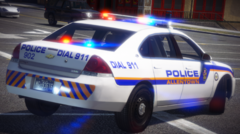
From the album: Allentown, P.A. (12/9/2020)
Allentown Police Car 902 responding. Note: All decals shown in the screenshots are by me unless stated otherwise. Redistribution is fine as long as credit is provided. -
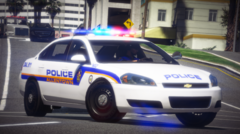
From the album: Allentown, P.A. (12/9/2020)
Allentown Police Car 902 responding. In here is an APD bicycle cop uniform that I made for EUP. It's unreleased. For context as to why a bicycle officer is driving a patrol vehicle: In Allentown, there have been some situations where a bicycle officer drives a marked patrol vehicle. This can be a vehicle with or without a bicycle rack. Note: All decals shown in the screenshots are by me unless stated otherwise. Redistribution is fine as long as credit is provided. -
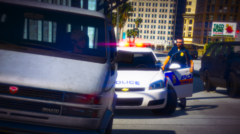
From the album: Allentown, P.A. (12/9/2020)
Allentown P.A. police Car 912 conducting a traffic stop on a van. This is one Impala livery that I made for ELS vehicles, unreleased. In here is also an outdated APD uniform that I made for EUP. I have yet to update/remaster it. And yes, I know that's a Bravado van. I'm not going for lore-accuracy in my screenshots, just showing the community my unreleased creations or things in the works. Note: All decals shown in the screenshots are by me unless stated otherwise. Redistribution is fine as long as credit is provided. -
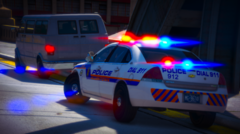
From the album: Allentown, P.A. (12/9/2020)
Allentown P.A. police Car 912 conducting a traffic stop on a van. This is one Impala livery that I made for ELS vehicles, unreleased. And yes, I know that's a Bravado van. I'm not going for lore-accuracy in my screenshots, just showing the community my unreleased creations or things in the works. Note: All decals shown in the screenshots are by me unless stated otherwise. Redistribution is fine as long as credit is provided. -
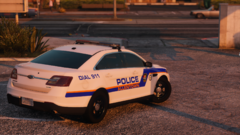
From the album: Allentown, P.A. (12/9/2020)
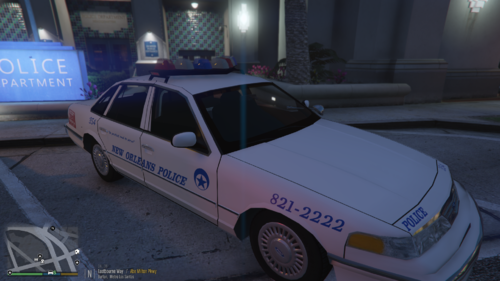
This is a work-in-progress Allentown police FPIS (Ford Police Interceptor Sedan) which I worked on back in October and haven't got back to yet with a very high quality base model FPIS. Note: All decals shown in the screenshots are by me unless stated otherwise. Redistribution is fine as long as credit is provided. -
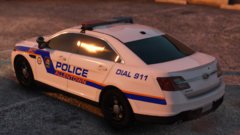
From the album: Allentown, P.A. (12/9/2020)
This is a work-in-progress Allentown police FPIS (Ford Police Interceptor Sedan) which I worked on back in October and haven't got back to yet with a very high quality base model FPIS. Note: All decals shown in the screenshots are by me unless stated otherwise. Redistribution is fine as long as credit is provided. -
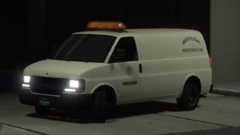
From the album: Allentown, P.A. (12/9/2020)
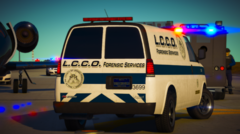
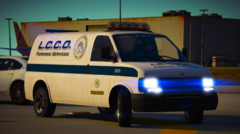
A few years ago, Pennsylvania's Lehigh County Coroner's Office before being having "LCCO Forensic Services" on their cars, they had these vans which had "Medicolegal Investigative Unit" on the sides. "Medicolegal" means "Medical jurisprudence, a branch of medicine. Medical law, a branch of law." Note: All decals shown in the screenshots are by me unless stated otherwise. Redistribution is fine as long as credit is provided. -
From the album: Allentown, P.A. (12/9/2020)
LCCO van 3699 on scene of an attempted airplane hijacking with a suspect fatality by police. On scene is the Pennsylvania Northeast Regional Counter Terrorism Task Force's (NRCTTF) LENCO Bearcat. Note: All decals shown in the screenshots are by me unless stated otherwise. Redistribution is fine as long as credit is provided. -
From the album: Allentown, P.A. (12/9/2020)
LCCO van 3699 on scene of an attempted airplane hijacking with a suspect fatality by police. Note: All decals shown in the screenshots are by me unless stated otherwise. Redistribution is fine as long as credit is provided. -
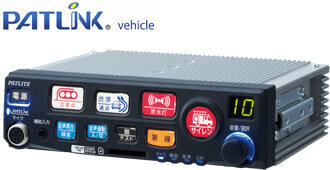 I didn't see a video demonstration for the siren. May you please post the demonstration via video format like YouTube? That way we can hear how it sounds before installing it. Thanks.
 -
 The siren is not a "Vector." Federal Signal Vector is the light bar, which is what the owner was referring to. The siren is a Whelen WS320 or 321. It is often used on police motorcycles. There is one out there for GTA V.
 -
 It's all a custom WIP from Jumperman09 and is unreleased. So the skin isn't public. Sorry for any inconvenience(s).
- 5 comments
- 3 reviews
-
-
-
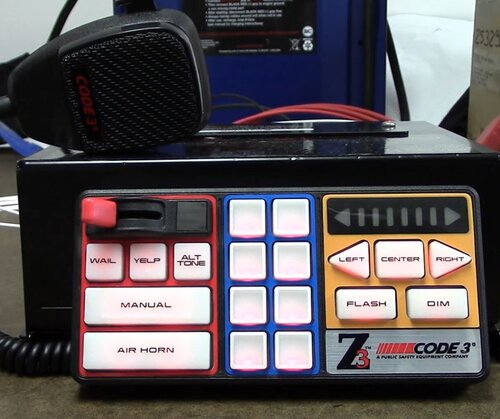 I like the quality on yours, though the air horn doesn't sound authentic for some reason. The tones also sound quiet in the demo video. I found myself having to increase the volume on my headset to hear them. Could just be me
- 33 comments
- 5 reviews
-
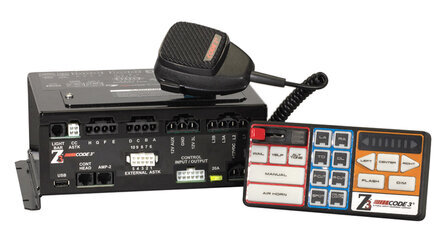
DISCLAIMER: I do not own the Code 3 Z3, nor do I claim ownership of the siren. The Code 3 Z3 is property to Code 3: https://www.code3esg.com/us/en https://www.code3esg.com/us/en/products/Sirens_Speakers_Control_Systems/remote/Z3-siren Do not claim this file as your own or redistribute this file or the contents of this file as your own. If you wish to use this in your clans, groups, or anything, you're allowed to, but ensure you credit me if you're taking it from my files. Hello, folks. This is the long awaited Code 3 Z3 I know people in the community have been wanting, and it's here. The instructions to install this siren are within the .zip. Included in the folder are the main siren tones (Wail, Yelp, Hyperyelp, Hi-lo, Airhorn) and some alternative tones with different pitches. The raw tones are also in the folder, for your convenience. Demonstration Video: The video of the Code 3 Z3:
- 5 comments
- 3 reviews
-
-

- 8
-
-
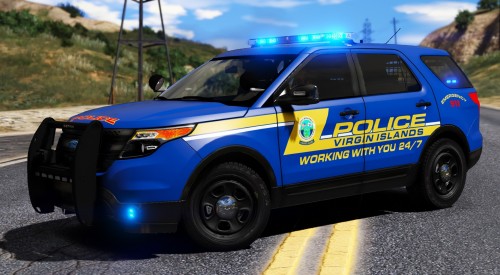 I love those decals. They're so clean looking. I can tell some work went into this.
- 5 comments
- 1 review
-
-
- 1
-
-
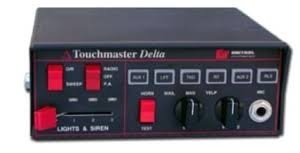 I'm not sure if it's just me, but the siren sounds a bit too quiet. Maybe make it a bit louder? Also, where is the hi-lo tone? Did you make it, or did you not include it intentionally? Other than that, that's pretty cool for your first siren. Good job on your part for giving it a shot even though there's been several around like you mentioned. Thanks for providing a video sample too so people know what it sounds like
- 2 comments
- 2 reviews
-
-
- 1
-
-
 So what exactly does this do? Does this make it to where the backup units would be the custom randomized peds that 0.4 uses? If so, that's exactly what I've been looking for but I'd probably wait until the special units are there
- 170 comments
- 11 reviews
.png.77368516b9d3d83cf848f040e392ddcc.png)
