



RexCramer
Members
-
Joined
-
Last visited
Everything posted by RexCramer
-
lol "swatting"? that is the dumbest thing I've ever heard
-
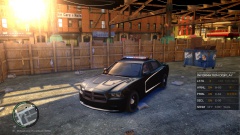 Definitely being considered
 -
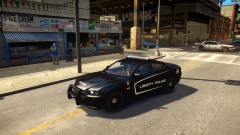
From the album: WIPs
-
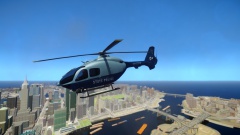
From the album: My Creations
-
Amen to that one, those new ones sound gross
-
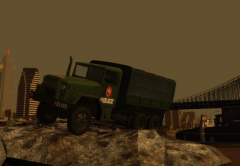 What font is that you used on the door?
 -
I second that one with the newer rigs I love the FDNY rigs before they started using that nasty electronic Q & the Old Macks of course '' target='_blank'>>
-
I couldn't hear the siren very well in the video, but it sounds like a Whelen WS2100
-
-
-
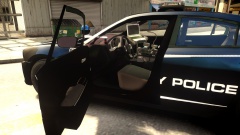
From the album: WIPs
-
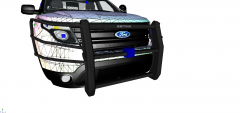 Lookin awesomeeee
 -
-
1. Semi Trucks 2. Running Peds over with car (my favorite GTA past time) 3. Planes (especially the 747 in campaign) 4. FD/PD/EMS driving
-
-
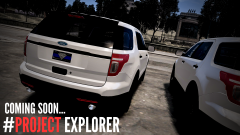 Lookin beau-ti-ful
 -
Most of the other cops will walk away, but if it helps at all, after a shooting/chase I'll usually stay myself set up barricades & use the coroner/tow truck script that work with the police helper. It may not be completely realistic, but its better than blasting a suspect's head off and walking away like Al Capone
-
Thanks! I'm trying to keep this one pretty basic, trying to avoid the other chargers that go overboard with lights & features. Feel free to comment any suggestions, I'm still planning the car as I go, so I'm all ears
-
From the album: WIPs
-
Did you create a copy of the headlights, tail lights, and reverse lights, then moved them slightly in front of the original??
-
-
Thank you, the texture is the correct color of blue, my enb simply makes it look slightly different. Rest assured the color is correct
- 8 comments
- 1 review
-
2011 Crown Victoria Police Interceptor Boston Police Patrol Car Today being the first Boston Marathon since the Marathon bombings on April 15, 2013 I felt it is ever fitting to release something in honor of the men in women who can be seen ignoring personal safety and running toward the bomb blast, who today are continuing to watch over & ensure the safety of the marathon. As well as those who participated in the pursuit & capture of the still living bombing suspect. As well as to MIT Police Officer Sean Collier who was killed in the line of duty by the bombing suspects. May such a sacrifice not be forgotten. YOU MAY NOT EDIT/UPLOAD THIS FILE ANYWHERE WITHOUT MY PERMISSION YOU MAY EDIT TEXTURES FOR PERSONAL USE
- 8 comments
- 1 review
-
I'm a big fan of the Fed Sig Vector & the new Vision with the NYPD & all that what not But my favorite would have to be the Fed Sig Valor, I gotta say, it is one of the sleekest looking light bar's I've ever seen
-
If you go on youtube you can look up how to use zmodeler, and slowly overtime you'll start to understand, as I have been doing. There are very few, if not nobody, that will PM you talking you through the entire process, you have to try stuff out on your own, that's the process of learning And for future reference, I'd phrase your posts differently, you could try asking for help. Don't assume just because you post on here, people are obligated to help you Here's one to help you get started



