


Kire
Members
-
Joined
-
Last visited
Everything posted by Kire
-
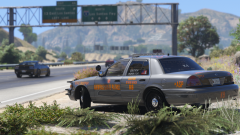 Let's just hope its not soon in Valve Time™. (◕‿◕✿)
 -
 Dig the update! Any idea when the campaign hats will be re-added? I'm a sucker for 'em, and hway patrol really isn't that fun without one :(
- 2,352 comments
- 238 reviews
-
 Can't get them to spawn as add-on cars, keeps on insisting they are invalid models. Could someone explain how these are to be installed in a quick little step-by-step guide? The instructions provided here cannot be right anymore. Are they supposed to go in another dlcpack or something, and not mpchristmas2? *sigh* Nvm: I put them in the RDE directories and it's working like a charm. Great mod! :)
- 208 comments
- 59 reviews
-
-
-
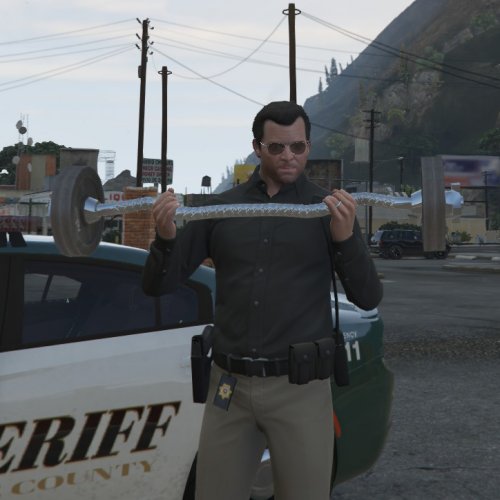 I take it the "support" is only for animation? The gun isn't actually taken out?
- 5 comments
- 1 review
-
You can, techincally, use your online character by using the skin editor and a trainer. @Alex_Ashfold's Emergency uniforms pack 4.0 use this method. It's a little complicated to first figure out, but after that it's pretty much straight forward. OT: Really looking forward to this update.. Jiminy Cricket @ at customizable backup!
-
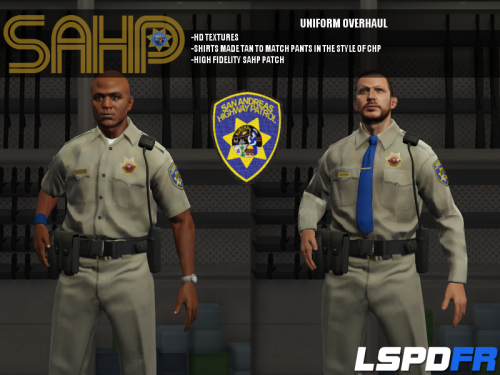 It's downloaded as a Rar archive, and you need a program like WinRAR or 7-zip to open it. I know WinRAR got an infinite trial with all it's functions so it's a good shot. But install for example WinRAR and just open the archive you downloaded with that, then you just extract it's content to your desktop or something to get a normal folder.
- 95 comments
- 17 reviews
-
It seems like that is the case currently, yes. What good would it do anyways without it dispatching, unless you're going to do a heli patrol. (Edit; I haven't tested this yet, and wrote my original comment based on something that I realise doesn't make any sense what so ever. Nevertheless it does seem like it's the case.)
- 95 comments
- 17 reviews
-
-
Since he needs to add the hwaycar.ytd file, try to rename the police.ytd with the amberlights and replace it in the archive-thing you install to get the add-on cars. Not sure if that's how it's done, but it seems logical, doesn't it?
- 95 comments
- 17 reviews
-
Are you 100% confident you installed the add-on cars then? Because it does infact work if you did it correctly. Edit; since I haven't had this problem I dont know what ragehook says, but logically it should say that its an unknown variable, because the command is Spawn and that is a valid command. But again; dunno how its working.
- 95 comments
- 17 reviews
-
 Oh wow.. I love the sound of thunder and this is just fantastic. Will def. download this later
- 12 comments
- 6 reviews
-
It's quite common for browsers and anti-malware programs to get false positives it seems. Try running the zip on virustotal or something like that. It's guaranteed to be clean either way.
-
If it gets deleted before the download is complete and youre using chrome, try disableing the phising-thing under advanced settings in the browser. (Don't recall what it says (not that I know it english either way) but it has something to do with phising I'm sure of it.)
-
Superb! But I can't remember the tazer killing a single thing. Just yesterday I was tazing the same ass probably just short of a million times. Then the AI arrested him - no death. No modifications done to any file - just straight up LSPDFR. But if people say it killed peds, it probably did. Might just have been bugged (Can you believe it? A good bug. That's a first.) for me then.
-
Absolutely brilliant. The fact that you can get these cars as add-ons instead of replacements just makes it that much better. Highly recommend everyone to get these into their game asap. Just waiting for the author to figure out how to get them to spawn naturally and this would be pretty much perfect!
- 95 comments
- 17 reviews
-
-

- 1
-
-
I'm no computer engineer but from personal experience, that doesn't make a whole lot of sense. It's not like the powerbutton (or the swedish button as we call it here in Norway) solves all issues no matter what they are caused by. However, regarding the plugin; could you explain how these/the callout(s) work? Like what is my end goal with each call etc. Like is there always a need for an arrest, any specific keys I need to use etc etc. Also, why does it not work with CalloutsV exactly? o.o Read up in the API section and I see why now, unless he updated his plugin.
-
Looks fantastic! Will download and rate later when I'm at the right computer. Now all I got to wait for is a campaign hat for the trooper. Don't know if thats possible at this point, or possible without destroying the helmet, hrmf.. Might look into that myself actually.
- 95 comments
- 17 reviews
-
 Easily mod of the year. It does exactly what it says it does with no crap going on. Just wondering where this has been all my life. You sir, have my like!
- 561 comments
- 97 reviews
-
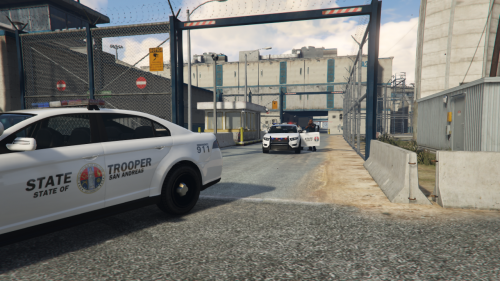 Saw this when you first released this, but haven't tried it out (waiting for 0.2), and the pictures looks great! However, your description throws me off a little. I suppose it completely replaces the sheriff and not actually only when crimerates are "high"? I haven't kept tabs on what modders can do in GTA V yet, so I apologise for my igonrance. Edit; may I suggest you take it a little further and replace some ped-skins too? Would be nice to have some state trooper uniform to go along. :)
- 16 comments
- 5 reviews
-
Never fails to impress. Good work, FinKone! I know I'm looking forward to seeing more good stuff from you. I salute you, my good sir.
-
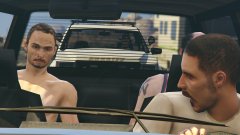 Oh crikey, it's the rozzers!
 -
A picture is worth a thousand words.
-
Another problem, I see. When I get killed, I'm still on duty and can continue on with my patrol after spawning a new car. Infact, if a callout was active upon death the callout would/will remain active aswell, so just got to catch up to it.


