


Eradium
Members
-
Joined
-
Last visited
Everything posted by Eradium
-
I don't know what could be done with a stock meta - the advantages of the modded meta are too great for me to consider returning back to it. Here is a list of the cars which I have found work well with their respective modded cars: Crown Victoria - STANIER (police also works but Stanier feels more like a Vic) Taurus - FQ2 Explorer - GRESLEY Charger - This one is weird. Two different 2015 models behave entirely different from eachother - POLICESCO's work well with FBI while Bugs' doesn't. POLICE2 works well with some models - BUFFALO and BUFFALO2 also work sort of well but all seem to have a form of the inverse tracking issue, especially pronounced on 2014 models. Experimentation is needed here Tahoe - BALLER, BALLER2, GRESLEY - Tahoes have issues with rear-end-squat and easy spin-out that is more pronounced with certain handling lines. Experiment with large SUV lines to find one that works the best This pretty much covers everything - if there are new vehicles or ones that don't work well, finding the vanilla equivalent and using its handling line in the vehicles.meta entry (as long as it has the same number of doors) will work well.
-
This is an issue I've experienced to a lesser extent with Killatomate's Realistic Handling mod applied to modded cars. I have found that using a vanilla vehicle's handling line that has the closest wheelbase to the modded car provides the best solution. I have never experienced truly inverted handling like in the vid but the ease of spinning out seems to come from a vehicle model which has a too narrow handling "track" compared to the handling line or vice versa. I have only been able to find a suitable handling line for POLICESCO's Chargers - not Bugs / hah's Charger. I believe I'm using FBI for POLICESCO's model but of course keep in mind this is using Killatomate's handling mod - he does not recommend using it for modded vehicles but it can work quite well if used with a close enough vanilla model's handling line.
-
I might be wrong but I believe dashboards are configured in the vehicles.meta entry for the particular vehicle. Don't remember the values to input but if you were to try police2's or something you might find a good one.
-
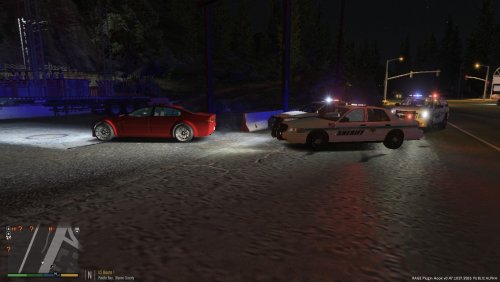 YES THANK YOU FROM TALLAHASSEE - never thought I'd be able to use my local SO in game.
 -
 My AI seem to be unable to open the rear doors. It's a fantastic model though, hope someone gets to the bottom of this
- 62 comments
- 44 reviews
-
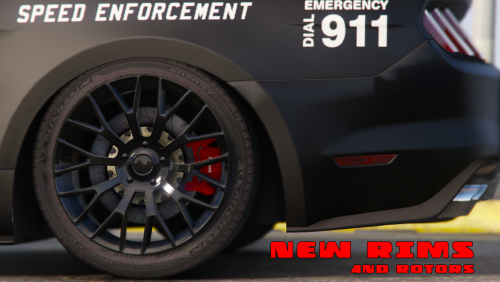 Is there a possibility that you could put on CVPI steelies as an option? Would love a low-profile non-bling option for this
- 106 comments
- 9 reviews
-
 Echoing similar statements about ELS ceasing to work seemingly out of the blue. Unsure of what the issue is; the mod loads, I can hear the clicks going off and the sirens play as I step up to stage 3 but the lights aren't flashing. I recently installed a couple more ELS cars, I now have an ELS VCF for every police vehicle in the game (both sheriffs, both FIBs, all police). Anyone got a head-slapping easy fix or am I boned
- 2,699 comments
- 240 reviews
-
AFAIK Just use the latest PatchdayxNG; in my case it's Patchday11NG's vehicles.rpf. To access the vehicle data files (for ELS, carcols / carvariations is less important) just go to update.rpf/common/data/levels/gta5 for the master vehicles.meta.
-
 There is a hard limit on in-game sirens not loaded through an external plugin (like SirenMastery with its custom sirens folder). Inserting sirens directly into the game through the .oac method will work fine until the file hits 15.7MB, at which point the game arbitrarily decides it's too big and mutes all the audio. You need to change up your sirens so that you skirt below the 15.7MB limit. Another suggestion I heard was to find the audio file that the train makes at railroad crossings on the tracks which is apparently a huge file that is safe to remove. While you lose the train crossing sound, the benefit of having custom sirens on more vehicles is likely worth it
- 51 comments
- 13 reviews
-
-

- 1
-
-
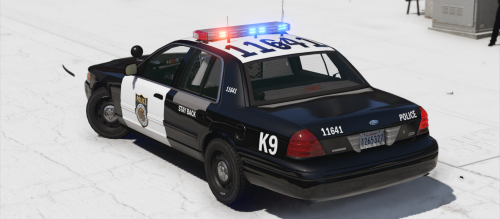 The wording was unclear in the above comments so I didn't realize they were talking about the same thing. The default template is in the BCSO pack you linked above. Thanks man!
- 12 comments
- 2 reviews
-
Sirenmastery has a file folder with config files in it that will have the siren volume setting you're looking for.
-
I have seen mods that increase the traffic density for V, google search it and you should be able to find some. Not sure about the name but I believe I have one in my game
-
Is there a way to remove the door trim on the front doors? The emblem goes across the plastic bits.
- 12 comments
- 2 reviews
-
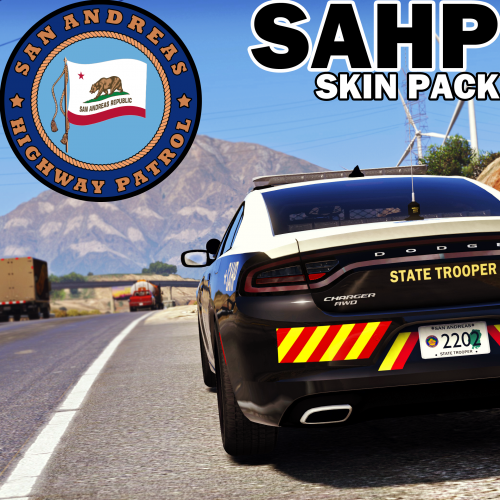 As a resident of Florida, these cars have always scared the absolute hell out of me; thank you for making them. Very good work
- 14 comments
- 17 reviews
-
 Just install his tahoe included in the FBI / Sheriff pack he made. AFAIK it's the same template so you can transfer the skins over but you get the lighting and the accompanying settings.
- 779 comments
- 187 reviews
-
-
- 1
-
-
A good starting point would be to search your local county PD and Sheriffs cars. Here are some from where I live in Tallahassee. You can expand your search county by county until you find something that really inspires you. The more you work on your textures, the easier it'll get to produce really good liveries.
-
Hey, one other thing. Be sure to use OpenIV's "copy to mod folder" functionality. It basically sets up a modded copy of your game files in a separate folder which you can play around with, and if you screw it up, you can simply delete it and re-copy the untouched originals from the game's directory. GTA IV had no backup like this and it has saved my butt a few times. Follow guides and be careful, use common sense, et cetera.
-
I am running a huge car pack I found on gta5-mods.com and it appears that the game is not only stable but runs at nearly the same FPS as when the game was stock! The engine is much better this time around. Go for it! I'm running an i7-4790k, GTX 580 1.5GB. Solid and stable at 60-80 FPS. When you get into super high load stuff, which would drop the stock game to 50, it still dips to around 50-45 FPS. I remember IV used to tank to below 20 with laughable reliability; I have only crashed a couple of times in the last two weeks.
-
Thank you so much for looking into this! The ads seemed to "wait" until focus had been off the window for a long time in order to start playing audio. I left an LCPDFR Forums tab open on Chrome for what must have been 20+ minutes and an ad started auto-playing audio. What's funny is I can't remember what they were advertising; these things are supposed to be memorable but they're just annoying.
-
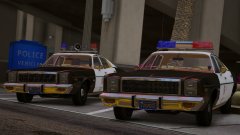 AHHHHH GORGEOUS!
 -
That is absolutely gorgeous. Incredible work!
-
I installed a GTX 580 into my new gaming desktop and am able to play GTA IV with all high settings with a frame rate of somewhere between 40-50 FPS. I installed an ultimate vehicle pack with weapons and sirens, and I get no crashes from that whatsoever. If I have ELS, though, I can barely get through 20 minutes of play before it crashes, but without it I can play for an hour or two, easily. I have every single car modded, plus I'm thinking of getting ENBseries, which will make my game look amazing. The only problems I have are when LCPDFR's scripts fuck up or when I have to deal with the environment occasionally disappearing for 4-5 seconds, which, thanks to my amazing graphics card, get fixed almost instantaneously. I used to play GTA IV on a quad-core laptop with a 512mb graphics card, and even low-poly modded cars would fuck up the environment loading. I'm glad I bought this thing.
-
 Me too.
 -
 Hahaha, someone wrote on your cruiser.
 -
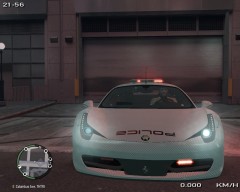 ELS... ^_^
