Skip to content
View in the app

A better way to browse. Learn more.

LCPDFR.com

A full-screen app on your home screen with push notifications, badges and more.
To install this app on iOS and iPadOS
  1. Tap the Share icon in Safari
  2. Scroll the menu and tap Add to Home Screen.
  3. Tap Add in the top-right corner.
To install this app on Android
  1. Tap the 3-dot menu (⋮) in the top-right corner of the browser.
  2. Tap Add to Home screen or Install app.
  3. Confirm by tapping Install.

LC SHERIFF 0.1

(0 reviews)

5 Screenshots

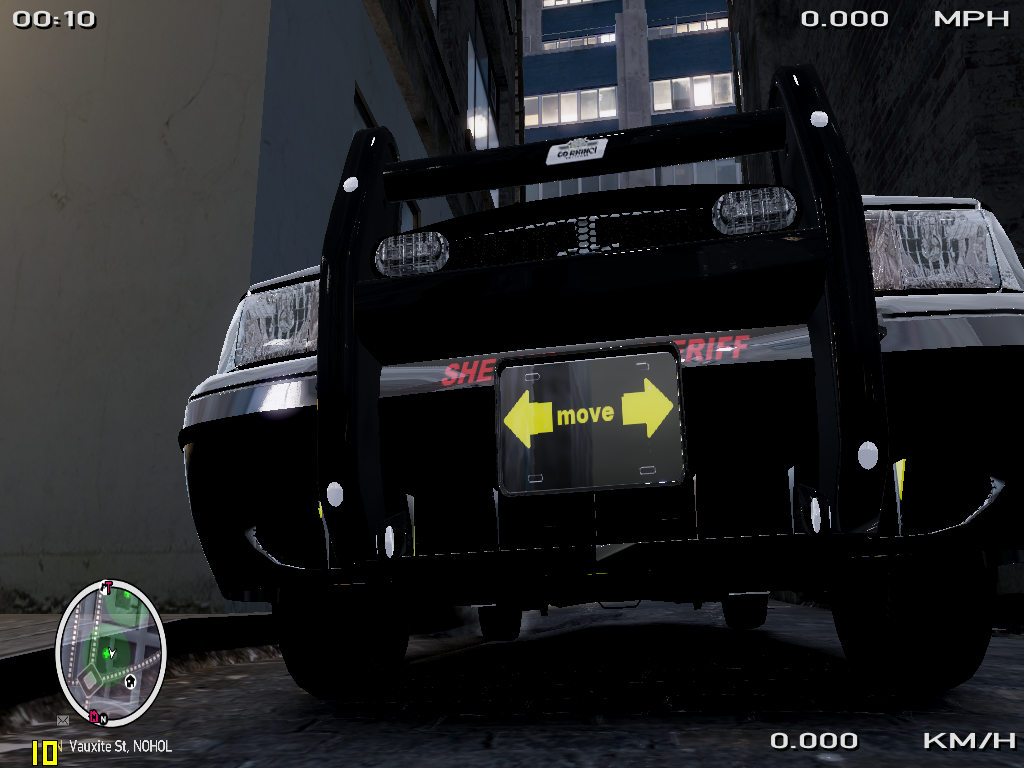
this is my first skin no the best but i like it more coming.

What's New in Version 0.1

Released

  • public release

User Feedback

Recommended Comments

HDgamerzPC

Members

For it being your first try, I give it a 10/10. But let me give you some tips. To start off, the word sheriff is in WAY to many places. You also should add a litle more next time like a picture of a k-9 or a 911 sign etc. etc. But this is your first skin, so I won't push.

EFox

Members

Where did you get that model? It's awesome!

dingo2031

Members Author

GTAIVpoliceman thanks ill remember that

EFox heres the link

HDgamerzPC

Members

Anytime man. Just trying to help put the community.

shadowhunter388

Members

O_O a Police car with a MX-7000 and a Go Rhino Pushbar! Please share with me where you got this awesome car?

Also not bad for a first time skin. :)

NickieB

Members

A few words of advice. Likie someone already said - try not to use sheriff so much. Try to center things better and I've never seen a cruiser with HP on the trunk lid. I'm assuming it means horsepower

dingo2031

Members Author

shadowhunter388 its on the video ^^^^^^

NikieB ok and yea hp horsepower

Slimory

Members

I had no idea that these were even released, +1 for sharing the link!

vig08

Members

are the siren sounds different than the default cop car ones?

skynyrd47

Members

who made this pack? I know this file is old.. just a hope

Create an account or sign in to comment

Latest Mods

Account

Navigation

Search

Search

Configure browser push notifications

Chrome (Android)
  1. Tap the lock icon next to the address bar.
  2. Tap Permissions → Notifications.
  3. Adjust your preference.
Chrome (Desktop)
  1. Click the padlock icon in the address bar.
  2. Select Site settings.
  3. Find Notifications and adjust your preference.




