Skip to content
View in the app

A better way to browse. Learn more.

LCPDFR.com

A full-screen app on your home screen with push notifications, badges and more.

To install this app on iOS and iPadOS
  1. Tap the Share icon in Safari
  2. Scroll the menu and tap Add to Home Screen.
  3. Tap Add in the top-right corner.
To install this app on Android
  1. Tap the 3-dot menu (⋮) in the top-right corner of the browser.
  2. Tap Add to Home screen or Install app.
  3. Confirm by tapping Install.

Zombie Outbreak Response Team

(0 reviews)

6 Screenshots

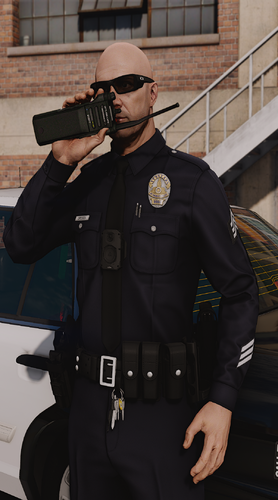
Just a quick skin I threw together for when I use the zombie mod. I figured I'd share it.

Will fit any DSF CVPI.

User Feedback

Recommended Comments

Gunner 9213

Members

You do realize there is a real ZERT right? Google them or go to their website. (I happen to be a member XSquadron 3686) Their decals are much cooler ;) Overall not bad though

Justice890

Members Author

You do realize there is a real ZERT right? Google them or go to their website. (I happen to be a member XSquadron 3686) Their decals are much cooler ;) Overall not bad though

I do realize that, I was trying to avoid using their stuff do to copyright and such. I may make one in the future. Feel free to PM me if you would like me to make one.

Gunner 9213

Members

Zort is also copyrighted lol And per ZERTHQ as long as someone is not profiting from the use of ZERT logos ect they don't care. Besides I highly doubt they will care about a mod for gta iv lol

Justice890

Members Author

Zort is also copyrighted lol And per ZERTHQ as long as someone is not profiting from the use of ZERT logos ect they don't care. Besides I highly doubt they will care about a mod for gta iv lol

Well then, I guess I'll have to make one, keep an eye out for it.

LSPDhotstuff

Members

I thought this is a script :)

Justice890

Members Author

I thought this is a script :)

Nope just a texture

Create an account or sign in to comment

Latest Mods

Account

Navigation

Search

Search

Configure browser push notifications

Chrome (Android)
  1. Tap the lock icon next to the address bar.
  2. Tap Permissions → Notifications.
  3. Adjust your preference.
Chrome (Desktop)
  1. Click the padlock icon in the address bar.
  2. Select Site settings.
  3. Find Notifications and adjust your preference.