Skip to content
View in the app

A better way to browse. Learn more.

LCPDFR.com

A full-screen app on your home screen with push notifications, badges and more.

To install this app on iOS and iPadOS
  1. Tap the Share icon in Safari
  2. Scroll the menu and tap Add to Home Screen.
  3. Tap Add in the top-right corner.
To install this app on Android
  1. Tap the 3-dot menu (⋮) in the top-right corner of the browser.
  2. Tap Add to Home screen or Install app.
  3. Confirm by tapping Install.

Cryptic Emergency Traffic 4.1.0

(2 reviews)

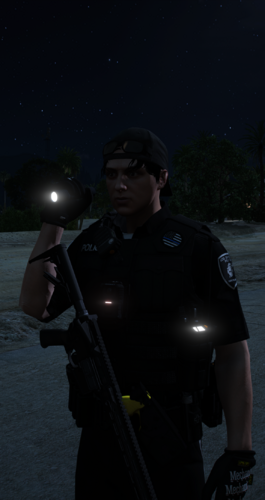
1 Screenshot

Cleaner emergency responses. Less interference with pursuits and traffic stops.

You've turned your lights and siren on because you need to get somewhere. The last thing you need is traffic making the response harder—or the car you're chasing suddenly behaving like it's trying to pull over.

That's why I made Cryptic Emergency Traffic.

I wanted emergency traffic behaviour that works alongside LSPDFR, with protection for pursuits, traffic stops and other emergency vehicles.

What It Does

During normal emergency responses, Cryptic Emergency Traffic uses GTA's own emergency-vehicle yielding behaviour, with configurable activation speeds and delays for lights-only and audible-siren responses.

During detected pursuits, it suspends its broad yielding requests. Instead, the optional pursuit response gradually adjusts the maximum speed of eligible civilian traffic ahead of you and travelling in the same direction.

Known pursuit suspects, emergency vehicles, player vehicles and persistent vehicles or drivers are excluded from that selective civilian response.

During detected traffic stops, broad yielding is also suspended to reduce unwanted reactions around the stop.

What's New in v4.1.0?

  • Configurable response delays for Code 2 and Code 3.

  • Separate activation and deactivation speeds to reduce repeated switching.

  • Gradual pursuit traffic adjustments, with configurable application and recovery rates.

  • Police, Ambulance and Fire profiles for different response settings.

  • Individual vehicle overrides for specific emergency models.

  • Live configuration reloading through CETReload.

  • Status logging through CETStatus.

  • Automatic INI upgrades that preserve existing settings and create a backup.

  • Optional experimental passing assistance for blocked traffic during traffic stops.

Built Around LSPDFR

Pursuit suspects shouldn't be treated like ordinary traffic that needs to yield to you.

Cryptic Emergency Traffic checks LSPDFR's pursuit and traffic-stop state before applying its response logic. If that state cannot be read, traffic management is suspended until the checks become available again.

It also respects detected changes to managed civilian speed caps, helping reduce conflicts when another plugin takes control.

Protection depends on the vehicles and situations LSPDFR identifies. I can't promise compatibility with every plugin combination, but reducing unnecessary interference is central to how this plugin works.

Configure It Your Way

The plugin automatically generates CrypticEmergencyTraffic.ini inside plugins\LSPDFR.

You can configure response speeds, activation delays, pursuit adjustment rates and vehicle profiles. Existing configurations are preserved when new settings are added.

Use these commands in the RAGE Plugin Hook console:

  • CETReload — Reload your configuration.

  • CETStatus — Write the current plugin status to RagePluginHook.log.

No additional gameplay keybinds are required.

Experimental Traffic-Stop Passing

Want to try helping blocked civilian traffic move around your cruiser?

v4.1.0 includes an optional experimental feature that considers eligible ambient drivers behind a stationary cruiser during an active traffic stop.

It waits before issuing a single normal cruising request, then lets GTA decide how to proceed. It does not guarantee a bypass, and it replaces that driver's current cruising task.

This feature is disabled by default.

Installation

Requires Grand Theft Auto V Legacy, LSPDFR and a compatible RAGE Plugin Hook installation.

Place CrypticEmergencyTraffic.dll inside:

Grand Theft Auto V Legacy\plugins\LSPDFR

Remove any previous copy of the plugin from the main plugins folder to avoid loading duplicate versions.

Launch through RAGE Plugin Hook and go on duty. The configuration file is created automatically.

Cryptic Mods Community

Join the community and find our Discord through the Cryptic Mods website.

crypticmods.com

Documentation & Support

Installation, configuration and troubleshooting information is available through the Cryptic Mods documentation.

docs.crypticmods.com

Suggestions & Bug Reports

Submit suggestions, feature requests and bug reports through the community feedback website.

For bug reports, include your RagePluginHook.log, configuration and a description of what was happening.

feedback.crypticmods.com

Edited by CrypticFade3

What's New in Version 4.1.0

Released

v4.1.0 — Response Refinements & Vehicle Profiles

Added

  • Added configurable activation delays for Code 2 and Code 3 responses.

  • Added separate deactivation speeds to reduce repeated switching near the activation threshold.

  • Added gradual application and release of civilian speed caps during pursuits, with configurable adjustment rates.

  • Added Police, Ambulance and Fire response profiles.

  • Added individual vehicle-model overrides, with unspecified values inherited from the global and class settings.

  • Added CETReload to reload the configuration without restarting the game.

  • Added CETStatus to write the current response and protection status to RagePluginHook.log.

  • Added automatic insertion of missing INI settings, with a timestamped backup before updating an existing configuration.

  • Added optional experimental traffic-stop passing assistance for eligible ambient drivers blocked behind a stationary cruiser. Disabled by default.

Changed

  • Pursuit civilian speed-cap targets now use the vehicle’s speed when first managed, preventing repeated reductions based on traffic that has already slowed.

  • Civilian speed caps gradually return to their original values when vehicles are no longer relevant.

  • Vehicles that become protected while being managed have the plugin’s speed adjustment released immediately.

  • Detected external speed-cap changes are respected, reducing potential conflicts with other plugins.

  • Vehicles with detected speed-cap conflicts are excluded from immediate reacquisition.

  • Configuration is prepared before replacing the active settings.

  • Existing INI values, comments and custom sections are preserved when missing settings are added.

  • Invalid configuration values are logged and fall back to inherited or default settings.

Notes

  • Normal emergency responses continue to use GTA’s emergency-vehicle yielding behaviour.

  • Broad yielding is suspended during detected pursuits and traffic stops.

  • Selective pursuit response only adjusts eligible civilian traffic ahead of you, travelling in the same direction.

  • Experimental passing assistance issues one normal cruising request and lets GTA choose the route. A successful bypass is not guaranteed.

  • You do not need to delete your existing INI. Missing settings are added automatically, with a backup created first.


Short Description

A simple, reliable AI traffic-yielding plugin designed to get traffic out of the way of emergency vehicles without the chaos.

AI disclosure

The author has disclosed that AI tools were used in creating the following aspects of this file:

  • Mod and Mod Content (Substantial)

I used Claude for earlier versions of Cryptic Emergency Traffic and ChatGPT to write the code for this rebuild, troubleshoot reported issues, and help prepare documentation and release materials. The release cover was also generated using AI. AI contributed substantially to this release; I remain responsible for reviewing, testing and maintaining the plugin.

User Feedback

Recommended Comments

UnkownUser

Members

Gonna give this a try. Last night I had it happen 3 times in a row where I watched a car go nuts and fly across 3 lanes to tbone me using mtfo LOL

CrypticFade3

Members Author

1 hour ago, UnkownUser said:

Gonna give this a try. Last night I had it happen 3 times in a row where I watched a car go nuts and fly across 3 lanes to tbone me using mtfo LOL

Brilliant! Let me know how it goes for you!

Zhivko

Members

So, everything is going great with the mod, but the issue I have is if the car on traffic stop fleet and I am on pursuit the car, I am chasing is keeping break checking or just doesn't go, just kind of getting stuck and don't even speed up. I don't know if that's something on my side or it's just the mod, but before installing the mod everything was great. and after I start having this issue

CrypticFade3

Members Author

50 minutes ago, Zhivko said:

So, everything is going great with the mod, but the issue I have is if the car on traffic stop fleet and I am on pursuit the car, I am chasing is keeping break checking or just doesn't go, just kind of getting stuck and don't even speed up. I don't know if that's something on my side or it's just the mod, but before installing the mod everything was great. and after I start having this issue

I'll have a look into this and try to push an update ASAP. Thank you for letting me know!

Lunaveli

Members

Hey Cryptic
I had AI move the plugin to the LSPDFR on duty folder
So pursuits and traffic stops don't get hit by the code
Yours is great but having it in rageplugin, can't detect suspects who needs to ignore the code

CrypticFade3

Members Author

59 minutes ago, Lunaveli said:

Hey Cryptic
I had AI move the plugin to the LSPDFR on duty folder
So pursuits and traffic stops don't get hit by the code
Yours is great but having it in rageplugin, can't detect suspects who needs to ignore the code

As in plugins\LSPDFR?

If so, I'll reupload the file's so that the installation path is correct.

UnkownUser

Members

Was coming to cry about the traffic stop interference but you beat me to it, Thanks.

CrypticFade3

Members Author

1 hour ago, UnkownUser said:

Was coming to cry about the traffic stop interference but you beat me to it, Thanks.

Haha, yeah thanks to @Lunaveli I was able to switch the installation path.

I've just pushed a massive update for it now. Completely rewrote the code, the AI are a hell of a lot smoother now.

Oggyosttv

Members

(edited)

Good mod as always. I tried the previous version and its much more stable than MTFO or clearthewayV. Gonna update this and try again

Edited by Oggyosttv

belowzero55

Members

Is it just me because when i'm on a traffic stop just before they go past my vehicle they always make a full stop or they slow down to a slow speed?

CrypticFade3

Members Author

(edited)

9 hours ago, belowzero55 said:

Is it just me because when i'm on a traffic stop just before they go past my vehicle they always make a full stop or they slow down to a slow speed?

Hey there!

The AI are supposed to come to a stop or slow down to a slow speed as they pass your vehicle. I made it for them to do this, so that it adds more realism, i.e., the slow down or move over law, that requires individuals to come to a stop for approaching emergency vehicles and pass parked emergency vehicles with lights activated at a slow speed.

20 hours ago, Oggyosttv said:

Good mod as always. I tried the previous version and its much more stable than MTFO or clearthewayV. Gonna update this and try again

I appreciate the support bro! I've got a few more updates planned to make this even better.

Edited by CrypticFade3

ExDemented

Members

I am glad you are active on here. I was about to come cry about the plugin making my pusuits annoying and even breaking other plugins I have installed, like Policing Redefined. Gonna give the update a go!

CrypticFade3

Members Author

5 hours ago, ExDemented said:

I am glad you are active on here. I was about to come cry about the plugin making my pusuits annoying and even breaking other plugins I have installed, like Policing Redefined. Gonna give the update a go!

Just released another update, this one has completely improve the AI. So the next few updates now will just be proper updates and less bug fixing hopefully.

CaliNative92

Members

Hey, just wanted to report something I noticed with this plugin. During LSPDFR pursuits, when I’m running Stage 3 lights/siren, the suspect vehicle and sometimes pursuing police units will repeatedly stop/go/stop/go like they’re trying to yield to the emergency vehicle. As soon as I turn my lights/siren off, the pursuit continues normally. I unloaded CrypticEmergencyTraffic and the issue disappeared completely, so it seems like the emergency traffic/yield logic may be affecting active pursuit vehicles. Figured I’d mention it in case pursuit suspects and police units need to be excluded from the yield system.

CrypticFade3

Members Author

21 minutes ago, CaliNative92 said:

Hey, just wanted to report something I noticed with this plugin. During LSPDFR pursuits, when I’m running Stage 3 lights/siren, the suspect vehicle and sometimes pursuing police units will repeatedly stop/go/stop/go like they’re trying to yield to the emergency vehicle. As soon as I turn my lights/siren off, the pursuit continues normally. I unloaded CrypticEmergencyTraffic and the issue disappeared completely, so it seems like the emergency traffic/yield logic may be affecting active pursuit vehicles. Figured I’d mention it in case pursuit suspects and police units need to be excluded from the yield system.

This was fixed a few updates ago, try installing the latest update to see if that hopefully fixes it.

If not I have a new update pending, which now uses the LSPDFR API. I personally haven’t had any issues with them yielding or attempting to yield with this new update pending, so hopefully that will resolve any issues you’re having.

CNRLEWIS

Members

gave this a try, not working for me traffic just ignore me code 2 and code 3 like im invisible

Lepoisson

Members

Hello, I just wanted to point out that the assembly version of your plugin is: 1.0.0.0 instead of: 2.1.0.0

CrypticFade3

Members Author

3 hours ago, CNRLEWIS said:

gave this a try, not working for me traffic just ignore me code 2 and code 3 like im invisible

Do you have any other mods installed that handles traffic yielding or any changes to data files?

This has been extensively tested and worked perfectly fine for me and several of my QA Tester's.

2 hours ago, Lepoisson said:

Hello, I just wanted to point out that the assembly version of your plugin is: 1.0.0.0 instead of: 2.1.0.0

Thank you for pointing that out, I'll get that sorted on my next update.

CNRLEWIS

Members

no i have no other plugin or anything that could collide with it really weird

CrypticFade3

Members Author

(edited)

7 hours ago, CNRLEWIS said:

no i have no other plugin or anything that could collide with it really weird

Alright, I’ll take a look into and see what could be causing it for you.

If you can drop your RPH.log below for me that would be great. That way I can cross reference plugins and see if I can find one that may be causing the issue.

Edited by CrypticFade3

Dntmesswittx713

Members

Makes npc car act funky when you are in vehicle pursuit they stop and go like they are trying to pull over but they are running when you back off they drive fine but soon as you get close they start acting weird

CrypticFade3

Members Author

12 hours ago, Dntmesswittx713 said:

Makes npc car act funky when you are in vehicle pursuit they stop and go like they are trying to pull over but they are running when you back off they drive fine but soon as you get close they start acting weird

No-one else has reported this issue since the update that was pushed to fix it.

Please paste your RPH.log in here so I can review it and check for clashing plugins and ensure you have removed any other plugins that handle traffic yielding (i.e. ClearTheWayV, MTFO, etc...)

JayD44

Members

I just found this and I'm definitely gonna try this. Just yesterday I was playing and a car literally PIT me when I was driving in emergency to call on the highway. Hope this mod fixes that!

jdakid17

Members

Does this affect AI traffic to go around you on traffic stops? If not can you implement it? Thanks!

CrypticFade3

Members Author

4 hours ago, JayD44 said:

I just found this and I'm definitely gonna try this. Just yesterday I was playing and a car literally PIT me when I was driving in emergency to call on the highway. Hope this mod fixes that!

Works a treat, I’ve not had any issues since making this with AIs crossing over me like clowns.

2 hours ago, jdakid17 said:

Does this affect AI traffic to go around you on traffic stops? If not can you implement it? Thanks!

This is already implemented! AIs will slow down when approaching your traffic stop and go around you, and the same if your vehicle is parked with emergency lights on.

Create an account or sign in to comment

Account

Navigation

Search

Search

Configure browser push notifications

Chrome (Android)
  1. Tap the lock icon next to the address bar.
  2. Tap Permissions → Notifications.
  3. Adjust your preference.
Chrome (Desktop)
  1. Click the padlock icon in the address bar.
  2. Select Site settings.
  3. Find Notifications and adjust your preference.