Skip to content
View in the app

A better way to browse. Learn more.

LCPDFR.com

A full-screen app on your home screen with push notifications, badges and more.

To install this app on iOS and iPadOS
  1. Tap the Share icon in Safari
  2. Scroll the menu and tap Add to Home Screen.
  3. Tap Add in the top-right corner.
To install this app on Android
  1. Tap the 3-dot menu (⋮) in the top-right corner of the browser.
  2. Tap Add to Home screen or Install app.
  3. Confirm by tapping Install.

AIDispatch 1.1 (For Policing Redefined) 1.1 full release

(7 reviews)

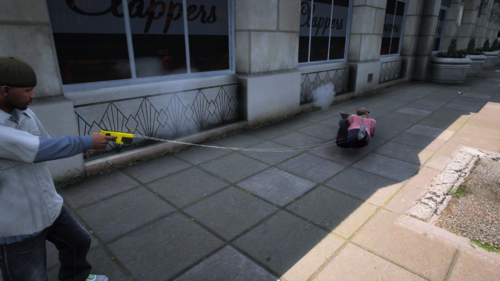
1 Screenshot

Support Development / AIDispatch 1.2 (NOW LIVE) Supporter Build

This public LCPDFR release is the AIDispatch v1.0 full release build.

If you enjoy AIDispatch and want to support continued development, you can follow the project on Patreon. Latest Builds available there.

Patreon: https://www.patreon.com/cw/Boboediting/posts

Discord - Free business icons

Discord channel for support on the mod and update on the devlopment.

https://discord.gg/9m5eWqK6Qw

BIG SHOUTOUT to FK for helping me test my mod!.He makes some good music, go check him out: https://www.youtube.com/watch?v=h5NdHisx0uE&list=PLrm0_QrSnNRIYWixIuWLOPaqZHoZvqtRz

AIDispatch - AI Voice Dispatch for Policing Redefined

AI Dispatch 1.1

AI Dispatch turns your microphone into an actual police dispatch channel for LSPDFR.

Instead of navigating menus or memorizing dozens of keybinds, simply talk to Dispatch naturally. Change your status, request backup and emergency services, run people or vehicles, report traffic stops, manage pursuits, request PIT authorization, ask for callouts, and more.

You can say things like "Dispatch, show me on a traffic stop," "Send me two additional units Code 3," "Run that plate," "What's my current location?" or "Do you have any calls for me?" and AI Dispatch handles the appropriate game action.

What's new in 1.1

Version 1.1 focuses heavily on making Dispatch feel more aware of what is actually happening during your patrol.

  • More reliable plate returns: A major issue where missing CDF information could be incorrectly treated as an all-clear return has been fixed. Vehicle information now comes directly from Policing Redefined's Common Data Framework.

  • Personalized callsigns: Dispatch can now address you directly using Adam or Lincoln callsigns, with numbers from 1 to 99.

  • New Status Panel: Press N for a quick overview of your callsign, current status, scene, location and incident state.

  • New Street / Location Widget: See your current street, cross street, direction and area, or simply ask Dispatch where you are.

  • Pedestrian Stops: Ped stops are now recognized and tracked separately from vehicle traffic stops.

  • Smarter traffic stops: Better context, corrections, vehicle descriptions, locations and follow-up communication.

  • More natural radio traffic: Dispatch can acknowledge routine scene updates without trying to turn everything you say into a command.

  • Request callouts by voice: Ask Dispatch if there are any calls available and receive one without navigating a menu.

  • Repeat information: Ask Dispatch to repeat your most recent plate or pedestrian return.

  • Improved emergency handling: Better Code 99, pursuit, road-name, cross-street and post-incident behavior.

1.1 takes the original AI Dispatch experience and makes it more contextual, more reliable and much more natural to use throughout an entire patrol.

Gemini API Key

AI Dispatch requires your own Google Gemini API key. get your own api key here: https://aistudio.google.com/api-keys

After installing the mod, open:

plugins\LSPDFR\AIDispatch.ini

Find:

[Gemini]
ApiKey=PUT_YOUR_GEMINI_API_KEY_HERE

Replace PUT_YOUR_GEMINI_API_KEY_HERE with your personal Gemini API key.

Never share your API key, screenshots containing it, or your configured INI file publicly.

Callsign Setup

AI Dispatch 1.1 supports personalized Adam and Lincoln callsigns from 1 through 99.

Open:

plugins\LSPDFR\AIDispatch.ini

Find the [OfficerCallsign] section and set your callsign.

For Adam 56:

[OfficerCallsign]
Enabled=true
Callsign=Adam 56
Family=Adam
Number=56

For Lincoln 21:

[OfficerCallsign]
Enabled=true
Callsign=Lincoln 21
Family=Lincoln
Number=21

Make sure Callsign, Family and Number all match the unit you want to use.

Callsign audio is read from:

lspdfr\audio\scanner\AIDispatch\Callsigns\Adam\TargetedFull\

or:

lspdfr\audio\scanner\AIDispatch\Callsigns\Lincoln\TargetedFull\

Place the appropriate callsign audio files in the matching folder.

Installation

  1. Install LSPDFR and RAGE Plugin Hook.

  2. Install Policing Redefined 1.0.0.5.

  3. Extract the AI Dispatch download.

  4. Copy the contents of the included Release folder into your main Grand Theft Auto V directory.

  5. Allow Windows to merge the folders when prompted.

  6. Open plugins\LSPDFR\AIDispatch.ini.

  7. Enter your Gemini API key under [Gemini].

  8. Configure your Adam or Lincoln callsign under [OfficerCallsign].

  9. Launch GTA V through RAGE Plugin Hook, go on duty and hold your configured dispatch talk key to speak.

Notes

  • AI voice recognition can occasionally mishear words, especially with background noise or unusual street-name pronunciation.

  • Hold your radio key for your entire transmission and release it when you finish speaking.

  • Avoid talking over active dispatcher/scanner audio.

  • The N key opens the AI Dispatch status panel.

  • HUD elements can be repositioned using the included F12 UI editor.

  • If you need support, include your AIDispatch.log, but never upload an INI or screenshot containing your Gemini API key.

Edited by boboediting
new version release

What's New in Version 1.1 full release

Released

  1. Fixed a major plate-return bug where missing CDF data could incorrectly be reported as an "all clear" vehicle return.

  2. Added personalized Adam and Lincoln callsign responses for status changes, incidents, backup, pursuits and important alerts.

  3. Added the new N-key Status Panel showing your callsign, duty status, current scene, location and incident state.

  4. Added the Street / Location Widget with current street, cross street, direction and area information.

  5. Added the ability to ask Dispatch for your current location by voice.

  6. Added a dedicated Pedestrian Stop system, allowing pedestrian encounters to be tracked separately from vehicle traffic stops.

  7. Significantly improved traffic-stop context, including vehicle descriptions, locations, corrections, follow-up information and fewer repeated prompts.

  8. Added natural acknowledgements for routine scene updates, allowing Dispatch to acknowledge non-command radio traffic without triggering unrelated actions.

  9. Added the ability to request an available callout directly through Dispatch.

  10. Added Repeat Last Plate and Repeat Last Ped commands for replaying recent database returns.

  11. Added improved Code 99 and post-incident handling, including a dedicated emergency state and better aftermath behavior.

  12. Improved road-name and cross-street recognition, including better handling of corrections and misheard locations.

  13. Improved radio command recognition and contextual follow-ups, reducing false commands and incorrect interpretations.

  14. Added cleaner GTA-style notifications and expanded HUD/UI functionality.


Short Description

AI-powered voice dispatch for LSPDFR that understands natural speech and triggers Policing Redefined dispatch actions.

AI disclosure

The author has disclosed that AI tools were used in creating the following aspects of this file:

  • Description
  • Mod and Mod Content (Substantial)

I'm absolutely terrible at codding. I always use AI to troubleshoot, help me create, give me feedback and ideas on what to upload next and how to keep a pase for the future updates.

User Feedback

Recommended Comments

Sosa18k

Members

14 minutes ago, Sosa18k said:

Figured id give this a shot since gp is no longer available, and i must say that I am impressed how well the ai recognizes commands and doesnt misinterpret what i said, but my only thing ive noticed is that im not getting any callouts. Im not sure if this mod is messing with callout interface but other then that i love it and looking forward to future updates to it. Excellent job!

Scratch what I said. Restarted my game and it’s working

Fetencel

Members

(edited)

congratulations on creating such an amazing mod.

Edited by Fetencel

Bear82

Members

Hi, just a quick question to clarify: what is the difference compared to Grammar Police? Since the instructions here also say: "Play for a while and let it mishear you for a bit. Then once you've used most commands a few times, open your plugins folder and find AIDispatch_customphrases.text..." — isn't it the same with Grammar Police, in that I can expand the text phrases and thereby use specific words?

boboediting

Members Author

16 hours ago, Sosa18k said:

Figured id give this a shot since gp is no longer available, and i must say that I am impressed how well the ai recognizes commands and doesnt misinterpret what i said, but my only thing ive noticed is that im not getting any callouts. Im not sure if this mod is messing with callout interface but other then that i love it and looking forward to future updates to it. Excellent job!

Thank you! i really appreciate it. The mod does not touch anything callout related so I think their might be another plugin messing with it or what my mod does is let you call your status so if you didn’t say you were available fir calls at the start if your shift, it’s by default putting you unavailable for calls so its probably what happened. Thank you for the feedback 🫡🙏

11 hours ago, Bear82 said:

Hi, just a quick question to clarify: what is the difference compared to Grammar Police? Since the instructions here also say: "Play for a while and let it mishear you for a bit. Then once you've used most commands a few times, open your plugins folder and find AIDispatch_customphrases.text..." — isn't it the same with Grammar Police, in that I can expand the text phrases and thereby use specific words?

Its a very similar mod to grammar police but the main feature is the AI so instead if being patern recognition like grammar police, where specific word in a specific order triggers an action, my mod uses AI to analyze what you say and then makes a call on what should happen so in other words, you can be very vague with what you’re saying and the AI will most likely figure out what you want regardless. The custom phrases are there to help with people that have lisp, accents and maybe custom agencies. Its to guide the AI if its always miss interpreting a specific sentence. But yes, very similar to Grammar police which is a great mod that inspired me to make this one. If you want to have a better idea of what I mean by “you can be vague” watch the video in the mod description, especially the part where I call EMS

13 hours ago, Fetencel said:

congratulations on creating such an amazing mod.

Thank you for the kind words 🙏

boboediting

Members Author

On 6/1/2026 at 1:21 PM, Doidao said:

Can you make a video showing the mod?

3 hours ago, Kali Neko said:

I'm trying to get a Gemini API key for this, but it keeps redirecting me to the google gemini AI documents page? I'm in New Zealand, a supported region. https://ai.google.dev/gemini-api/docs/available-regions

oh I'm sorry I guess its not :( maybe a vpn would work but I'm am NOT telling you to do that ;)

Kali Neko

Members

1 hour ago, boboediting said:

oh I'm sorry I guess its not :( maybe a vpn would work but I'm am NOT telling you to do that ;)

I thought it's not too, but it says on their page that New Zealand is supported. Google is weird sometimes. Likely wouldn't work well anyways tbh, AI always has issues understanding the New Zealand accent in my experience.

Lodan341

Members

On 6/7/2026 at 1:29 PM, boboediting said:

Hey I'm uploading a new version right now that should help with this.

when you use CAPS LOCK keybind nothing happens? all the widget might not be on by default so you might not see much on your screen but if you installed it correctly it will be there and work.

Yeah! Ive tried switching the keybind do 0 or D0 but nothing happened. Is it supposed to be detected by ragepluginhook? Like if I go in settings the only plugins I see is "Load lspdfr"

Lodan341

Members

On 6/7/2026 at 1:29 PM, boboediting said:

Hey I'm uploading a new version right now that should help with this.

when you use CAPS LOCK keybind nothing happens? all the widget might not be on by default so you might not see much on your screen but if you installed it correctly it will be there and work.

Wait I'm so sorry! I got it to load in, it just wasn't installed properly... However I ran into a new issue. Everytime I'd give it a prompt or command, it would take a second to process it then LSPDFR as a whole would crash (like the notification explicitly claims it crashed).

Bear82

Members

13 hours ago, boboediting said:

Thank you! i really appreciate it. The mod does not touch anything callout related so I think their might be another plugin messing with it or what my mod does is let you call your status so if you didn’t say you were available fir calls at the start if your shift, it’s by default putting you unavailable for calls so its probably what happened. Thank you for the feedback 🫡🙏

Its a very similar mod to grammar police but the main feature is the AI so instead if being patern recognition like grammar police, where specific word in a specific order triggers an action, my mod uses AI to analyze what you say and then makes a call on what should happen so in other words, you can be very vague with what you’re saying and the AI will most likely figure out what you want regardless. The custom phrases are there to help with people that have lisp, accents and maybe custom agencies. Its to guide the AI if its always miss interpreting a specific sentence. But yes, very similar to Grammar police which is a great mod that inspired me to make this one. If you want to have a better idea of what I mean by “you can be vague” watch the video in the mod description, especially the part where I call EMS

Thank you for the kind words 🙏

Thank you so very much for the detailed response; I really appreciate it. If I’ve understood correctly, in addition to the stored file containing my specific terms, the system accesses AI via the internet to better align with and implement what I say. I just want to understand what’s happening in the background so I can make better use of your fantastic tool. ...so the surrounding area, then.

Tzscherper

Members

Should I run AIDispatch with the same API Key i run NPCAi?

boboediting

Members Author

51 minutes ago, Tzscherper said:

Should I run AIDispatch with the same API Key i run NPCAi?

Yes

1 hour ago, Bear82 said:

Thank you so very much for the detailed response; I really appreciate it. If I’ve understood correctly, in addition to the stored file containing my specific terms, the system accesses AI via the internet to better align with and implement what I say. I just want to understand what’s happening in the background so I can make better use of your fantastic tool. ...so the surrounding area, then.

No problem. The AI understand context is the big feature. So you can most likely say thing like ‘my suspect is sick, I dont know what to do” and theres a pretty good chance the AI will dispatch an EMS for you.

boboediting

Members Author

12 hours ago, Lodan341 said:

Wait I'm so sorry! I got it to load in, it just wasn't installed properly... However I ran into a new issue. Everytime I'd give it a prompt or command, it would take a second to process it then LSPDFR as a whole would crash (like the notification explicitly claims it crashed).

Hmm thats weird, I never had that happened. Can you send me to AIDispatch log and maybe even your RPH log too so I can take a look. Maybe its a plugin conflict.

mrnoonei

Members

hi can i change the languige like white npcai

data.dll

Members

(edited)

On 6/7/2026 at 10:13 PM, boboediting said:

Yeah I’m sorry, once version 1.0 comes out on lcpdfr, it will probably be much better at understanding other languages. Right now its exclusive to my patreon but as I update the mod, I will eventually release it here. My tester is running version 1.0.1 and so far gemeni 3.1 is much better at understanding everything he says in portuguese.

Yeah, will version 1.0 have faster answers? because the dispatch takes a lot of time when processing what i say for example when answering the calls it takes so long that the callout ends.

Edited by data.dll

boboediting

Members Author

32 minutes ago, data.dll said:

Yeah, will version 1.0 have faster answers? because the dispatch takes a lot of time when processing what i say for example when answering the calls it takes so long that the callout ends.

Yes version 1.0 is much much faster and understands better. The version is already available on my patreon and will be coming on LCPDFR once I add more feature to the mod.

2 hours ago, mrnoonei said:

hi can i change the languige like white npcai

no, version 0.90.0 is not the greatest at understanding other languages. You can give it a shot and play around with the AIDispatch_customphrases.txt to make it better at understanding you.

Chris B.

Members

On 6/7/2026 at 1:50 AM, boboediting said:

I appreciate the feedback. Can you send me your AIDispatch.log please I would like to take a look at that because accepting callouts using dispatch and clearing them using sentences like "latest call is code 4" should be something that works perfectly fine in the 0.90.0 release. I've been working alot on the 1.0+ updates this weekend but if its an actual issue that I can repeat on my end I'd like to fix it. Thank you for your feedback.

Pasted content

endpoint=wss://generativelanguage.googleapis.com/ws/google.ai.generativelanguage.v1beta.GenerativeService.BidiGenerateContent?key=REDACTED model=models/gemini-2.5-flash-native-audio-preview-12-2025

2026-06-07 01:24:28 | Live API websocket connected.

2026-06-07 01:24:29 | Live API sent PCM bytes=83200

2026-06-07 01:24:31 | Live input transcript: Show me responding code three.

2026-06-07 01:24:33 | Live tool call parsed intent=accept_callout confidence=0.9

2026-06-07 01:24:33 | Gemini command: heard='Show me responding code three.' intent=accept_callout confidence=0.90 source=live_tool_call+callout_accept quantity=1 notes=Voice phrase matched callout acceptance; emulating LSPDFR accept-callout key.

2026-06-07 01:24:33 | TESTER DEBUG | source=live_tool_call+callout_accept | intent=accept_callout | confidence=0.90 | quantity=1 | heard='Show me responding code three.' | notes='Voice phrase matched callout acceptance; emulating LSPDFR accept-callout key.'

2026-06-07 01:24:33 | Executing intent: accept_callout

2026-06-07 01:24:33 | GetCalloutAcceptanceState zero-parameter method not found; skipping state verification.

2026-06-07 01:24:33 | Voice accept_callout started. acceptanceStateBefore=''

2026-06-07 01:24:33 | Callout accept key fallback skipped: key=REDACTED

2026-06-07 01:24:33 | Voice accept_callout failed: no key or API path succeeded.

2026-06-07 01:24:33 | Action result: intent=accept_callout success=False reason=No matching/working handler returned success.

2026-06-07 01:24:33 | Failure feedback: 10-9, repeat your last transmission.

2026-06-07 01:24:33 | Played custom scanner WAV: lspdfr\audio\scanner\AIDispatch\General\repeat_last.wav

2026-06-07 01:24:39 | Recording started. requestId=30

2026-06-07 01:24:41 | Recording stopped. ms=1601 bytes=44844

2026-06-07 01:24:41 | Live API connecting endpoint=wss://generativelanguage.googleapis.com/ws/google.ai.generativelanguage.v1beta.GenerativeService.BidiGenerateContent?key=REDACTED model=models/gemini-2.5-flash-native-audio-preview-12-2025

2026-06-07 01:24:41 | Live API websocket connected.

2026-06-07 01:24:41 | Live API sent PCM bytes=44800

2026-06-07 01:24:42 | Live input transcript: Show me on them.

2026-06-07 01:24:45 | Live tool call parsed intent=status_responding confidence=0.9

2026-06-07 01:24:45 | Gemini command: heard='Show me on them.' intent=accept_callout confidence=0.90 source=live_tool_call+callout_accept quantity=1 notes=Voice phrase matched callout acceptance; emulating LSPDFR accept-callout key.

2026-06-07 01:24:45 | TESTER DEBUG | source=live_tool_call+callout_accept | intent=accept_callout | confidence=0.90 | quantity=1 | heard='Show me on them.' | notes='Voice phrase matched callout acceptance; emulating LSPDFR accept-callout key.'

2026-06-07 01:24:45 | Executing intent: accept_callout

2026-06-07 01:24:45 | GetCalloutAcceptanceState zero-parameter method not found; skipping state verification.

2026-06-07 01:24:45 | Voice accept_callout started. acceptanceStateBefore=''

2026-06-07 01:24:45 | Callout accept key fallback skipped: key=REDACTED

2026-06-07 01:24:45 | Voice accept_callout failed: no key or API path succeeded.

2026-06-07 01:24:45 | Action result: intent=accept_callout success=False reason=No matching/working handler returned success.

2026-06-07 01:24:45 | Failure feedback: 10-9, repeat your last transmission.

2026-06-07 01:24:45 | Played custom scanner WAV: lspdfr\audio\scanner\AIDispatch\General\repeat_last.wav

2026-06-07 01:24:48 | Recording started. requestId=31

2026-06-07 01:24:50 | Recording stopped. ms=1862 bytes=57644

2026-06-07 01:24:50 | Live API connecting endpoint=wss://generativelanguage.googleapis.com/ws/google.ai.generativelanguage.v1beta.GenerativeService.BidiGenerateContent?key=REDACTED model=models/gemini-2.5-flash-native-audio-preview-12-2025

2026-06-07 01:24:50 | Live API websocket connected.

2026-06-07 01:24:50 | Live API sent PCM bytes=57600

2026-06-07 01:24:51 | Live input transcript: sho

2026-06-07 01:24:51 | Live input transcript: w me on route.

2026-06-07 01:24:53 | Live tool call parsed intent=status_responding confidence=0.9

2026-06-07 01:24:53 | Gemini command: heard='show me on route.' intent=accept_callout confidence=0.90 source=live_tool_call+callout_accept quantity=1 notes=Voice phrase matched callout acceptance; emulating LSPDFR accept-callout key.

2026-06-07 01:24:53 | TESTER DEBUG | source=live_tool_call+callout_accept | intent=accept_callout | confidence=0.90 | quantity=1 | heard='show me on route.' | notes='Voice phrase matched callout acceptance; emulating LSPDFR accept-callout key.'

2026-06-07 01:24:53 | Executing intent: accept_callout

2026-06-07 01:24:53 | GetCalloutAcceptanceState zero-parameter method not found; skipping state verification.

2026-06-07 01:24:53 | Voice accept_callout started. acceptanceStateBefore=''

2026-06-07 01:24:53 | Callout accept key fallback skipped: key=REDACTED

2026-06-07 01:24:53 | Voice accept_callout failed: no key or API path succeeded.

2026-06-07 01:24:53 | Action result: intent=accept_callout success=False reason=No matching/working handler returned success.

2026-06-07 01:24:53 | Failure feedback: 10-9, repeat your last transmission.

2026-06-07 01:24:53 | Played custom scanner WAV: lspdfr\audio\scanner\AIDispatch\General\repeat_last.wav

mrnoonei

Members

14 hours ago, boboediting said:

Yes version 1.0 is much much faster and understands better. The version is already available on my patreon and will be coming on LCPDFR once I add more feature to the mod.

no, version 0.90.0 is not the greatest at understanding other languages. You can give it a shot and play around with the AIDispatch_customphrases.txt to make it better at understanding you.

och but will it in the future?

boboediting

Members Author

5 hours ago, mrnoonei said:

och but will it in the future?

1.0 and the experimental build already do. So far it understand portuguese. But I’m not actively working on supporting other languages as it already does a pretty good job of it.

data.dll

Members

On 6/9/2026 at 6:46 PM, boboediting said:

Yes version 1.0 is much much faster and understands better. The version is already available on my patreon and will be coming on LCPDFR once I add more feature to the mod.

no, version 0.90.0 is not the greatest at understanding other languages. You can give it a shot and play around with the AIDispatch_customphrases.txt to make it better at understanding you.

When will version 1.0 be released?

nova2727

Members

For a true immersion, there needs to be a delay from the time to talk to dispatch to the time she responds like 5 to 7 secs. You can’t have a true real life immersion if she responds right away.

boboediting

Members Author

14 minutes ago, data.dll said:

When will version 1.0 be released?

Not sure yet, I’m still adding features to 1.0.1 (experimental build) once I have enough feature abd the build is stable, ill release 1.1 to patreon as a full release and bring 1.0 to lcpdfr. If tou want to stay updated with the mod’s behind the scene, I upload videos featuring the new builds and whats in them. (Its free) on my patreon.

data.dll

Members

1 minute ago, boboediting said:

Not sure yet, I’m still adding features to 1.0.1 (experimental build) once I have enough feature abd the build is stable, ill release 1.1 to patreon as a full release and bring 1.0 to lcpdfr. If tou want to stay updated with the mod’s behind the scene, I upload videos featuring the new builds and whats in them. (Its free) on my patreon.

alright

boboediting

Members Author

15 minutes ago, nova2727 said:

For a true immersion, there needs to be a delay from the time to talk to dispatch to the time she responds like 5 to 7 secs. You can’t have a true real life immersion if she responds right away.

I agree but I dont think thats a feature everyone will like as people complain that 0.90.0 is slow to respond which it is in my opinion but ill see if I cant add an ini option so you can add your own delay

SlopCop

Members

Surprisingly good AI mod, and I am usually very critical about them. Aside from recognition issues with a studio quality microphone and mixing setup, it works pretty good. I think the recognition thing or whatever engine it uses to understand speech might be out of your control anyway, but I am enjoying how this works. Good slop so far, watching with interest.

Create an account or sign in to comment

Account

Navigation

Search

Search

Configure browser push notifications

Chrome (Android)
  1. Tap the lock icon next to the address bar.
  2. Tap Permissions → Notifications.
  3. Adjust your preference.
Chrome (Desktop)
  1. Click the padlock icon in the address bar.
  2. Select Site settings.
  3. Find Notifications and adjust your preference.