Skip to content
View in the app

A better way to browse. Learn more.

LCPDFR.com

A full-screen app on your home screen with push notifications, badges and more.

To install this app on iOS and iPadOS
  1. Tap the Share icon in Safari
  2. Scroll the menu and tap Add to Home Screen.
  3. Tap Add in the top-right corner.
To install this app on Android
  1. Tap the 3-dot menu (⋮) in the top-right corner of the browser.
  2. Tap Add to Home screen or Install app.
  3. Confirm by tapping Install.

AIDispatch 1.1 (For Policing Redefined) 1.1 full release

(7 reviews)

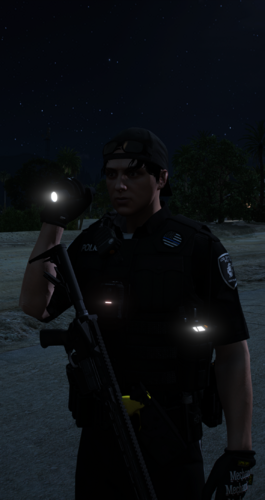
1 Screenshot

Support Development / AIDispatch 1.2 (NOW LIVE) Supporter Build

This public LCPDFR release is the AIDispatch v1.0 full release build.

If you enjoy AIDispatch and want to support continued development, you can follow the project on Patreon. Latest Builds available there.

Patreon: https://www.patreon.com/cw/Boboediting/posts

Discord - Free business icons

Discord channel for support on the mod and update on the devlopment.

https://discord.gg/9m5eWqK6Qw

BIG SHOUTOUT to FK for helping me test my mod!.He makes some good music, go check him out: https://www.youtube.com/watch?v=h5NdHisx0uE&list=PLrm0_QrSnNRIYWixIuWLOPaqZHoZvqtRz

AIDispatch - AI Voice Dispatch for Policing Redefined

AI Dispatch 1.1

AI Dispatch turns your microphone into an actual police dispatch channel for LSPDFR.

Instead of navigating menus or memorizing dozens of keybinds, simply talk to Dispatch naturally. Change your status, request backup and emergency services, run people or vehicles, report traffic stops, manage pursuits, request PIT authorization, ask for callouts, and more.

You can say things like "Dispatch, show me on a traffic stop," "Send me two additional units Code 3," "Run that plate," "What's my current location?" or "Do you have any calls for me?" and AI Dispatch handles the appropriate game action.

What's new in 1.1

Version 1.1 focuses heavily on making Dispatch feel more aware of what is actually happening during your patrol.

  • More reliable plate returns: A major issue where missing CDF information could be incorrectly treated as an all-clear return has been fixed. Vehicle information now comes directly from Policing Redefined's Common Data Framework.

  • Personalized callsigns: Dispatch can now address you directly using Adam or Lincoln callsigns, with numbers from 1 to 99.

  • New Status Panel: Press N for a quick overview of your callsign, current status, scene, location and incident state.

  • New Street / Location Widget: See your current street, cross street, direction and area, or simply ask Dispatch where you are.

  • Pedestrian Stops: Ped stops are now recognized and tracked separately from vehicle traffic stops.

  • Smarter traffic stops: Better context, corrections, vehicle descriptions, locations and follow-up communication.

  • More natural radio traffic: Dispatch can acknowledge routine scene updates without trying to turn everything you say into a command.

  • Request callouts by voice: Ask Dispatch if there are any calls available and receive one without navigating a menu.

  • Repeat information: Ask Dispatch to repeat your most recent plate or pedestrian return.

  • Improved emergency handling: Better Code 99, pursuit, road-name, cross-street and post-incident behavior.

1.1 takes the original AI Dispatch experience and makes it more contextual, more reliable and much more natural to use throughout an entire patrol.

Gemini API Key

AI Dispatch requires your own Google Gemini API key. get your own api key here: https://aistudio.google.com/api-keys

After installing the mod, open:

plugins\LSPDFR\AIDispatch.ini

Find:

[Gemini]
ApiKey=PUT_YOUR_GEMINI_API_KEY_HERE

Replace PUT_YOUR_GEMINI_API_KEY_HERE with your personal Gemini API key.

Never share your API key, screenshots containing it, or your configured INI file publicly.

Callsign Setup

AI Dispatch 1.1 supports personalized Adam and Lincoln callsigns from 1 through 99.

Open:

plugins\LSPDFR\AIDispatch.ini

Find the [OfficerCallsign] section and set your callsign.

For Adam 56:

[OfficerCallsign]
Enabled=true
Callsign=Adam 56
Family=Adam
Number=56

For Lincoln 21:

[OfficerCallsign]
Enabled=true
Callsign=Lincoln 21
Family=Lincoln
Number=21

Make sure Callsign, Family and Number all match the unit you want to use.

Callsign audio is read from:

lspdfr\audio\scanner\AIDispatch\Callsigns\Adam\TargetedFull\

or:

lspdfr\audio\scanner\AIDispatch\Callsigns\Lincoln\TargetedFull\

Place the appropriate callsign audio files in the matching folder.

Installation

  1. Install LSPDFR and RAGE Plugin Hook.

  2. Install Policing Redefined 1.0.0.5.

  3. Extract the AI Dispatch download.

  4. Copy the contents of the included Release folder into your main Grand Theft Auto V directory.

  5. Allow Windows to merge the folders when prompted.

  6. Open plugins\LSPDFR\AIDispatch.ini.

  7. Enter your Gemini API key under [Gemini].

  8. Configure your Adam or Lincoln callsign under [OfficerCallsign].

  9. Launch GTA V through RAGE Plugin Hook, go on duty and hold your configured dispatch talk key to speak.

Notes

  • AI voice recognition can occasionally mishear words, especially with background noise or unusual street-name pronunciation.

  • Hold your radio key for your entire transmission and release it when you finish speaking.

  • Avoid talking over active dispatcher/scanner audio.

  • The N key opens the AI Dispatch status panel.

  • HUD elements can be repositioned using the included F12 UI editor.

  • If you need support, include your AIDispatch.log, but never upload an INI or screenshot containing your Gemini API key.

Edited by boboediting
new version release

What's New in Version 1.1 full release

Released

  1. Fixed a major plate-return bug where missing CDF data could incorrectly be reported as an "all clear" vehicle return.

  2. Added personalized Adam and Lincoln callsign responses for status changes, incidents, backup, pursuits and important alerts.

  3. Added the new N-key Status Panel showing your callsign, duty status, current scene, location and incident state.

  4. Added the Street / Location Widget with current street, cross street, direction and area information.

  5. Added the ability to ask Dispatch for your current location by voice.

  6. Added a dedicated Pedestrian Stop system, allowing pedestrian encounters to be tracked separately from vehicle traffic stops.

  7. Significantly improved traffic-stop context, including vehicle descriptions, locations, corrections, follow-up information and fewer repeated prompts.

  8. Added natural acknowledgements for routine scene updates, allowing Dispatch to acknowledge non-command radio traffic without triggering unrelated actions.

  9. Added the ability to request an available callout directly through Dispatch.

  10. Added Repeat Last Plate and Repeat Last Ped commands for replaying recent database returns.

  11. Added improved Code 99 and post-incident handling, including a dedicated emergency state and better aftermath behavior.

  12. Improved road-name and cross-street recognition, including better handling of corrections and misheard locations.

  13. Improved radio command recognition and contextual follow-ups, reducing false commands and incorrect interpretations.

  14. Added cleaner GTA-style notifications and expanded HUD/UI functionality.


Short Description

AI-powered voice dispatch for LSPDFR that understands natural speech and triggers Policing Redefined dispatch actions.

AI disclosure

The author has disclosed that AI tools were used in creating the following aspects of this file:

  • Description
  • Mod and Mod Content (Substantial)

I'm absolutely terrible at codding. I always use AI to troubleshoot, help me create, give me feedback and ideas on what to upload next and how to keep a pase for the future updates.

User Feedback

Recommended Comments

nova2727

Members

is this compatible with npcai

boboediting

Members Author

8 minutes ago, nova2727 said:

is this compatible with npcai

yes it is! I use it in my game and it works great with it.

ThatGuySens

Members

24 minutes ago, Doidao said:

Can you make a video showing the mod?

Just download and use it

boboediting

Members Author

(edited)

9 minutes ago, ThatGuySens said:

Just download and use it

34 minutes ago, Doidao said:

Can you make a video showing the mod?

yeah I'll try to work on that today. If you want an idea of what it does, just take a look at what grammar police does and the mod works the same except theres less restriction on phrasing since AI interprets what you're saying. So you can formulate however you want and the AI should understand what you are asking

Edited by boboediting

maekbfryhe

Members

I downloaded the mod with all the requirements launched it and at first it said "didn't recognize or smth" and then just nothing ive reinstalled put the API again and still. nothing just blank. like it didn't even hear me XD

AIDispatch.log

manu450

Members

(edited)

I got to say wow....You did a good job on this. A little more precise voice feedback from dispatch would make this a really good alternative to GP. It actually works really well. I'll play with it a little more and post a review shortly. Please add shoulder animation to the PPT.

Edited by manu450

FlyBullx

Members

work other language ?

JMMA2506

Members

lo acabo de provar y tiene muy buena pinta solo hay que pulirle un par de cosas como la animacion de radio y poder hablar en otro idioma (en mi caso el español )

no se si sera por el mod pero me acaba de crashear al solicitar transporte de detenidos de todos modos voy a verificar a que se deve (gran trabajo y gran mod este mod puede llegar a ser muy grande )

Vagneto

Members

You've delivered what you've described so far. Good job and thanks for sharing.

boboediting

Members Author

1 hour ago, maekbfryhe said:

I downloaded the mod with all the requirements launched it and at first it said "didn't recognize or smth" and then just nothing ive reinstalled put the API again and still. nothing just blank. like it didn't even hear me XD

AIDispatch.log

hey seems like you might be tapping the key instead of holding it. You have to lhold the keybind the entire time you are speaking. And if that dosent work make sure the mic you want to use is the one windows is using by defauilt.

43 minutes ago, Vagneto said:

You've delivered what you've described so far. Good job and thanks for sharing.

appreciate it thanks!

1 hour ago, manu450 said:

RagePluginHook.log

Lspdfr crashes when unloading the Lspdfr plugin, and you can't reload Lspdfr again.

Thanks, It should not affect normal gameplay, but it can throw an RPH/LSPDFR exception when unloading/reloading LSPDFR. I’ll patch it so the AIDispatch main loop shuts down cleanly before LSPDFR unloads.

1 hour ago, manu450 said:

I got to say wow....You did a good job on this. A little more precise voice feedback from dispatch would make this a really good alternative to GP. It actually works really well. I'll play with it a little more and post a review shortly. Please add shoulder animation to the PPT.

Thank you. Right now the reply from dispatch are really bland I know and this is one of the next step for the mod for sure. I appreciate the feedback thank you!

boboediting

Members Author

2 hours ago, Doidao said:

Can you make a video showing the mod?

1 hour ago, Michael21107 said:

@boboediting Hey, just a heads up that the assembly verison of the plugin is 0.0 instead of 0.76.

thank you will fix in the next update

manu450

Members

Calling a pursuit doesn't blip the vehicle as the grammar police do. Idk if you can do something about that.

boboediting

Members Author

(edited)

9 minutes ago, manu450 said:

Calling a pursuit doesn't blip the vehicle as the grammar police do. Idk if you can do something about that.

Thanks, I will try and add this to the next update for now keep using GR alongside my mod so you can blip the cars. I'm having a hard time figuring how to blip the car and trigger the LSPDFR chasse state at the moment.

Edited by boboediting

manu450

Members

I found a bunch of sound files in my GP and PR folder and added them for various responses from the dispatcher. It works really well.

boboediting

Members Author

16 minutes ago, manu450 said:

I found a bunch of sound files in my GP and PR folder and added them for various responses from the dispatcher. It works really well.

thats awsome! I will add better responses down the line for sure

nova2727

Members

It’s a shame you can’t talk to dispatch like a normal one instead of having the old dispatch come over again

boboediting

Members Author

7 minutes ago, nova2727 said:

It’s a shame you can’t talk to dispatch like a normal one instead of having the old dispatch come over again

That right there is the end goal of the mod. I want to make it just like NPCAI where you can have a back and forth with the dispatcher. Keep in mind this is the ALPHA version of the mod.

Fire Guy Gaming

Insiders

CHANGE DISPATCH KEY DOES NOT WORK

I CHANGED THE DISPATCH KEY TO 0 ANMD IT DOES NOT WORK I CANT GET THE MOD TO DO ANYTHING

WHY OH WHY DO ALL THESE AI DISPATCH MODS NEVER WORK

boboediting

Members Author

(edited)

20 minutes ago, impliedstone said:

CHANGE DISPATCH KEY DOES NOT WORK

I CHANGED THE DISPATCH KEY TO 0 ANMD IT DOES NOT WORK I CANT GET THE MOD TO DO ANYTHING

WHY OH WHY DO ALL THESE AI DISPATCH MODS NEVER WORK

No image preview

Keys Enum (System.Windows.Forms)

Specifies key codes and modifiers.

This is the keybinds my mod uses. use the codes on the left of the list to change your keybind... for numpad 0 use this "DispatchTalkKey=NumPad0" for 0 on the number rows use: DispatchTalkKey=D0 . My mod should work just fine.

Edited by boboediting

manu450

Members

(edited)

1 hour ago, nova2727 said:

It’s a shame you can’t talk to dispatch like a normal one instead of having the old dispatch come over again

I suggest you download the Blue Line Vibe dispatcher. Also, all the dispatcher responses are mostly from your Lspdfr audio REPORT_RESPONSE folder. You can change any of these files to any audio line you prefer. As long as you add them to your REPORT_RESPONSE folder located in your Lspdfr/Audio/Scanner. Make sure the path matches the one you will copy into your AI Dispatch.ini file.

Edited by manu450

M Wells

Members

56 minutes ago, boboediting said:
No image preview

Keys Enum (System.Windows.Forms)

Specifies key codes and modifiers.

This is the keybinds my mod uses. use the codes on the left of the list to change your keybind... for numpad 0 use this "DispatchTalkKey=NumPad0" for 0 on the number rows use: DispatchTalkKey=D0 . My mod should work just fine.

I used RMenu (right ALT) and works great for me. So it looks like,

[Controls]

DispatchTalkKey=RMenu

HoldToTalk=true

Tee6789

Members

Hey friend, just having a bit of trouble. The plugin seems to be launching and working, however I keep getting "repeat transmission" error. Somethng I'm missing? Everything seems to be in the right file path, i have the correct mic set, as well as the API key.

Create an account or sign in to comment

Account

Navigation

Search

Search

Configure browser push notifications

Chrome (Android)
  1. Tap the lock icon next to the address bar.
  2. Tap Permissions → Notifications.
  3. Adjust your preference.
Chrome (Desktop)
  1. Click the padlock icon in the address bar.
  2. Select Site settings.
  3. Find Notifications and adjust your preference.