Skip to content
View in the app

A better way to browse. Learn more.

LCPDFR.com

A full-screen app on your home screen with push notifications, badges and more.

To install this app on iOS and iPadOS
  1. Tap the Share icon in Safari
  2. Scroll the menu and tap Add to Home Screen.
  3. Tap Add in the top-right corner.
To install this app on Android
  1. Tap the 3-dot menu (⋮) in the top-right corner of the browser.
  2. Tap Add to Home screen or Install app.
  3. Confirm by tapping Install.

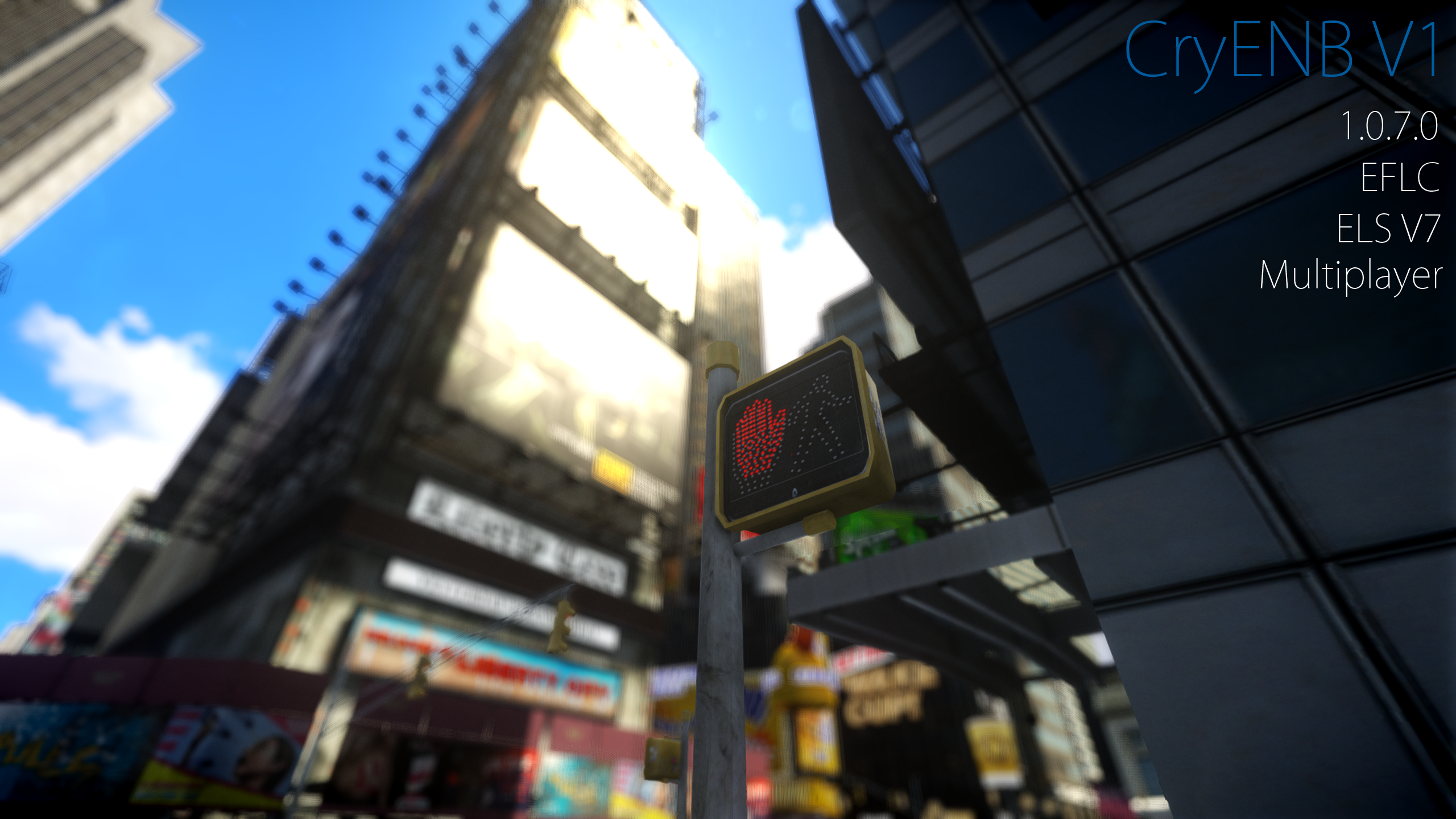
CryENB V1 (1.0.7.0/EFLC)

(15 reviews)

10 Screenshots

CryENB V1 by Fabriciuz:

Made for patch 1.0.7.0 & EFLC, compatible with ELS & multiplayer. ENBSeries 0.163 + dax1 fix edit. Before installing, i really recommend you to set your Shadows Quality in-game setting on High or lower. Very High causes lag and too sharp shadows. If you wan't Auto-Focus DOF like in my pic's, then go to Optional presetsDepth Of FieldAuto-Focus DOFLQ DOF or HQ DOF and install that. I've made very detailed installation instructions, so just be sure to read all the text files. Enjoy!

_____________________________

PACKAGE CONTENT INFO:

Install: Just all the main files.

Options: Here you can get help and recommended mods.

Settings: Here you can choose the fitting configuration for your hardware, there is: Very Low-End, Low-End, Mid-End, High-End and Ultra-End.

ELS preset: Here you can find all the necessary files to get ELS working.

Optional presets: Here you can find Depth of Field options, Lens texture options, Godrays and various effects.

HD textures: DKT70 newest HD roads and HD trees.

_____________________________

CEV1 FEATURES:

SSAO

Skylighting

Adaptation

No red sky & no other bugs

Dynamic timecyc created from scratch

Auto-Focus DoF & Static DOF

Dirt Lens (thanks to iCELaGlacE)

Godrays (disabled by default)

Realistic ELS

Lens Flare

Motion-Blur

Combined SMAA & FXAA

And much more..

_____________________________

COMPATIBILITY:

1.0.7.0

EFLC

ELS

Multiplayer

_____________________________

INPUTS:

On/Off SSAO - press pause/break

On/Off FPS counter - press NUM slash

On/Off FPS limit - scroll lock.

Screenshot - press print screen

Reload config - press NUM star

_____________________________

BIG THANKS TO:

-iCELaGlacE for alot of codes and for helping.

-DOCTORGTA for testing and helping alot.

-Carrythxd for testing EFLC and helping.

-DKT70 for codes, HD roads and HD trees.

_____________________________

ADDITIONAL INFO:

Youtube channel:

http://www.youtube.com/user/MsDmad?feature=mhee

Facebook page:

https://www.facebook.com/fabriciuzgraphics

Website:

http://fabriciuz.wix.com/fabriciuz

PC Specs (I get around 40 fps with this):

CPU: Intel Core i7-3770 - 3.40 GHz

Graphics Card: MSI GTX 660Ti Power Edition

RAM: Corsair Vengeance - 2x8GB DDR3 1600MHz PC3-12800 CL10

Operative system: Windows 7 Home Premium 64-bit

_____________________________

VIDEO:

https://www.youtube.com/watch?v=9N9lWjldSpI

User Feedback

Recommended Comments

Gump

Members

Absolute best ENB I have ever used!! Anyone considering..It's worth it!

lakajadiwa

Members

I love it! Just anyway to add glow around ELS lights? (I did install the ELS preset)

J T

Members

nice to see you on here man and loving this enb

DLer

Members

Everyone download this immediately.

Fabriciuz

Members Author

I love it! Just anyway to add glow around ELS lights? (I did install the ELS preset)

If you want more glow, go to your GTA IV main folder, then to common/data and find the visualSettings.dat, open it and search for the line named

Opulence

Members

My ELS looks more orange than red. Anyone know why?

frebter

Members

It doesn't work already... can someone help me? I followed the instructions, but in game i only can see the Player (Niko).

1997chevyboy

Members

Awesome job man i must say, your graphics are

Fabriciuz

Members Author

My ELS looks more orange than red. Anyone know why?

1997chevyboy

Members

Here are a few images i took lastnight, which show

Black Jesus

Members

How heavy is this on the system?

Jaso87

Members

Man Fabriciuz!

Jaso87

Members

How heavy is this on the system?

Fabriciuz

Members Author

Man Fabriciuz!

frebter

Members

Now it works, thank you!! Awwesome job, ELS looks great with this!

Opulence

Members

In the pictures what is numerical value of car.defaultlight.emissive.on?

Lozano71

Members

THANK YOU..... And after Backup i have this....

Opulence

Members

My game crashes when I am near Grand Easton Station.

Fabriciuz

Members Author

You guys with problems, please go to the _Options/If it doesn't work/ and open the Readme.txt and follow the instructions.

Mikofiticus

Members

It looks great man! So I'm experiencing some FPS loss and I'm only using the mid-level one. I know my PC can handle more, I play stuff like ARMA and BF4 on Ultra and have no problem. Do you guys have any tips to gain some FPS back, or do I have to go with the low-end settings?

Dippa

Members

Question: When I use other Enb's , a lot of times if I'm playing at night or say 5pm when the sun is going down and I use the police computer with LCPDFR 1.0 when I close it out everything is darker. I will stay that way

Dbeehler73

Members

black screen

Black Jesus

Members

I hope GTA 6 looks half as good as this, really great job. Can't believe I'm getting 40+ fps :)

Exo 401

Members

Awesome work Fabriciuz!!! You make the best ENB's I've seen! What unmarked police vehicle are you using in the video? It looks nice!

Create an account or sign in to comment

Latest Mods

Account

Navigation

Search

Search

Configure browser push notifications

Chrome (Android)
  1. Tap the lock icon next to the address bar.
  2. Tap Permissions → Notifications.
  3. Adjust your preference.
Chrome (Desktop)
  1. Click the padlock icon in the address bar.
  2. Select Site settings.
  3. Find Notifications and adjust your preference.