


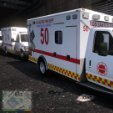


This is my first pack ever being released, depending how it goes I may release more of what I have.
Vehicle pack can found at the link below, all skins are fitted to medic1 a-d
https://modification-universe.com/forums/resources/ford-e-450-ambulance-pack.52/
DO NOT REPOST ANYWHERE OR CLAIM AS YOUR OWN.
PLEASE CREDIT ME WHEN USING THIS PACK ON ANY LIVE STREAM, FIVEM SERVER OR CONTENT
Edited by JustNvme
What's New in Version 1.2.0
Released
Fixed Reflective Skin for Medic1a
- Reflective skin for medic1a now works and the model will accept 4 different skins now
Here is the direct link to obtain Medic4523 Ambulance pack for these skins.
https://modification-universe.com/forums/resources/ford-e-450-ambulance-pack.52/
Short Description
LORE Chicago Fire Dept, EMS Skin
Credits to MEDIC4523 for vehicle models
- UpperMidnight and Darnath
-
 1
1
-
 1
1








![OCRP Postal Map - Fixed Duplicate Postals and Atlas Style [FiveM]](http://s3-screenshots.int-cdn.lcpdfrusercontent.com/resize/500/-/monthly_2026_07/624688352-f61f6a95-cab2-4dbf-8e15-eac238807cc7.thumb.jpg.f9356ce9ac807f74bb9d897e93a8242d.jpg)




Recommended Comments
Create an account or sign in to comment