Skip to content
View in the app

A better way to browse. Learn more.

LCPDFR.com

A full-screen app on your home screen with push notifications, badges and more.

To install this app on iOS and iPadOS
  1. Tap the Share icon in Safari
  2. Scroll the menu and tap Add to Home Screen.
  3. Tap Add in the top-right corner.
To install this app on Android
  1. Tap the 3-dot menu (⋮) in the top-right corner of the browser.
  2. Tap Add to Home screen or Install app.
  3. Confirm by tapping Install.

BLK Highway Callouts 1.21.7

(20 reviews)

8 Screenshots

Welcome to the only highway focused callout pack (that is still slowly maintained) in LSPDFR!


This callout pack doesn't include shootings, robberies, muggins, kidnappings, stabbings, bank robberies, juggernatus or all the typical callouts you can find all over the script section of this website.


I'm more focused into creating callouts that are not too common or that can be approached from a different perspective. Why would I make you chase a vehicle around all of LS when I can make you surprise the criminals by deploying a spike strip and then, join the pursuit?


Remember officers don't have to deal with high speed pursuits or robberies everyday, there is also a side that is not that exciting but that officers have to do anyway. If you want to experience a different side to an officers work on the highways of LS, then give this callout pack a try.


⚠️ IMPORTANT NOTE ON CALLOUT MANAGER ⚠️

If you are using Callout Manager or any other plugin that starts callouts on demand, be aware that these callouts are meant to be played as a trooper or an officer patroling close to a highway, so if you are in the middle of the map like in Great Chaparral, Harmony or in Vinewood Hills, the callouts will fail to start.


REQUIREMENTS:

  • LSPDFR 0.4.9 (not included)
  • RagePluginHook (not included)
  • RageNativeUI (not included)
  • CalloutInterface (optional)


⚠️ STP and UB no longer required! ⚠️


HOW TO INSTALL:

  • Drag and drop the "lspdfr" folder into your main game folder.
  • Drag and drop the "plugins" folder into your main game folder.
  • Drag and drop the CalloutInterfaceAPI file to your main game folder.
  • Customize as desired in the ini file.


PLUGIN RECOMMENDATION

SceneManager by Rich

This plugin will help you manage traffic and you will surely need it for these callouts. If you don't have any plugin that can do something similar, you'll have a hard time playing this pack. I don't make it a requirement because is no longer maintained, but it still works!

Make sure to use the latest RageNativeUI version, do not use the version included in the plugin.


AVAILABLE CALLOUTS


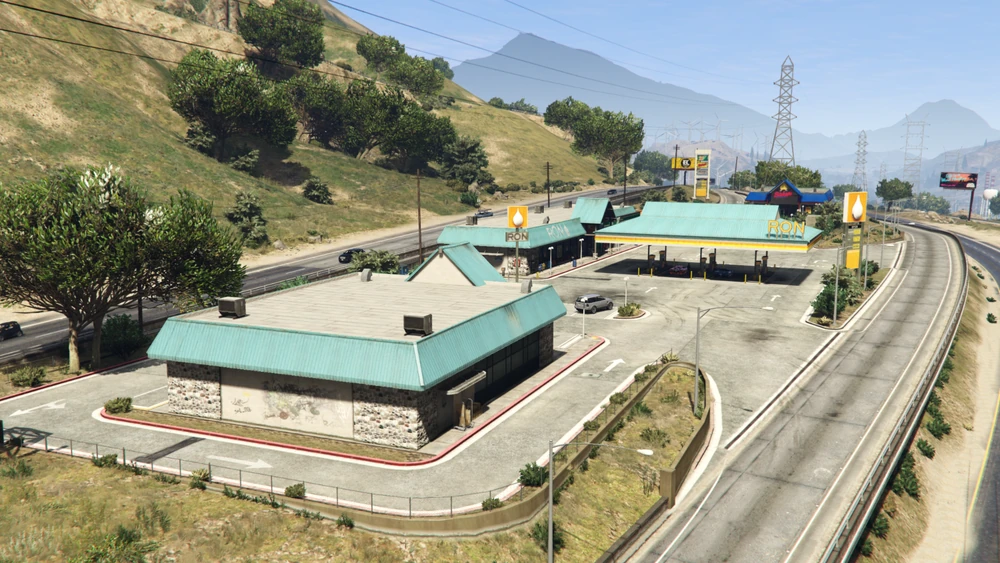
  • NEW!  Disturbance in rest area (only available at the rest area east of LS) : Investigate a couple that has been arguing in their vehicle for a long time.


  • NEW!  Prowler in rest area (only available at the rest area east of LS) : The store clerk has called reporting a possible prowler in the rest area. Search for the suspect and make sure the zone is safe. Multiple outcomes possible.


  • NEW!  Stranded Vehicle: There's a vehicle parked on the shoulder of the highway; make sure the driver is safe.


  • MVA Traffic Control:
    • You are not the only officer on patrol. Some officers are cleaning a MVA scene but are having a hard time handling traffic. Hurry up and manage traffic to prevent more accidents.


  • Assistance to Road Worker:
    • The city had to cut resources and the road workers don't have all the security equipment they should. Luckily for them, you have them covered. Protect the workers from the heavy traffic and help maintain the roads of LS in good shape.


  • Animal on road:
    • Some drivers have reported an animal in/close to the highway. Get there and make sure it's not a safety concern for the drivers and the animal.


  • Motor Vehicle Accident:
    • Car accidents are a big part of an officers work and can't be missing in a callout pack like this.


  • Object on road:
    • Drivers are reporting objects on the road, potentially causing an accident. Arrive to the scene and clear the way.


  • Asistance to stranded driver:
    • You got a call for a vehicle stranded on the highway. Investigate and assist the driver.


  • Spike Strip Support:
    • There is a pursuit approaching your position. Hurry up and get ready to deploy a spike strip and catch the criminals.


KNOWN ISSUES 🙁 :

  • Peds/animations are not playing correctly at times.
  • Animals caught by animal control look weird at the back of the truck.


HOW TO ADD CUSTOM VEHICLES FOR HIGHWAYS

Spoiler

****DISCLAIMER****
I'm not responsible for any errors in your game/configuration if you decide to follow this tutorial. Always make a copy of any file you edit.
If you don't feel comfortable editing XML files, just DON'T do it and stick to your default configuration.


I'm not an expert when it comes to modifying these files. What you find here is the result of my own curiosity and experience.


As of version 1.15.9, my callouts use LSPDFR's built-in functions to spawn emergency vehicles/peds instead of creating them manually from my XML file.
For that reason, I recommend using LSPDFR's config files to add your custom vehicles/peds the same way you can do it in the XML file I provide. Here's a quick and extremely basic tutorial:


1. In your GTA V main folder, go to "lspdfr/data/".
2. Open "agency.xml". Make a copy before editing.
3. Look for "<Name>San Andreas Highway Patrol</Name>"

4. Once you find the highway agency, edit it to your liking with the vehicles and ped models you want for highways. You are mostly interested in the "<Vehicles>" and "<Peds>" sections.

5. Save when you are satisfied with the configuration.


*Only for EUP users*
1. Go to "lspdfr/data/custom/".
2. Open "agency_eup.xml". Make a copy before doing any changes.
3. Find "<Name>San Andreas Highway Patrol</Name>"
4. Edit to your liking just like in the file in step 4 from the previous section.

5. Save when you are satisfied with the configuration.
6. Open"agency_eupfr.xml". Make a copy before editing.
7. Repeat steps 3 and 4.

8. Save when ready.


VIDEOS

Spoiler


Edited by BLKThePower
Updated callout list

What's New in Version 1.21.7

Released

1.21.7 - If you are updating, replace the ini file and the audio folder.


Hello everyone! A new update has dropped with 3 new callouts and I really hope you enjoy them as much as I do. 😄


For this update I wanted to create some callouts that would focus on an area of the map that's not used very often and in this case I chose the biggest rest area in LS; this is one of my fav spots in the map and I feel it has so much potential. I would love to continue making callouts like these so please let me know your thougths in the comments.😄


NEW CALLOUTS :


  • Stranded vehicle: Similar to the "assistance to driver", in this scenario you need to investigate the vehicle and check on the driver. Thank you 249Xeno for the idea.


  • Suspicious individual - ONLY AVAILABLE AT THE REST AREA EAST OF LS! : A suspected prowler is in the rest area. You are tasked with investigating and finding the suspect. You can talk with a few civilians that spawn all around the area and the store clerk that made the call. Make sure you search carefully every corner of the area or you might miss the suspect.


  • Disturbance in rest areaONLY AVAILABLE AT THE REST AREA EAST OF LS! : A couple has been arguing inside their vehicle; make sure no one is at risk.


UPDATED CALLOUTS:


MVA Traffic Control:

  • Added a tow truck to the scene.


Motor Vehicle Accident:

  • Added good samaritans that "tried" to help the victims. They have some dialog lines but no real impact on the callout.


Object On Road:

  • Now up to 4 objects can spawn.


Animal On Road:

  • Slightly decreased the chance to be ignored by the animal when luring it.


Road Maintenance:

  • The worker no longer switches animations, reducing the chance for him to stay still doing nothing when switching between them.


Road Maintenance 2:

  • The workers now follow the nav mesh instead of walking straight to their positions.


GENERAL CHANGES:

  • Removed remaining error message for the missing XML file; the file was no longer required.
  • Code improvements.


🏅 Special thanks to 249Xeno who's been encouraging me to continue working on these callouts; without him this update would've probably taken longer to be released or not happened at all. 💯


If you find any bugs or have any suggestions, feel free to contact me via PM.


Short Description

BLK Highway Callouts adds refreshing callouts to the highways/freeways of Los Santos..

User Feedback

Recommended Comments

249Xeno

Members


On 1/13/2025 at 4:11 AM, saponte97 said:

Hey guys I'm having issues accepting some callouts. Whenever the traffic break call comes up it goes code 4 right after accepting it. Is there a fix by any chance?


[1/12/2025 8:28:51 PM.457] LSPD First Response: CalloutInterface: [DEBUG] IncidentWidget received an UpdateItem event for  RC-RegularPursuit
[1/12/2025 8:28:51 PM.457] LSPD First Response: CalloutInterface: [DEBUG] IncidentWidget received an UpdateItem event for  RC-RegularPursuit
[1/12/2025 8:29:24 PM.803] LSPD First Response: CalloutInterface: [DEBUG] finished waiting for timeout for Freeway Repair Traffic Control
[1/12/2025 8:29:24 PM.803] LSPD First Response: CalloutInterface: [DEBUG] attaching unit: OCEAN-01 to Freeway Repair Traffic Control
[1/12/2025 8:29:24 PM.803] LSPD First Response: CalloutInterface: [DEBUG] IncidentWidget received an UpdateItem event for  Freeway Repair Traffic Control
[1/12/2025 8:29:24 PM.803] LSPD First Response: CalloutInterface: [DEBUG] IncidentWidget received an UpdateItem event for  Freeway Repair Traffic Control
[1/12/2025 8:29:24 PM.804] LSPD First Response: CalloutInterface: [DEBUG] IncidentWidget received an UpdateItem event for  Freeway Repair Traffic Control
[1/12/2025 8:29:24 PM.804] LSPD First Response: CalloutInterface: [DEBUG] IncidentWidget received an UpdateItem event for  Freeway Repair Traffic Control
[1/12/2025 8:29:38 PM.961] LSPD First Response: [TRACE] Preloading POLICE
[1/12/2025 8:29:38 PM.962] LSPD First Response: [TRACE] Preloading MP_F_FREEMODE_01
[1/12/2025 8:29:38 PM.981] LSPD First Response: [TRACE] Preloading POLICE
[1/12/2025 8:29:38 PM.982] LSPD First Response: [TRACE] Created police at X:-17.65161 Y:-757.081 Z:44.99101
[1/12/2025 8:29:38 PM.998] LSPD First Response: [TRACE] Preloading MP_F_FREEMODE_01
[1/12/2025 8:29:38 PM.999] LSPD First Response: [TRACE] New ped created mp_f_freemode_01 (PedType: 6), Agency: CityPolice ()
[1/12/2025 8:29:39 PM.000] LSPD First Response: [WARN] GetOutfitVariation: Failed to find outfit lspd_class_b
[1/12/2025 8:29:39 PM.000] LSPD First Response: [WARN] GetOutfitVariation: Failed to find outfit lspd_class_b
[1/12/2025 8:29:39 PM.001] LSPD First Response: [TRACE] Jennifer Lewis (MP_F_FREEMODE_01) was set as a cop
[1/12/2025 8:29:39 PM.018] LSPD First Response: [TRACE] Preloading MP_F_FREEMODE_01
[1/12/2025 8:29:39 PM.019] LSPD First Response: [TRACE] New ped created mp_f_freemode_01 (PedType: 6), Agency: CityPolice ()
[1/12/2025 8:29:39 PM.020] LSPD First Response: [WARN] GetOutfitVariation: Failed to find outfit lspd_class_b
[1/12/2025 8:29:39 PM.020] LSPD First Response: [WARN] GetOutfitVariation: Failed to find outfit lspd_class_b
[1/12/2025 8:29:39 PM.020] LSPD First Response: [TRACE] Abbie Thompson (MP_F_FREEMODE_01) was set as a cop
[1/12/2025 8:29:39 PM.039] LSPD First Response: [TRACE] AmbientSpawn - spawned: police
[1/12/2025 8:29:51 PM.993] LSPD First Response: CalloutInterface: [DEBUG] finished waiting for timeout for Traffic Break
[1/12/2025 8:29:51 PM.993] LSPD First Response: CalloutInterface: [DEBUG] attaching unit: ADAM-06 to Traffic Break
[1/12/2025 8:29:51 PM.993] LSPD First Response: CalloutInterface: [DEBUG] IncidentWidget received an UpdateItem event for  Traffic Break
[1/12/2025 8:29:51 PM.994] LSPD First Response: CalloutInterface: [DEBUG] IncidentWidget received an UpdateItem event for  Traffic Break
[1/12/2025 8:29:51 PM.994] LSPD First Response: CalloutInterface: [DEBUG] IncidentWidget received an UpdateItem event for  Traffic Break
[1/12/2025 8:29:51 PM.994] LSPD First Response: CalloutInterface: [DEBUG] IncidentWidget received an UpdateItem event for  Traffic Break
[1/12/2025 8:29:56 PM.032] LSPD First Response: CalloutInterface: [DEBUG] silently spawning incident
[1/12/2025 8:29:56 PM.032] LSPD First Response: CalloutInterface: [DEBUG] Adding new incident to the model, FriendlyName = RC-Holdup  Status = Open
[1/12/2025 8:29:56 PM.032] LSPD First Response: CalloutInterface: [DEBUG] simulating incident response for RC-Holdup
[1/12/2025 8:29:56 PM.033] LSPD First Response: CalloutInterface: [DEBUG] IncidentWidget detected a new callout
[1/12/2025 8:29:56 PM.033] LSPD First Response: mscorlib: [DEBUG] But there's already an active callout, so ignoring
[1/12/2025 8:29:56 PM.033] LSPD First Response: CalloutInterface: [DEBUG] starting silent spawner
[1/12/2025 8:29:56 PM.050] LSPD First Response: CalloutInterface: [DEBUG] start time: 1/13/2025 2:11:59 AM for RC-Holdup
[1/12/2025 8:29:56 PM.050] LSPD First Response: CalloutInterface: [DEBUG] waiting 41 in-game minutes for RC-Holdup
[1/12/2025 8:29:56 PM.050] LSPD First Response: CalloutInterface: [DEBUG] spawner waiting 30 minutes
[1/12/2025 8:30:04 PM.107] LSPD First Response: CalloutInterface: [DEBUG] closing incident RC-RegularPursuit and releasing unit 6-PAUL-11
[1/12/2025 8:30:04 PM.107] LSPD First Response: CalloutInterface: [DEBUG] IncidentWidget received an UpdateItem event for  RC-RegularPursuit
[1/12/2025 8:30:04 PM.107] LSPD First Response: CalloutInterface: [DEBUG] IncidentWidget received an UpdateItem event for  RC-RegularPursuit
[1/12/2025 8:30:04 PM.107] LSPD First Response: CalloutInterface: [DEBUG] IncidentWidget received an UpdateItem event for  RC-RegularPursuit
[1/12/2025 8:30:37 PM.383] LSPD First Response: CalloutInterface: [DEBUG] closing incident Freeway Repair Traffic Control and releasing unit OCEAN-01
[1/12/2025 8:30:37 PM.383] LSPD First Response: CalloutInterface: [DEBUG] IncidentWidget received an UpdateItem event for  Freeway Repair Traffic Control
[1/12/2025 8:30:37 PM.383] LSPD First Response: CalloutInterface: [DEBUG] IncidentWidget received an UpdateItem event for  Freeway Repair Traffic Control
[1/12/2025 8:30:37 PM.383] LSPD First Response: CalloutInterface: [DEBUG] IncidentWidget received an UpdateItem event for  Freeway Repair Traffic Control
[1/12/2025 8:30:56 PM.580] LSPD First Response: CalloutInterface: [DEBUG] silently spawning incident
[1/12/2025 8:30:56 PM.580] LSPD First Response: CalloutInterface: [DEBUG] Adding new incident to the model, FriendlyName = Example Callout  Status = Open
[1/12/2025 8:30:56 PM.580] LSPD First Response: CalloutInterface: [DEBUG] simulating incident response for Example Callout
[1/12/2025 8:30:56 PM.581] LSPD First Response: CalloutInterface: [DEBUG] IncidentWidget detected a new callout
[1/12/2025 8:30:56 PM.581] LSPD First Response: mscorlib: [DEBUG] But there's already an active callout, so ignoring
[1/12/2025 8:30:56 PM.581] LSPD First Response: CalloutInterface: [DEBUG] starting silent spawner
[1/12/2025 8:30:56 PM.604] LSPD First Response: CalloutInterface: [DEBUG] start time: 1/13/2025 2:42:15 AM for Example Callout

RagePluginHook.log 504.05 kB · 0 downloads

I will test it out and see what's going on... I will let Blk know if I see anything wrong with it.


Thanks for letting us know.

SandmanPlayz

Members

Mine is currently throwing this error in the photo. I have reinstalled and still same deal. Maybe I’m missing something? I don’t recall seeing an XML but I’ve been through it a few times so I should’ve caught it. Any idea? 

Could contain: text, screenshot, font, menu

249Xeno

Members

13 hours ago, PresidentRy said:

Mine is currently throwing this error in the photo. I have reinstalled and still same deal. Maybe I’m missing something? I don’t recall seeing an XML but I’ve been through it a few times so I should’ve caught it. Any idea? 

Could contain: text, screenshot, font, menu

I do not have that issue.


You can open the files up after downloading the Winrar and then check if the XML is in the right folder or right place.

racing429

Members

(edited)

I keep getting the error for SceneManager.dll. I have the latest RageNative.UI what else could be the problem? Is anyone else having this issue?

RagePluginHook_03032025_000434.log

Edited by racing429

249Xeno

Members

43 minutes ago, racing429 said:

I keep getting the error for SceneManager.dll. I have the latest RageNative.UI what else could be the problem? Is anyone else having this issue?

RagePluginHook_03032025_000434.log 172.38 kB · 0 downloads

it sem that you are missing the xml file within the plugin/lspdfr folder. i do not see any other error beside that, so make sure you have the xml in there. The xml file is the .ini (blkhway.ini)

Could contain: text, screenshot, font, line

CO4King30

Members

just a suggestion but i think would cool would be a wrong way DUI driver on the freeways as its something i havent seen in other packs


249Xeno

Members

2 hours ago, CO4King30 said:

just a suggestion but i think would cool would be a wrong way DUI driver on the freeways as its something i havent seen in other packs


we're trying to add something new to the pack that is unique and not the same as those other janky ass callouts who copy each other like a Mf'er. Its not fun anymore with their callout and no one wants to use it.

racing429

Members

(edited)

On 3/2/2025 at 7:51 PM, 249Xeno said:

it sem that you are missing the xml file within the plugin/lspdfr folder. i do not see any other error beside that, so make sure you have the xml in there. The xml file is the .ini (blkhway.ini)
 

I have the ini file in there that is kind of weird it is not finding it. I didn't have this issue before the update.

Could contain: text, screenshot, software, number, computer icon, web page, operating system, office application software

Could contain: text, electronics, screenshot, software, display, computer icon, operating system, web page, website, office application software, online advertising, multimedia software

Edited by racing429

249Xeno

Members

4 hours ago, racing429 said:

I have the ini file in there that is kind of weird it is not finding it. I didn't have this issue before the update.

Could contain: text, screenshot, software, number, computer icon, web page, operating system, office application software

Could contain: text, electronics, screenshot, software, display, computer icon, operating system, web page, website, office application software, online advertising, multimedia software

blk is busy with school, but once he is free. He will get back to this and help fix the issue.

DieselDude10

Members

On 3/13/2025 at 8:03 PM, racing429 said:

I have the ini file in there that is kind of weird it is not finding it. I didn't have this issue before the update.

Could contain: text, screenshot, software, number, computer icon, web page, operating system, office application software

Could contain: text, electronics, screenshot, software, display, computer icon, operating system, web page, website, office application software, online advertising, multimedia software

I'm having the same issue as well. Even did a clean install. Had to unfortunately uninstall this callout to stop my game from crashing


249Xeno

Members

1 hour ago, DieselDude10 said:

I'm having the same issue as well. Even did a clean install. Had to unfortunately uninstall this callout to stop my game from crashing


what callout that is causing crash?

DieselDude10

Members

On 3/17/2025 at 8:52 PM, 249Xeno said:

what callout that is causing crash?

BLK Highway Callouts. My game will crash and an error message says I'm missing the HighwayCallouts.xml file. It's installed exactly where it's supposed to be on my game files. 

BLKThePower

Members Author

On 2/26/2025 at 11:25 AM, SandmanPlayz said:

Mine is currently throwing this error in the photo. I have reinstalled and still same deal. Maybe I’m missing something? I don’t recall seeing an XML but I’ve been through it a few times so I should’ve caught it. Any idea? 

Could contain: text, screenshot, font, menu

 Is your game crashing or only showing the message? That message about the XML is a validation I forgot to remove but should not cause a crash. I'm also getting that message in my game but apart from that I don't have any other issues.


The XML file is no longer supported

On 1/13/2025 at 6:11 AM, saponte97 said:

Hey guys I'm having issues accepting some callouts. Whenever the traffic break call comes up it goes code 4 right after accepting it. Is there a fix by any chance?


RagePluginHook.log 504.05 kB · 22 downloads

Hi! I don't see one of my callouts running in your log file. The one that seems to have caused the crash is ShooterAtGunStore but it's not mine. If you have any other log please send it to me.

BLKThePower

Members Author

On 3/2/2025 at 7:05 PM, racing429 said:

I keep getting the error for SceneManager.dll. I have the latest RageNative.UI what else could be the problem? Is anyone else having this issue?

RagePluginHook_03032025_000434.log 172.38 kB · 5 downloads


You don't seem to have scene manager installed, according to your logs. Download it and make sure it's located in the right folder.


If you still have any problems let me know.

On 3/19/2025 at 5:15 PM, DieselDude10 said:

BLK Highway Callouts. My game will crash and an error message says I'm missing the HighwayCallouts.xml file. It's installed exactly where it's supposed to be on my game files. 


Can you send me your logs when the crash occurs, pls? The XML file is not necessary, the message is a validation I forgot to remove but should not cause any major issues.

DieselDude10

Members

On 3/22/2025 at 1:35 AM, BLKThePower said:


You don't seem to have scene manager installed, according to your logs. Download it and make sure it's located in the right folder.


If you still have any problems let me know.


Can you send me your logs when the crash occurs, pls? The XML file is not necessary, the message is a validation I forgot to remove but should not cause any major issues.

I'll reinstall it in my game and see if it still gives me issues. Thanks for the info on the message pop up as well.

Jaythegamerr

Members

One of my favorite callout packs that I was just thinking about the other day is back! It's a good day in the lspdfr community. Thank you for this.

249Xeno

Members

1 hour ago, Jaythegamerr said:

One of my favorite callout packs that I was just thinking about the other day is back! It's a good day in the lspdfr community. Thank you for this.

there will be more unique callouts... we just havent thought of it yet, but once we have it. You will see it.

Jaythegamerr

Members

On 4/24/2025 at 1:27 AM, 249Xeno said:

there will be more unique callouts... we just havent thought of it yet, but once we have it. You will see it.

There use to be a callout in I think simple callouts that would have you go meet another officer in mirror park,  He would radar and have you park down the street in a neighborhood and he would callout cars speeding to you and would have you pull them over. Would be nice to see something like this but on the highways. Like have a officer sit on a overpass radaring while you sit on the entrance ramp and then call out speeding cars for you to pull over. Then when done ticketing you return to the same spot and do it again. 

249Xeno

Members

11 minutes ago, Jaythegamerr said:

There use to be a callout in I think simple callouts that would have you go meet another officer in mirror park,  He would radar and have you park down the street in a neighborhood and he would callout cars speeding to you and would have you pull them over. Would be nice to see something like this but on the highways. Like have a officer sit on a overpass radaring while you sit on the entrance ramp and then call out speeding cars for you to pull over. Then when done ticketing you return to the same spot and do it again. 

Oh yeah, i remember that.


I believe there was a YouTuber that does it in his video for that. I'm not sure if blk would want to do that because someone has already done it and most of the callouts that we have are not in anyone else callout and it is unique to only Highway stuff. This callout that you are talking about can also work for Highway too because I do see CHP does that at some point to get speeders.

(edited)

Hey,so when MVA callout happens,from what file does game chose uniofrms for SAHP peds?Since I edit agency.xml by copy paste from the default xml. in Ultimate backup,and they spawn without uniform,just male in grey shirt,blue pants,and sun glasses.


Edited by gta5Bosnianpolicedesigns

249Xeno

Members

11 hours ago, gta5Bosnianpolicedesigns said:

Hey,so when MVA callout happens,from what file does game chose uniofrms for SAHP peds?Since I edit agency.xml by copy paste from the default xml. in Ultimate backup,and they spawn without uniform,just male in grey shirt,blue pants,and sun glasses.


I dont know... You will have to YouTube that or google it. We do not deal with uniform for your Ai officer to wear when they arrived on scene, nor we have any control over it either.


If you are in any discord, try to ask your members that may know how to config your Ultimate back and/or agency.xml. I am not going to give you an answer that I do not know the answer to, but my best bet is Discord members or friends that knows how to do it.

(edited)

13 hours ago, 249Xeno said:

I dont know... You will have to YouTube that or google it. We do not deal with uniform for your Ai officer to wear when they arrived on scene, nor we have any control over it either.


If you are in any discord, try to ask your members that may know how to config your Ultimate back and/or agency.xml. I am not going to give you an answer that I do not know the answer to, but my best bet is Discord members or friends that knows how to do it.

I was thinking,looking at the log,it could be that game ignores that I have EUP,and loads uniforms from default agency.xml.

Edited by gta5Bosnianpolicedesigns

249Xeno

Members

8 hours ago, gta5Bosnianpolicedesigns said:

I was thinking,looking at the log,it could be that game ignores that I have EUP,and loads uniforms from default agency.xml.

double check it to make sure you put everything in place and the code is correct to the EUP code so that way the game are able to see it.

mcgrraw

Members

Anybody else crashing with the MVA traffic control callout? everytime i step out of my vehicle, the game crashes/:

Create an account or sign in to comment

Latest Mods

Account

Navigation

Search

Search

Configure browser push notifications

Chrome (Android)
  1. Tap the lock icon next to the address bar.
  2. Tap Permissions → Notifications.
  3. Adjust your preference.
Chrome (Desktop)
  1. Click the padlock icon in the address bar.
  2. Select Site settings.
  3. Find Notifications and adjust your preference.