
Skip to content
View in the app

A better way to browse. Learn more.

LCPDFR.com

A full-screen app on your home screen with push notifications, badges and more.

To install this app on iOS and iPadOS
  1. Tap the Share icon in Safari
  2. Scroll the menu and tap Add to Home Screen.
  3. Tap Add in the top-right corner.
To install this app on Android
  1. Tap the 3-dot menu (⋮) in the top-right corner of the browser.
  2. Tap Add to Home screen or Install app.
  3. Confirm by tapping Install.

Dynamic Lighting System 2.0.0.2

(20 reviews)

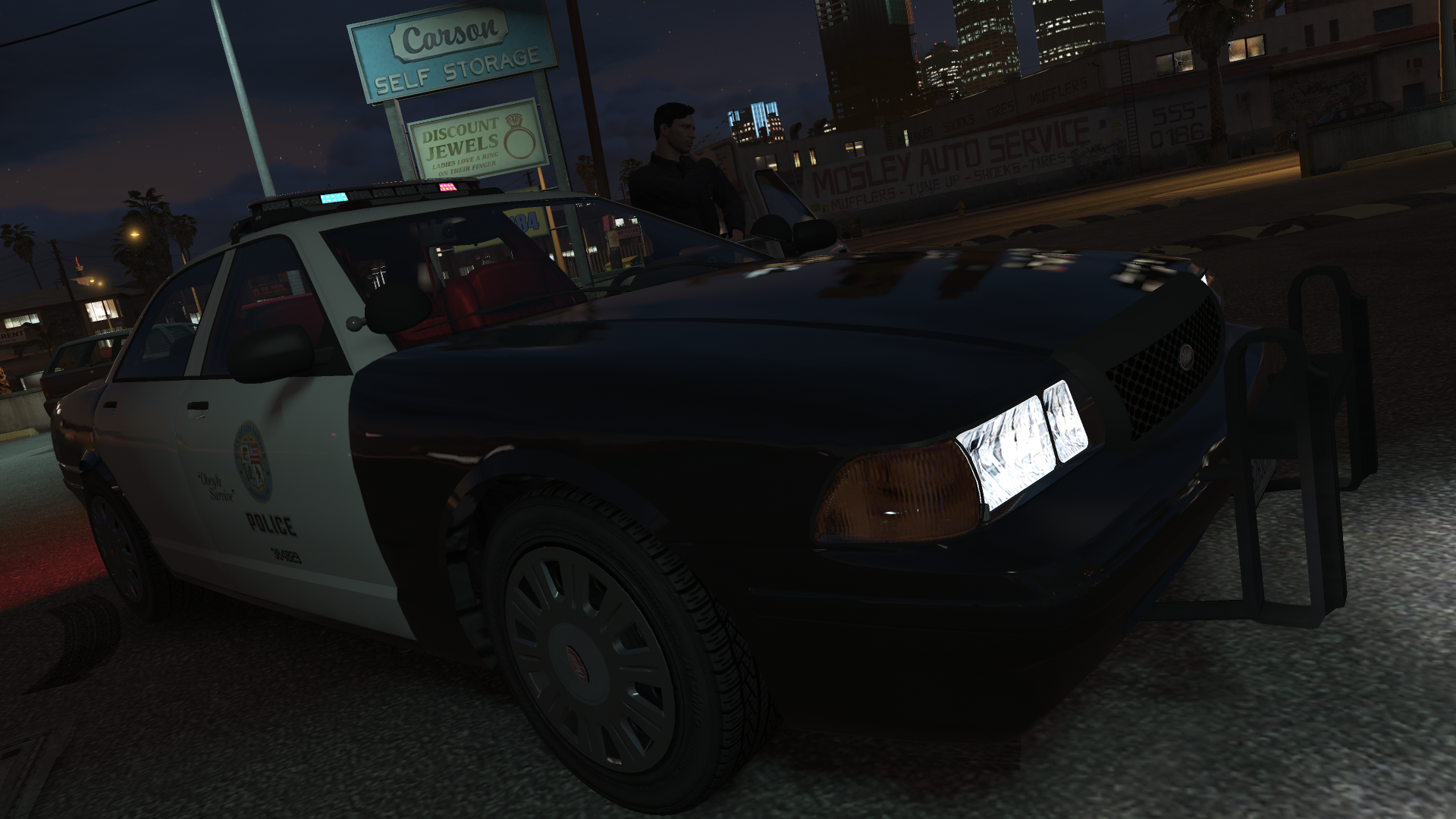
5 Screenshots

Dynamic Lighting System v2.0.0
 

Discord Server for pre-release versions, bug reporting, and other ways to talk with people interested in DLS!
GitHub Repository for access to DLS's source code.
Youtube Playlist to check some stuff that was done with DLS.
 

Welcome to Dynamic Lighting System, a full-fledged light control system that allows for in-depth control of the vehicle's lighting system.
 

REQUIREMENTS


OVERVIEW OF FEATURES

  • Multiple custom stages for non-ELS vehicles without taking up the vehicle's extras;
  • Fully setup and customizable siren control with configurable and add-on sirens;
  • Ability to create numerous additional features like SCAN, Blackout, Steady Burn...;
  • Easy to set up for new vehicles (without changes to the model itself or the default .meta files);
  • A lot more...


DO YOU HAVE PROBLEMS WITH DLS?

  • Read all documentation included with DLS and verify any custom XMLs you made to make sure you haven't made a mistake while editing/creating configurations.
  • If still giving errors, post it there or on my Discord Server or as an issue on the GitHub repository.

    
DLS IS OPEN-SOURCE!

  • DLS is and will always be an open-source project and nothing around it will be behind a paywall.
  • If you're someone with C# experience or programming experience in general and feel like contributing to DLS the help would be surely appreciated.

    
IMPORTANT INFORMATION

  • DLS is not compatible with ELS as of release and there are no plans to support them.
  • All vehicle configuration is set up in an external .xml file and allows for vehicle developers to still share the vehicle as functional non-ELS vehicles with all regular features.
  • DLS is still in active development and future features are already planned.
  • Do not post questions as Reviews as I'll not be able to answer it properly that way.

    
CREDITS

  • @PNWParksFan, w.. [w/#7263] and @Lieutenant Dan for helping immensely in the development process.
  • @cp702 for developing the amazing SirenSetting Limit Adjuster which will enable plenty of different carcols for numerous vehicles in GTA V.
  • AlexanderLB for designing a siren controller that inspired the one used in DLS.

Edited by TheMaybeast

What's New in Version 2.0.0.2

Released

Fixed various compatibility issues from the December 2024 GTA V update

For more information, check the included documentation.

THIS VERSION IS INCOMPATIBLE WITH DLSv1 CONFIGS


Short Description

Fully fledged light and siren control for non-ELS vehicles.

User Feedback

Recommended Comments

RockMan163

Members

(edited)

Is there an way for the AI to be able switch sirens?

Edited by RockMan163

TheMaybeast

Members Author

23 hours ago, RockMan163 said:

Is there an way for the AI to be able switch sirens?

As of now, no.

RockMan163

Members

(edited)

8 hours ago, TheMaybeast said:

As of now, no.

Alright, Thank's for letting me know. Keep up the good work with this mod


Edited by RockMan163

adam enforcers

Members

can this work for five m vehicles in single player?

Deactivated Member

Deactivated

3 minutes ago, adam enforcers said:

can this work for five m vehicles in single player?

Any non-els vehicles with a proper config file

adam enforcers

Members

12 minutes ago, Mud said:

Any non-els vehicles with a proper config file

sounds good!

JiongJiong

Members

Can fiveM be used?

Deactivated Member

Deactivated

(edited)

6 hours ago, JiongJiong said:

Can fiveM be used?

no not at this time

Edited by Mud

Deactivated Member

Deactivated

I am planning on making configs for captain14's car packs tonight, would this be something you want me to send you to include in the download for people still getting the hang of making their own (or examples)?

TheMaybeast

Members Author

3 hours ago, Mud said:

I am planning on making configs for captain14's car packs tonight, would this be something you want me to send you to include in the download for people still getting the hang of making their own (or examples)?

If you're not on the Discord Server I'd suggest joining it. We share a bunch of configuration files and whenever I see some nice ones I attach them to the download. Any and all configs are greatly appreciated!

Deactivated Member

Deactivated

6 minutes ago, TheMaybeast said:

If you're not on the Discord Server I'd suggest joining it. We share a bunch of configuration files and whenever I see some nice ones I attach them to the download. Any and all configs are greatly appreciated!

I will consider joining, until then I am nearly done with the fbi pack and finished the lspd pack, I won't be doing the sheriff pack. I want to rip my eyes out after spending the past 4 hours using livelights though

Skittishfiend

Members

Can anyone tell me if this will conflict with ELS? Am I able to have both installed?


Deactivated Member

Deactivated

Just now, Trooper Mobi said:

Can anyone tell me if this will conflict with ELS? Am I able to have both installed?


go into dls.ini and scroll down to the line SirenControlNonDLS=true and set this to false and it will work perfectly in tandem with ELS

Skittishfiend

Members

I just tried and I'm getting crashes with my ELS cars installed. Once they get taken out it seems to work properly.

Deactivated Member

Deactivated

43 minutes ago, Trooper Mobi said:

I just tried and I'm getting crashes with my ELS cars installed. Once they get taken out it seems to work properly.

It never did that for me, send your rph.log file

TheRedDevils75

Members

So is this like ELS? as looks like its just for controlling the lights 

Deactivated Member

Deactivated

1 minute ago, TheRedDevils75 said:

So is this like ELS? as looks like its just for controlling the lights 

Yes but for non-els vehicles.

TheRedDevils75

Members

52 minutes ago, Mud said:

Yes but for non-els vehicles.

Oh right ok.

manu450

Members

any plan on adding controller support for cycling through the siren sound by pressing B just like ELS does ATM? It's the only thing i dislike so far 


Sopphic

Members

heyya./ bug report. using captain 14's sheriff, pack, i get lights looking like this
image.png.e31c6f6425c0a44986c537ef61bf1a2a.pngimage.thumb.png.b7b0e0dd50387154b53489640ce6350c.png

Jeffdadawg

Members

I mean wow

Someone invented a ELS for Non-ELS

Huh

William A.

Members

So creating/ modeling a car for DLS is it the same as making non els or is there a different way to make DLS work for the car

TheMaybeast

Members Author

On 9/22/2020 at 5:23 PM, manu450 said:

any plan on adding controller support for cycling through the siren sound by pressing B just like ELS does ATM? It's the only thing i dislike so far 


That is still being worked on, still requires some internal changes to allow for that.

3 hours ago, William A. said:

So creating/ modeling a car for DLS is it the same as making non els or is there a different way to make DLS work for the car

Same as Non-ELS, DLS just allows you to switch between different carcols.

WMFong

Members

(edited)

Is that only Police Cruiser 1 have Stage 1 to 3 light patterns? I just use test all the emergency vehicle with your mods and only police Cruiser 1 have 1-3 light patterns. The other vehicles only have Stage 3 light pattern.

Edited by WMFong

DatzeScaniaV8

Members

Plugin crash in the garage..


Create an account or sign in to comment

Latest Mods

Account

Navigation

Search

Search

Configure browser push notifications

Chrome (Android)
  1. Tap the lock icon next to the address bar.
  2. Tap Permissions → Notifications.
  3. Adjust your preference.
Chrome (Desktop)
  1. Click the padlock icon in the address bar.
  2. Select Site settings.
  3. Find Notifications and adjust your preference.












