
Skip to content
View in the app

A better way to browse. Learn more.

LCPDFR.com

A full-screen app on your home screen with push notifications, badges and more.

To install this app on iOS and iPadOS
  1. Tap the Share icon in Safari
  2. Scroll the menu and tap Add to Home Screen.
  3. Tap Add in the top-right corner.
To install this app on Android
  1. Tap the 3-dot menu (⋮) in the top-right corner of the browser.
  2. Tap Add to Home screen or Install app.
  3. Confirm by tapping Install.

GrammarPolice 1.8.3

(82 reviews)

4 Screenshots


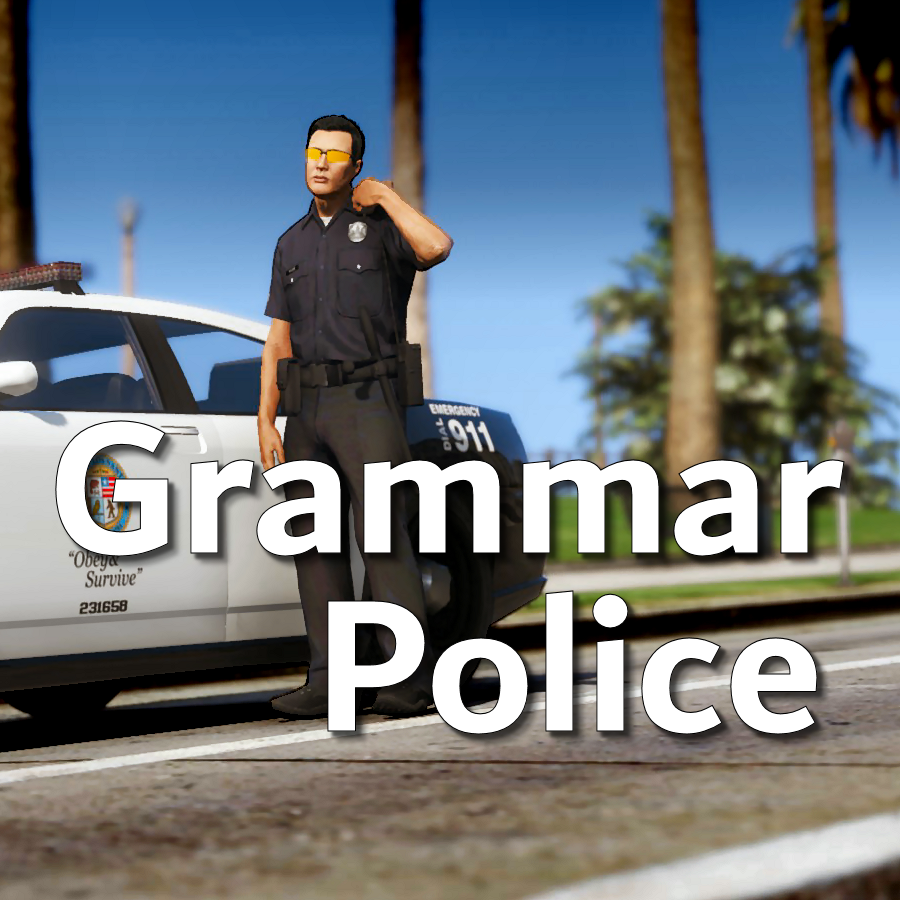
Welcome to Grammar Police!  This plugin began as a replacement for VocalDispatch but has grown into much more!


Speech Recognition

  • Issue commands to the dispatcher using your microphone
  • Includes a "hold to talk" feature that simulates a real radio
  • Supports StopThePed and UltimateBackup out of the box
  • Contains multiple sets of "10 codes" or customize yourself
  • Request backup, run plate checks, accept callouts and more!


Non-Verbal Interactions

  • Use an on-screen radio to interact with the dispatcher
  • Also includes a Officer Plugin Status style menu system
  • Both systems are fully customizable!


Language Support

  • English
  • French
  • German
  • Spanish


Technical Support


Tutorial Videos

Edited by opus49

What's New in Version 1.8.3

Released

Grammar Police 1.8

  • Restored player status display on PTT release (thanks OfficialFlipPlayz)
  • Restored the "say again" and generic response functionality
  • Restored emergency status on panic (thanks L’ère de l’a-paix)
  • Hardened radio check to prevent crash when there aren't any results
  • Adjusted timings of (non-chest) animations to look and sound more natural
  • Invalid callsigns no longer cause a failure but instead fallback to default
  • Moved speech engine handling to a separate thread to minimize UI freezes
  • Updated the radio check feature and added it to the settings menu
  • Fixed bug in felony backup request where it incorrectly saw no pullover
  • Detect Dynamic Traffic Stop from CalloutInterface and set status accordingly
  • Made configuration loading more resilient, no longer crashing on bad values
  • HoldToTalk now defaults to true and should benefit from engine worker thread
  • Made the delay between speech recognition and action execution configurable
  • Added config option for using the LSPDFR animation when using on screen radio
  • Added support for multiple handlers (e.g. UltimateBackup, PolicingRedefined)
  • Added command for cancelling backup without ending callouts, pullovers, etc
  • Fixed bug with INI where it wasn't allowing the hotkey modifier to be none
  • Added script generated HTML-based speech guides for all languages

    NOTE: THIS VERSION REQURES MICROSOFT SPEECH PLATFORM
    Microsoft has removed the interface for Windows Speech Recognition in recent versions of Windows 11.  Starting with this version of Grammar Police you will need to install Microsoft Speech Platform and the language pack you wish to use:


    Instructional video here:

    Microsoft Speech Platform: https://www.microsoft.com/en-us/download/details.aspx?id=27225
    Language Packs:  https://www.microsoft.com/en-us/download/details.aspx?id=27224
    Community Translations:   https://github.com/Immersive-Plugins-Team/GrammarPolice-Translations

Short Description

Interact with the dispatcher.

User Feedback

Recommended Comments

AoshiZero

Members

Hello there, I will say this is one of the most feature filled modifications for LSPDFR. I did have a quick question, I removed Immersive Dispatch since most of its features were rolled into this, I wanted to know if there was a body cam feature in this? I know Immersive Dispatch had that feature.

RJ20151

Members

Is there anyway i can set one of my controller buttons to bring up the radio? I cant seem to find anyway to do that in the files and its a littler annoying having to press c all the time. I would like to set it to the same button that i used to bring up police smart radio, left d pad.

opus49

Insiders Author

1 hour ago, RJ20151 said:

Is there anyway i can set one of my controller buttons to bring up the radio? I cant seem to find anyway to do that in the files and its a littler annoying having to press c all the time. I would like to set it to the same button that i used to bring up police smart radio, left d pad.

There's a section in the INI for controller buttons.

RJ20151

Members

4 minutes ago, opus49 said:

There's a section in the INI for controller buttons.

Thank you i actually found it on my own. I guess its not made clear that the those were for controllers. Maybe its just me but i think it would be helpful you could make it clearer in the file that thats what it is. Thank you for your help.

opus49

Insiders Author

33 minutes ago, RJ20151 said:

Thank you i actually found it on my own. I guess its not made clear that the those were for controllers. Maybe its just me but i think it would be helpful you could make it clearer in the file that thats what it is. Thank you for your help.

It's my fault you didn't read the documentation?  Really?  

javier0911

Members

awesome i love you this plugin 👍  is there a way to add a chatter  in future while responding  to a call and talking on a radio , something like this for example    


wlx07

Members

(edited)

My lspdfr is allways crashing when I try to get on duty. It says that it can't find a data in the en-US folder wich actually doesn't exist. can someone help me?


Edited by wlx07

Mudjug

Members

On 3/19/2022 at 3:57 PM, opus49 said:

It's my fault you didn't read the documentation?  Really?  

LMAOOOO the entitlement of some followers, eh? XD

This has got to be one of my favorite plugins for LSPDFR.  I've been using it for quite a while now and has made my gaming experience far beyond what I thought possible.  One thing I did was created the grammar of 10 codes for the state of Minnesota because there are a few that differ than "common".  There is technically no standard for 10 codes across the US, but many are the same (like 10-4, 10-6, 10-7, etc.)  In MN there is no Signal 99 or Code 99.  They use 10-88 for these types of calls.  MN also uses three 10 codes for civil defense:  10-96 (Alert), 10-97 (Evacuate), and 10-98 (Take Cover).  These may have also been used during the Cold War era to warn of a nuclear attack, but no way to know for sure.


This is one huge reason I love working with Grammar Police, the ability to customize fully.  Opus49 and BenH6021 have done an amazing job.

SKP

nuggetz

Members

Is there any reason why we can't select menu actions with the mouse button? I like navigating the choices with my mouse and having to hit enter is a pain. 

fuhwurd

Members

mandown.zip
emergency/mandown tones

following sound files in the zip are the man down tones used in xts and apx series radios

normal man down "man_down" can be repeated but it has the button press sound so it will sound weird if it is repeated

"man_down_hotmic" cannot be repeated since it has the hotmic option enabled

volten8720

Members

Hi, I am trying to request a code 2 state female officer. I am using ultimate backup  which has a choice for a female trooper. I keep getting regular female cops.. What do I need to do?

Sik.Sensed

Members

My radio is missing a lot of the normal use stuff like calling a tow, run a plate etc... What can I do to fix this?!

merptv

Members

I am still hoping for a voice command mod to use against peds.


Examples:


- Requesting IDs

- Follow me

- Drop your/the weapon 

- You are free to go

- STOP

- On your knees


etc.


It should be able to trigger the Stop The Ped commands.


nocknick

Members

I can't use Better_ems at all. I tried to fix it. At least in videos and from other articles. Still can't call an ambulance like Better_ems if I call an ambulance. It will be a code 3 instead of an ambulance. Or is it an ambulance of Ultimate Backup instead?

RagePluginHook.log

SolarWarden

Members

Is anyone able to help me? I am trying to find a way to use GP to request custom "special units" from Ultimate Backup. For example, I have a "Supervisor" and "Detective" special unit for UB and want to use GP to call them when needed. I am also, looking for a way to use GP to call in Group Backup from Ultimate Backup. I think I have looked at all the documentation and instructions, as well as info around the interwebs but couldn't find anything helpful. How would I go about getting this set up? Mainly, what are the "targets" that I need to point to for them.

Double Doppler

Members

Hi, whenever I set EnableSpeechRecognition=False, I get an error in game that "The Speech engine failed to load, please consult the RagePluginHook.log" or something to that effect. This is frustrating because the entire script doesn't load after that.

jordy reyes

Members

I cannot download the grammar police, it just downloads notepad, any help?

carpless

Members

go to their discord for support, its so complicated, but there might be an .xml you can adjust

Corey6501

Members

How to get this working with newest version? added to game and it just closes on launch or in game, remove it and game is fine.

AlexNanca

Members

Any one else getting really bad FPS drops of is that just me?

Robo22

Members

9 minutes ago, AlexNanca said:

Any one else getting really bad FPS drops of is that just me?

WIth lspdfr i have always had random spikes in fps drops. GTA just hates when so many plugins are running at a time. Now if you are getting super bad like dropping to like 20 or less then a plugin or causing something to the game, a memory leak, bug, something. But i got a decent amount of scripts, plugins and visual mods and I can run at a steady 50-60. WIth a few spikes randomly. Installing Visual V actually improved my fps performance.

Eternalplay

Members

It only works maybe 4% of the time. I try saying somthing ass simple as "1-Lincon-18" or "Show me 10-8" and it keeps saying try again no matter how clearly I talk. 

Zir

Members

Can I add more hotkeys in .ini files? Like "meal break, investigating, on patrol, pursuit, etc..." that show in Radio.

Only this hotkeys available in ini files....
[Hotkeys]
HotkeysModifier=LControlKey
BusyKey=None
ClearKey=None
NoKey=None
PanicKey=None
SceneKey=None
TrafficControlClearKey=None
TrafficControlSlowKey=None
TrafficControlStopKey=None
TrafficStopKey=None
YesKey=None

Create an account or sign in to comment

Latest Mods

Account

Navigation

Search

Search

Configure browser push notifications

Chrome (Android)
  1. Tap the lock icon next to the address bar.
  2. Tap Permissions → Notifications.
  3. Adjust your preference.
Chrome (Desktop)
  1. Click the padlock icon in the address bar.
  2. Select Site settings.
  3. Find Notifications and adjust your preference.













