Skip to content
View in the app

A better way to browse. Learn more.

LCPDFR.com

A full-screen app on your home screen with push notifications, badges and more.

To install this app on iOS and iPadOS
  1. Tap the Share icon in Safari
  2. Scroll the menu and tap Add to Home Screen.
  3. Tap Add in the top-right corner.
To install this app on Android
  1. Tap the 3-dot menu (⋮) in the top-right corner of the browser.
  2. Tap Add to Home screen or Install app.
  3. Confirm by tapping Install.

Smooth Driving V 1.07

(24 reviews)

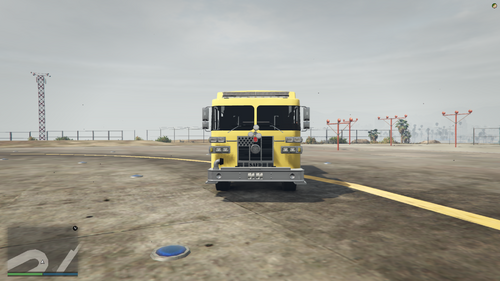
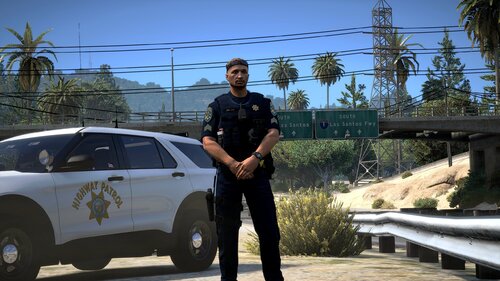
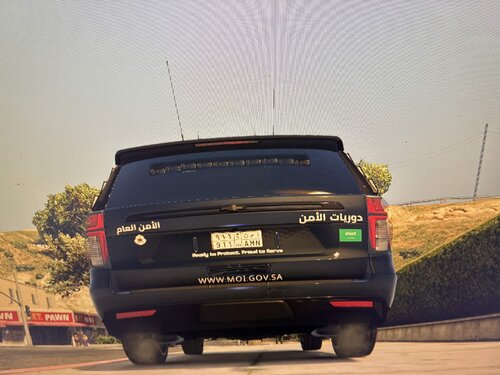
1 Screenshot

Description
This modification enhances keyboard and mouse driving in Grand Theft Auto V, by smoothing out throttle, brake and steering, providing a cruise control feature with auto-follow, and other miscellaneous improvements such as engine control, fuelling, etc. Aggressive driving is still possible, either by double tapping W/S, or enabling race mode (detailed user guide included in download).


Important

This mod is known to be incompatible with ikt's Manual Transmission, and Custom Gear Ratios. It may also be incompatible with other similar driving mods.


Features
     - Smooth acceleration/deceleration
     - Smooth, realistic steering (with steering angle hold outside of vehicle)
     - Ignition control (engine stays on when leaving vehicle)
     - Fuel consumption and refueling
     - Cruise control with auto-follow
     - Improved, automatic gearbox
     - Optional custom gear ratios
     - Compact and informative UI
     - Extensive configuration
     - Turn and hazard indicators with automatic cutoff


Planned Features
     - Odometer (have to figure out how this will work in game)


Known Bugs
     - UI may flicker when FPS fluctuates a lot

     - If Menyoo is installed, AI shifting will not work in certain spots (such as Vespucci beach)
     - Please report any further bugs


Installation
    1. Ensure you have the following installed:

          - ASI Loader (OpenIV > Tools > ASI Manager)
          - ScriptHookV (latest version)
          - ScriptHookV .NET (latest version)
    2. Navigate to the Grand Theft Auto V main directory.
    3. Go to the Scripts folder (part of ScriptHookV .NET, if such folder does not exist, create it).
    4. Unpack the archive that was downloaded into the Scripts folder (SmoothDrivingV.dll and the SmoothDrivingV folder should be alongside one-another inside the Scripts folder).


Changelog
     - V1.01:
          - Added sequential shifting
          - Added ability to disable smooth steering


Source Code

https://github.com/LieutenantDan1/SmoothDrivingV

Edited by Lieutenant Dan

What's New in Version 1.07

Released

- Fixed (I hope) the broken shifting after version 2802


Short Description

Makes keyboard driving smoother and provides more control over your vehicle

User Feedback

Recommended Comments

Elemir

Members

- When I set the in-game steering keys to something else, A and D do nothing (at all) while the keys set in-game maintain the stiffness of the mod (and refuse to fully turn no matter how much I hold the key).
- None of the "Ctrl" keys seem to work (neither do any keys that I put in the "fullThrottleModifier") so I can't disable the throttle stiffness (tried pressing and holding).
- Automatic braking works perfectly.
Tried downloading .NET framework 4.6.2 but it says it (or a newer version of it) is already installed.
I'm using rage plugin hook, scripthookV and Scripthookdotnet (don't know if it's relevant to you)

Juninho190

Members

37 minutes ago, Elemir said:

- When I set the in-game steering keys to something else, A and D do nothing (at all) while the keys set in-game maintain the stiffness of the mod (and refuse to fully turn no matter how much I hold the key).
- None of the "Ctrl" keys seem to work (neither do any keys that I put in the "fullThrottleModifier") so I can't disable the throttle stiffness (tried pressing and holding).
- Automatic braking works perfectly.
Tried downloading .NET framework 4.6.2 but it says it (or a newer version of it) is already installed.
I'm using rage plugin hook, scripthookV and Scripthookdotnet (don't know if it's relevant to you)

Same here :(((

Lieutenant Dan

Members Author

55 minutes ago, Elemir said:

- When I set the in-game steering keys to something else, A and D do nothing (at all) while the keys set in-game maintain the stiffness of the mod (and refuse to fully turn no matter how much I hold the key).
- None of the "Ctrl" keys seem to work (neither do any keys that I put in the "fullThrottleModifier") so I can't disable the throttle stiffness (tried pressing and holding).
- Automatic braking works perfectly.
Tried downloading .NET framework 4.6.2 but it says it (or a newer version of it) is already installed.
I'm using rage plugin hook, scripthookV and Scripthookdotnet (don't know if it's relevant to you)

Do any notifications show that say anything other than it loading successfully?

Elemir

Members

5 minutes ago, Lieutenant Dan said:

Do any notifications show that say anything other than it loading successfully?

No notifications about the mod showed up. (neither that it has loaded successfully nor that it hasn't)

Doppelnull

Members

(edited)

2 hours ago, Fhercho89 said:

image.png.fe019588b9e9b4aa683ade153fc14c38.pngAnyone can help me? i didnt modify anything and no control works

 This is explicity what i mean.


We can't use values like .3 (which should work...)


We have to use 0.3 (not lspdfr version 😄 -  i mean the steering value) but even than it wont work.

I can steer my car to right but when I want to accelerate I just hear the motor sound.


Spoiler


9 minutes ago, Elemir said:

No notifications about the mod showed up. (neither that it has loaded successfully nor that it hasn't)


@Elemir


Could u try to press the insert key when using the mod?
If then shows the upper error, we have the same problem and u can ensure that its loaded.


My actual config (steering works but can't drive and no errors anymore)


<settings>
	<steering stiffness="0.08" stiffnessSpeedGain="0" responsiveness="0.08" recovery="0.2" centering="0.12" centeringSpeedGain="0.06">
	<!--stiffness: general stiffness of the steering-->
	<!--stiffnessSpeedGain: how much stiffness shall increase with speed-->
	<!--responsiveness: how long steering key(s) must be held for full steering input (helps smooth steering)-->
	<!--recovery: how long steering key(s) must be let go of until steering input speed is back to 0-->
	<!--centering: how stiff the centering is for the steering (no centering applied when stopped)-->
	<!--centeringSpeedGain: how much centering stiffness shall increase with speed-->
	
	<!--realistic preset: .08, 0, .18, .2, .12, .06-->
	<!--arcade preset: .1, 0, 1, 1, .2, .06-->
	</steering>

	<throttle stiffness="0.0075" standardThrottle="0.1" fullThrottleModifier="ControlKey">
	<!--stiffness: general stiffness of the throttle-->
	<!--standardThrottle: what is the maximum throttle achieved when the fullThrottleModifier is not pressed-->
	<!--fullThrottleModifier: key that must be held for throttle to behave as normal (without this mod)-->
	<!--LIST OF VALID KEYS: "https://docs.microsoft.com/en-us/dotnet/api/system.windows.forms.keys?view=netframework-4.7.2" (without quotes)-->
	</throttle>

	<autoBrake enabled="true" speed="0.0004" maximum="0.3">
	<!--autobrake comes on once throttle is released-->
	<!--enabled: enable the autobraking system-->
	<!--speed: how fast does autobraking come on after throttle release-->
	<!--maximum: maximum braking amount (1 does NOT mean full braking)-->
	</autoBrake>

	<keys steerLeft="A" steerRight="D">
	<!--for a smoother experience, set in game steering keys to ones you don't use, such as print screen or scroll lock (because my mod overrides them but GTA can try to "fight back")-->
	</keys>
</settings>


Edited by Doppelnull

Lieutenant Dan

Members Author

4 minutes ago, Doppelnull said:

 This is explicity what i mean.


We can't use values like .3 (which should work...)


We have to use 0.3 (not lspdfr version 😄 -  i mean the steering value) but even than it wont work.

I can steer my car to right but when I want to accelerate I just hear the motor sound.


  Hide contents


@Elemir


Could u try to press the insert key when using the mod?
If then shows the upper error, we have the same problem and u can ensure that its loaded.

Which Windows are you using?

Doppelnull

Members

3 minutes ago, Lieutenant Dan said:

Which Windows are you using?


Windows 10 N - everything installed which u recommend.


Elemir

Members

(edited)

15 minutes ago, Doppelnull said:

 This is explicity what i mean.


We can't use values like .3 (which should work...)


We have to use 0.3 (not lspdfr version 😄 -  i mean the steering value) but even than it wont work.

I can steer my car to right but when I want to accelerate I just hear the motor sound.


  Hide contents


@Elemir


Could u try to press the insert key when using the mod?
If then shows the upper error, we have the same problem and u can ensure that its loaded.

Didn't know about the insert thing, thanks.

these showed up:

image.png.6d22bd0dbda8facc1fdf45b8982ceeb6.pngimage.png.9d049a75236f52ca6fe685a749c7da68.png

Edit: Windows 10 here too.

Edited by Elemir

Doppelnull

Members

(edited)

3 minutes ago, Elemir said:

Didn't know about the insert thing, thanks.

these showed up:

image.png.6d22bd0dbda8facc1fdf45b8982ceeb6.pngimage.png.9d049a75236f52ca6fe685a749c7da68.png

Edit: Windows 10 here too.


No problem 🙂

Its indeed same error which happened to me. Its because ScriptHookVDotNet can't interpret values like .3 or .18 which means 0.3 or 0.18 for us.
But after changing this values to fix this error, you can't drive anymore atm.

Edited by Doppelnull

Elemir

Members

34 minutes ago, Doppelnull said:


No problem 🙂

Its indeed same error which happened to me. Its because ScriptHookVDotNet can't interpret values like .3 or .18 which means 0.3 or 0.18 for us.
But after changing this values to fix this error, you can't drive anymore atm.


Can confirm that adding the zeros makes the car lose throttle completely (even when reversing).
The reverse lights light up, but the car doesn't move.
the wheels also turned completely to the right and don't respond to my inputs.

HeavyWolfPL

Members

(edited)

My suggestion is to add a list of cars that plugin doesn't effect. (Just changes driving to standard).


Also, the key doesn't seem to work for me. Throttle is still the same.

Edited by HeavyWolfPL

Elemir

Members

(edited)

Quick update:

Messed with the decimals and got this:
image.png.931512f128fcace73fd1d933f8d74614.png

I added the zeros and swapped the "." with "," (In brazillian portuguese, decimals are expressed with commas instead of dots, those being used to separate thousands instead. Yes, the direct opposite)

The full throttle key now works, the steering is not as stiff as it was before and the automatic braking stopped working, but I'll keep trying to make this work

great mod

Edit: just by changing all the "." to "," in the values the mod fully works (even the auto braking, no need to add zeros before the ",") but the values must be changed (wheels are turning faster than in vanilla and the auto brakes take 4 seconds to deploy. I'm almost there.
 

Edited by Elemir

Elemir

Members

It works flawlessly now with the last update, thank you!

Norring

Members

THANK YOU!

love this. I use Steering Wheel and works great!

I change throttle stiffnes to .0080

Exvist

Members

(edited)

I suggest adding smooth braking or just removing that skid noise when just tapping S, it's unrealistic because the game makes it so you literally SLAM on your brakes every time you just try to slow down. xD. Amazing plugin. Keep it up. 

Edited by Exvist

Takashi.pc

Members

This is a really good mod. And a good simile, like some ADHD kid

Neolux

Members

Loving it!

To be honest I'm probably using it the wrong way.. on purpose.

I always hated steering with keyboard so I do that with the mouse, which is super smooth once you get used to it. For throttle I've been using  https://nl.gta5-mods.com/scripts/smooth-throttle. Smooth throttle mod has the option to set your throttle by a certain % of max, which might also be something to improve this mod with?


I LOVE this mod for bikes. Yes, bikes. Though I suspect its a bit buggy at the moment since bike steering does not seem to respond a lot to even drastic settings in the XML file. However, this is the first and only mod that actually allows me to turn smoothly while riding a bike, it's awesome! (steering a bike with a mouse is a horrible experience for some reason) I can finally do highway patrol on the police bike now without the infuriating steering! ❤️


I would love if you could improve on the bike steering (especially allowing for tighter turns)!

Keep it up!

007Silvertoe

Members

So glad there is an update for this, literally have been checking constantly for the update. Thank you!

Lieutenant Dan

Members Author

5 hours ago, Neolux said:

Loving it!

To be honest I'm probably using it the wrong way.. on purpose.

I always hated steering with keyboard so I do that with the mouse, which is super smooth once you get used to it. For throttle I've been using  https://nl.gta5-mods.com/scripts/smooth-throttle. Smooth throttle mod has the option to set your throttle by a certain % of max, which might also be something to improve this mod with?


I LOVE this mod for bikes. Yes, bikes. Though I suspect its a bit buggy at the moment since bike steering does not seem to respond a lot to even drastic settings in the XML file. However, this is the first and only mod that actually allows me to turn smoothly while riding a bike, it's awesome! (steering a bike with a mouse is a horrible experience for some reason) I can finally do highway patrol on the police bike now without the infuriating steering! ❤️


I would love if you could improve on the bike steering (especially allowing for tighter turns)!

Keep it up!

Thank you for this comment! Though you can set a maximum throttle, in the NMF3Settings.xml file. There is an entry called standardThrottle, which is the max throttle when the full speed modifier isn't pressed.

Officer LarseN

Members

For some weird reason my cars arent throtteling at all almost

Lieutenant Dan

Members Author

(edited)

28 minutes ago, Officer LarseN said:

For some weird reason my cars arent throtteling at all almost

Try increasing the standardThrottle setting in the NMF3Settings.xml file (in the scripts folder) to something higher than the default 0.1 and lower than 1. It's by default set to .1 so that the speed can be increased with CTRL, but also, the choice is given to drive very slow.

Edited by Lieutenant Dan

Officer LarseN

Members

Just now, Lieutenant Dan said:

Try increasing the standardThrottle setting in the NMF3Settings.xml file (in the scripts folder) to something higher than the default 0.1 and lower than 1. It's by default set to .1 so that the speed can be increased with CTRL, but also, the choice is given to drive very slow.

Will do. Just to give a little more info on it; it happens when i drive (which is very slow as mentioned before) and just tap space once it wont even budge almost.

F4tikki

Members

My cars aren't accelarating at all. 

10 hours ago, Lieutenant Dan said:

Try increasing the standardThrottle setting in the NMF3Settings.xml file (in the scripts folder) to something higher than the default 0.1 and lower than 1. It's by default set to .1 so that the speed can be increased with CTRL, but also, the choice is given to drive very slow.

Tried this and it didn't work. Any help?

Lieutenant Dan

Members Author

18 hours ago, F4tikki said:

My cars aren't accelarating at all. 

Tried this and it didn't work. Any help?

Can you send me your NMF3Settings.xml file?

F4tikki

Members

4 minutes ago, Lieutenant Dan said:

Can you send me your NMF3Settings.xml file?

Sure!

NMF3Settings.xml

Create an account or sign in to comment

Account

Navigation

Search

Search

Configure browser push notifications

Chrome (Android)
  1. Tap the lock icon next to the address bar.
  2. Tap Permissions → Notifications.
  3. Adjust your preference.
Chrome (Desktop)
  1. Click the padlock icon in the address bar.
  2. Select Site settings.
  3. Find Notifications and adjust your preference.