





Key Fob
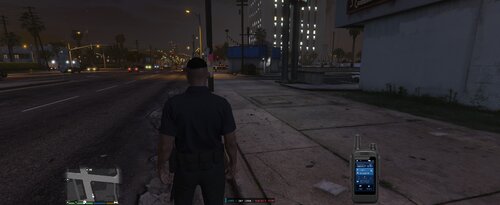
Key Fob allows you to remotely lock and unlock your vehicle, start or stop the engine from a distance, and quickly locate your vehicle using a panic mode. Designed to be lightweight and compatible, the plugin integrates naturally into your gameplay without unnecessary complexity.
Features
Lock and unlock your assigned patrol vehicle.
Remote engine start and stop.
Vehicle panic/locate function.
Optional key fob animation.
Optional custom lock/unlock sound.
Fully configurable through an INI file.
RageNativeUI settings menu.
Save and reload configuration without restarting the game.
Adjustable key fob range.
Adjustable panic duration.
Optional notifications.
Settings Menu
The included menu allows you to change settings in-game, including:
Play Key Fob Animation
Play Lock Sound
Show Notifications
Key Fob Range
Panic Duration
Save Configuration
Reload Configuration
Edited by Chzyy
Short Description
AI disclosure
The author has disclosed that AI tools were used in creating the following aspects of this file:
- Description
- Images
- Mod and Mod Content (Substantial)
AI was utilized to create most of the mod with a few human modifications done throughout.

![國道警車 National Highway Police Car(BMW 530d)[Add-on|ELS|Rotating Lightbar]](http://s3-screenshots.int-cdn.lcpdfrusercontent.com/resize/500/-/monthly_2026_07/271590_20260622024235_1.thumb.png.3ff86895855bc073f6be361549132cb7.png)


.thumb.jpg.cb5fcdd6a7d10f66d85d6727191e5632.jpg)






Recommended Comments
Create an account or sign in to comment