Skip to content
View in the app

A better way to browse. Learn more.

LCPDFR.com

A full-screen app on your home screen with push notifications, badges and more.

To install this app on iOS and iPadOS
  1. Tap the Share icon in Safari
  2. Scroll the menu and tap Add to Home Screen.
  3. Tap Add in the top-right corner.
To install this app on Android
  1. Tap the 3-dot menu (⋮) in the top-right corner of the browser.
  2. Tap Add to Home screen or Install app.
  3. Confirm by tapping Install.

Emergency Lighting System 1.05

(234 reviews)

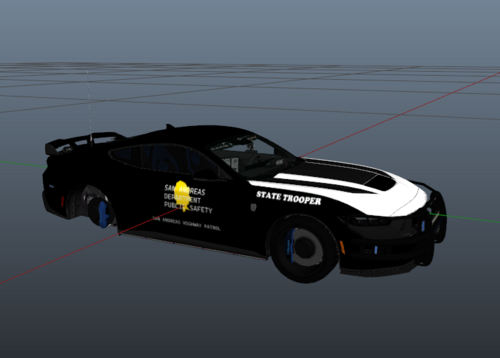
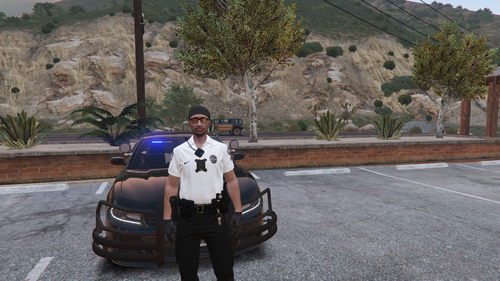
3 Screenshots

Emergency Lighting System V brings one of the most popular modifications ever created for a GTA title (ELS-IV) to Grand Theft Auto V. ELS-V will add a whole new dimension to  your patrols. With a fresh look and many more features than its predecessor, it's also sure to brighten up your game and satisfy the emergency lighting enthusiast in anyone.


DESCRIPTION
− ELS provides an alternate and incredibly in-depth way of controlling emergency vehicle lights and sounds.
− ELS requires vehicle models specifically designed to make use of its features.
− ELS includes over 200 unique lighting patterns scattered across 4 light groups and lighting formats.


NOTES
Please consult the ELS USER GUIDE and other provided documentation prior to using ELS.

− As of V1.00 ELS is not compatible with any form of multiplayer.
− A visual enhancement mod is recommended to improve the appearance of ELS lights in game.


BASIC INSTALLATION
− A GTAV ScriptHook must be installed for any .asi modification to work. The original may be found HERE.
− Using script modifications in GTA Online can result in a temporary or permanent ban from the service.

− 1. Place ELS.asi, ELS.ini, the ELS folder, and  AdvancedHookV.dll inside your main GTA V game directory.
− 2. Download and install (a) pro-ELS vehicle model(s).
− 3. Start your game.


CREDITS
− ELS is coded by Lt.Caine.

− AdvancedHookV and vehicle damage feature coded by LMS.
− ELS-V testing team (alphabetical order): Albo1125, BxBugs123, GravelRoadCop, PoliceWag, and Prophet.

What's New in Version 1.05

Released

  • Removed auto deletion of discarded ELS vehicles to prevent crashes when using certain LSPDFR plugins.
  • Removed ELS manipulation of AI vehicles as persistent/not persistent for same reason.
  • Removed strobe corona flash sounds (while retaining sound effects for halogen patterns).
  • Toggling the ELS information panel will now reload everything in the ELS.ini.
  • Fixed error in ELS User Guide that incorrectly associated SCNL with extra_11 and TKDL with extra_12 (the opposite is true).
  • Updated ELS User Guide to reflect new changes.
  • ELS.ini change: Added "AllowController" option to CONTROL section to allow enabling/disabling controller input for ELS.
  • ELS.ini change: Added "TogKeysLock" option to CONTROL section to allow changing ELS key lock button.


Please download the AdvancedHookV fix if you are using game build 3258.

User Feedback

Recommended Comments

Bouwen

Members

On 5.2.2017 at 6:19 PM, flwpheonix said:

Yes, you need to go into your carcols.ymt and set the sequencer for that siren setting to 0.

how do I do that?
 

Sakeeeee

Members

Il y a 3 heures, QuebecTrooper a dit :


Go to openIV and uninstall your ASI loader and  the openIV ASI, reinstall them, then reboot your computer... it worked for me


Didn't work for me.


@ barrynevel  > found something : I've switched ELS-car slots that were "police21" and "police22" (I have around 300 different police models) into "police" and "police2" and, finaly, non-player characters seems to recognize me as a cop when I'm intempting to pull them over !

So, it seems that ELS works only with the vanilla slots (police, police2, police3, police4, policeold1, policeold2, riot, policeb, policet, fbi, fbi2, sheriff, sheriff2) so to drivers obey to your orders !


It might be a way to change it, but I don't know how... I bet that you're trying to use your ELS car with a higher police slot than police4 or sheriff2 that you've created. Try to switch and tell me if it works ;)

flwpheonix

Members

1 hour ago, Sakeeeee said:


Didn't work for me.


@ barrynevel  > found something : I've switched ELS-car slots that were "police21" and "police22" (I have around 300 different police models) into "police" and "police2" and, finaly, non-player characters seems to recognize me as a cop when I'm intempting to pull them over !

So, it seems that ELS works only with the vanilla slots (police, police2, police3, police4, policeold1, policeold2, riot, policeb, policet, fbi, fbi2, sheriff, sheriff2) so to drivers obey to your orders !


It might be a way to change it, but I don't know how... I bet that you're trying to use your ELS car with a higher police slot than police4 or sheriff2 that you've created. Try to switch and tell me if it works ;)

Not true.....I have Police5,6,7,8,9 and sheriff4,5,6,7,8 and they all work perfectly, along with them patrolling around. The trick is to edit your carvariations.meta to add them, as they will need a siren setting in order for them to pull people over. 

Sakeeeee

Members

il y a 23 minutes, flwpheonix a dit :

Not true.....I have Police5,6,7,8,9 and sheriff4,5,6,7,8 and they all work perfectly, along with them patrolling around. The trick is to edit your carvariations.meta to add them, as they will need a siren setting in order for them to pull people over. 


SO THAT'S THE THING !!!!! Sorry for the caps but you've just saved my game !!

I'll try this as soon as I'm home again and will tell you if it works :)

flwpheonix

Members

(edited)

5 minutes ago, Sakeeeee said:


SO THAT'S THE THING !!!!! Sorry for the caps but you've just saved my game !!

I'll try this as soon as I'm home again and will tell you if it works :)

No worries!

I included this for you...just change the name of the vehicle you need it for  (instead of police put police21 or so) Copy and paste for each vehicle you need to be active. Mind you, this will not cause them to patrol, that is a complete different file that needs to be edited.


Spoiler

 <Item>

<modelName>police</modelName>
  <colors>
    <Item>
      <indices content="char_array">
        134
        134
        156
        156
      </indices>
      <liveries>
        <Item value="true" />
        <Item value="false" />
        <Item value="false" />
        <Item value="false" />
        <Item value="false" />
        <Item value="false" />
        <Item value="false" />
        <Item value="false" />
      </liveries>
    </Item>
    <Item>
      <indices content="char_array">
        134
        134
        156
        156
      </indices>
      <liveries>
        <Item value="false" />
        <Item value="true" />
        <Item value="false" />
        <Item value="false" />
        <Item value="false" />
        <Item value="false" />
        <Item value="false" />
        <Item value="false" />
      </liveries>
    </Item>
    <Item>
      <indices content="char_array">
        134
        134
        156
        156
      </indices>
      <liveries>
        <Item value="false" />
        <Item value="false" />
        <Item value="false" />
        <Item value="false" />
        <Item value="true" />
        <Item value="false" />
        <Item value="false" />
        <Item value="false" />
      </liveries>
    </Item>
    <Item>
      <indices content="char_array">
        134
        134
        156
        156
      </indices>
      <liveries>
        <Item value="false" />
        <Item value="false" />
        <Item value="true" />
        <Item value="false" />
        <Item value="false" />
        <Item value="false" />
        <Item value="false" />
        <Item value="false" />
      </liveries>
    </Item>
    <Item>
      <indices content="char_array">
        134
        134
        156
        156
      </indices>
      <liveries>
        <Item value="false" />
        <Item value="false" />
        <Item value="false" />
        <Item value="true" />
        <Item value="false" />
        <Item value="false" />
        <Item value="false" />
        <Item value="false" />
      </liveries>
    </Item>
  </colors>
  <kits>
    <Item>157_massacaro2_modkit</Item>
  </kits>
  <windowsWithExposedEdges />
  <plateProbabilities>
    <Probabilities />
  </plateProbabilities>
  <lightSettings value="1" />
  <sirenSettings value="1" />
</Item>


Edited by flwpheonix

Reddington

Members

5 hours ago, QuebecTrooper said:


Go to openIV and uninstall your ASI loader and  the openIV ASI, reinstall them, then reboot your computer... it worked for me


I don't think you read my post right, or you accidentally quoted me.  Plus, I'm the one who is always telling people to do this. :P

IvanMalvov

Members

On 26/02/2017 at 1:04 AM, Arcticwolf said:

Fixed that but how do i make the lights brighter?

Sorry for a super delayed answer, Try using a graphics mod. Something like RadianceV. Although you may have tried that already.


Sakeeeee

Members

Il y a 2 heures, flwpheonix a dit :

No worries!

I included this for you...just change the name of the vehicle you need it for  (instead of police put police21 or so) Copy and paste for each vehicle you need to be active. Mind you, this will not cause them to patrol, that is a complete different file that needs to be edited.


I was about to desperate, then you came to save me ! x)

Thank you VERY-MUCH, this work great ! Can't understand why nobody answered before, it's so... simple... basic...


You're awesome :thumbsup:

Diablo223

Members

Can anyone help me out, my ELS works but only for break light and head lights. I have reinstalled everything from scratch. Light pattern doesn't work either. Anyone knows why? please let me know

Lapd Code 3

Members

The Els controls recently disabled my ability to perform traffic stops when anpr wanted hits called out ...so i recently turned it off for controller now i get this issue where im still unable to perform a traffic stop or use cinematic camera with my controller 


Any Help Is Appreciated please also reinstalling is a final option till then all other suggestions come first 

fschd1

Members

Hi for some reason since upgrading to 1.05 the lights are not working ? any ideas why this is happening ?

Alex101

Members

How do you make your ELS brighter? Mine is so dull, during the day.

AndyAlmighty

Members

Is there a way to use the fbi sirens with ELS yet?

David Funda

Members

I have a question.. is there a way to fix the AI els of Others vehicles when they run to you? i mean they have random siren tones and sometimes they're really annoying..

other times the siren tone stays on even when the officer is out of the car... it's no that real.. I hope u know what i mean..LOL

PoliceBoot

Members

Help me please!

I installed the ELS and it works just fine (for some of my vehicles).

For the others, it just lights up wig-wags, for example, and the rest doesn't work.

As for another issue, the lighting isn't like it seems in most LSPDFR videos/demos.

I've installed every mod there is from RadianceV to BrighterLights using OIVs/Manuals, etc.

I haven't gotten jack squat, even through following the instructions carefully.

Please help!

Vespura

Members

9 hours ago, PoliceBoot said:

Help me please!

I installed the ELS and it works just fine (for some of my vehicles).

For the others, it just lights up wig-wags, for example, and the rest doesn't work.

As for another issue, the lighting isn't like it seems in most LSPDFR videos/demos.

I've installed every mod there is from RadianceV to BrighterLights using OIVs/Manuals, etc.

I haven't gotten jack squat, even through following the instructions carefully.

Please help!

Do you have your graphics settings set correctly? some settings need to be at high or very high to function, also make sure you install any LED brightness mod AFTER you install any other visual mods, otherwise your bright LED's might get overwritten by the visual mods.

SMC Gaming

Members

ELS does not show up on AI for me, even though it's enabled in the config file.  Any fixes?

fireboy6117

Members

ELS doesn't like arrest manager because they won't pick up criminals and they won't exit to assist

Narobic

Members

I'm confused, is the only siren the main police siren? How do we change to the sheriff2 siren or the fib siren?

Narobic

Members

The the controller still uses the D-Pad left and D-Pad down buttons even though I have "allow controller" set to "off"

fschd1

Members

(edited)

I figured how to get els working again. go to open 4 and disable the asi loaders then re enable and reboot pc. did the trick

Edited by fschd1

barrynevel

Members

38 minutes ago, fschd1 said:

I figured how to get els working again. go to open 4 and disable the asi loadres then re enable and reboot pc. did the trick

Thanks, its now working for me. 

BlueLine16

Members

The controller doesn't show up, any reason for that or is that something extra to download?

SamB133

Members

Is there a way that I can deactivate some of the game's default controller buttons so I can use the ELS controller buttons without interference between the two?

deziel0495

Members

Is there any future plans to make ELS compatible with FiveM?


The reason I ask is, people have found a way to make it work (either by manipulating code or stealing it) and are charging hundreds of dollars to people that want it, and that is just wrong.

Create an account or sign in to comment

Latest Mods

Account

Navigation

Search

Search

Configure browser push notifications

Chrome (Android)
  1. Tap the lock icon next to the address bar.
  2. Tap Permissions → Notifications.
  3. Adjust your preference.
Chrome (Desktop)
  1. Click the padlock icon in the address bar.
  2. Select Site settings.
  3. Find Notifications and adjust your preference.