
Skip to content
View in the app

A better way to browse. Learn more.

LCPDFR.com

A full-screen app on your home screen with push notifications, badges and more.

To install this app on iOS and iPadOS
  1. Tap the Share icon in Safari
  2. Scroll the menu and tap Add to Home Screen.
  3. Tap Add in the top-right corner.
To install this app on Android
  1. Tap the 3-dot menu (⋮) in the top-right corner of the browser.
  2. Tap Add to Home screen or Install app.
  3. Confirm by tapping Install.

This file has been reported as outdated or no longer maintained. For further information, see the file comments.

LSPDFR+ (Better Traffic Stops, Court System) 1.9.0.0

(137 reviews)

6 Screenshots

https://www.youtube.com/albo1125

DISCONTINUED & UNSUPPORTED - COMPATIBLE WITH OLDER LSPDFR VERSIONS ONLY - FEEL FREE TO HELP UPDATE THE CODE 

LSPDFR+ is now open source. https://github.com/Albo1125/LSPDFRPlus


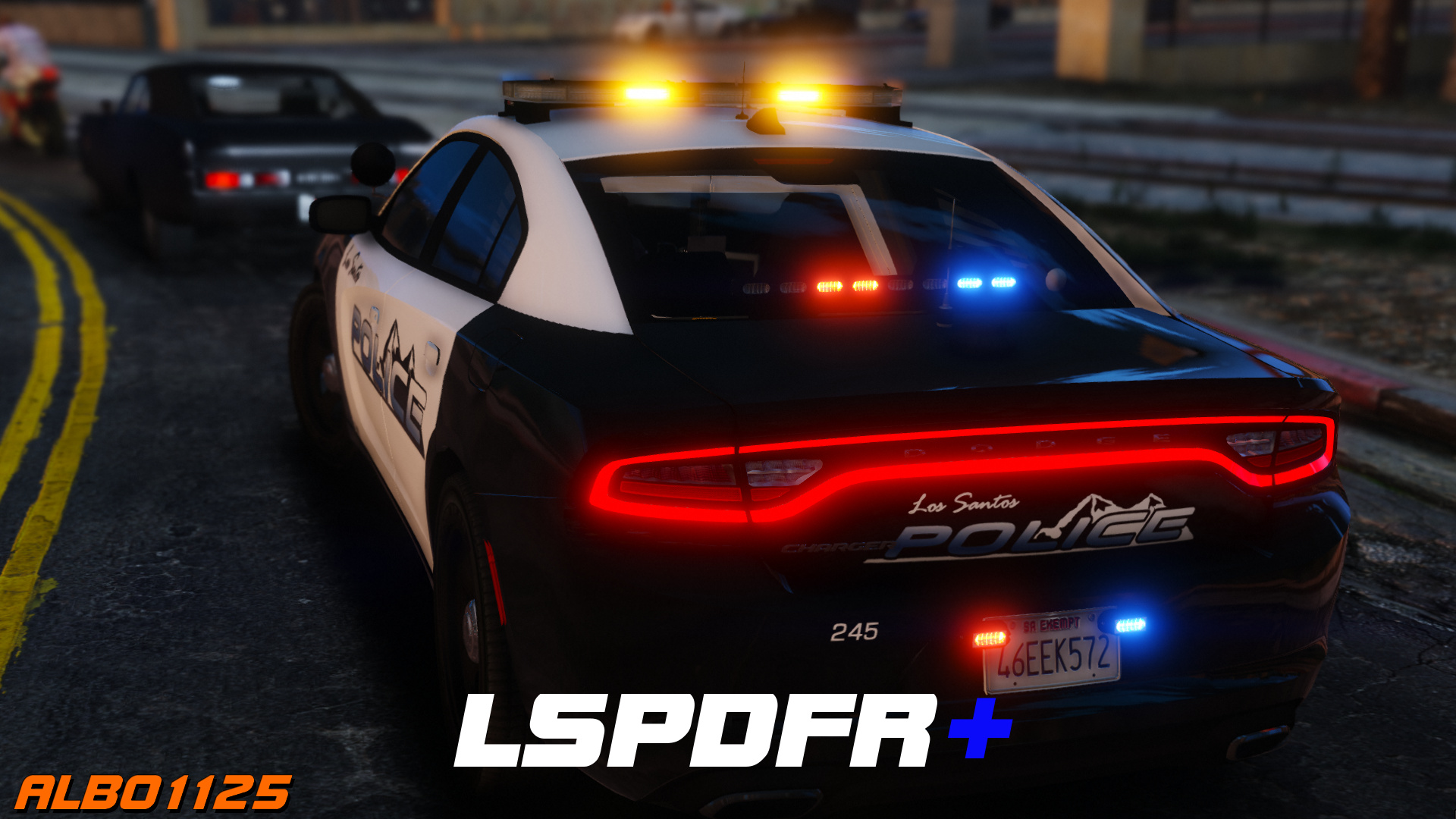
Welcome to LSPDFR+! This script modification for LSPDFR greatly enhances your experience as a police officer by enhancing the base LSPDFR modification - LSPDFR+'s was designed to improve upon some of LSPDFR's features, hence its name. With improved pursuit AI, better Traffic Stops and even a fully fledged court system amongst the main features, there's bound to be something you'll love!

Requirements - some of these are included (credits go to their appropriate authors):

  • LSPDFR 0.4.2 (not included)
  • Albo1125.Common 6.6.4.0 or higher (included)
  • RAGENativeUI 1.6.3.0 or higher (included)
  • RAGEPluginHook 0.51 or higher (not included)
  • A legal copy of GTA V (version 1.0.1011.1 or higher).

Overview of LSPDFR+'s Features: Included in LSPDFR+'s documentation and the updated feature video above.

Support - what to do if you encounter a bug or have problems:

  1. Watch the installation video for my modifications here.
  2. Use this tool: http://www.lcpdfr.com/files/file/9755-lspdfr-troubleshooter-by-albo1125/ 
  3. Read the documentation PDF file if you're having trouble getting a specific feature to work.
  4. Suggestions can be made here.
  5. If all else fails: Please leave a comment (not a review). Include your RAGEPluginHook.log file, located in your Grand Theft Auto V folder. Also, please provide an accurate description of what happened. This allows me to help you as fast as possible.

Please do not reupload or redistribute this without my explicit permission. Thank you.

https://www.youtube.com/albo1125


Edited by Albo1125

What's New in Version 1.9.0.0

Released

1.9.0.0 (28-06-2019)
Update for LSPDFR 0.4.2
Update .net targetting to 4.6.1
Code cleanup I couldn't ignore
Fix issues with ordering peds out of vehicles on enhanced traffic stops thanks to new LSPDFR API functionality.


1.7.0.0 (21-12-2018)

DEVELOPERS: Security GUID method overloads in the API are now obsolete and non-functioning (existing plugins won't crash but statistics won't be counted any more). Please update your reference!
Some code cleanup.
Open sourced at https://github.com/Albo1125/LSPDFRPlus 
Updated licence.
Removed obfuscation.

LSPDFR 0.3.1

For some more information on the open-sourcing and my 'retirement'


https://www.youtube.com/albo1125


Use comments to ask for support. Do NOT use reviews to ask for support! You will get ignored and reported as this is against community guidelines.


Short Description

LSPDFR Plus for LSPDFR

User Feedback

Recommended Comments

Albo1125

Insiders Author

6 minutes ago, freddieshow2010 said:

why do my game crash when you go on duty.......I Spawn my Vech. and Force Duty, I have delete - re-put in plug-ins and the same. Game Play Fine went i Delete or Disable it.

Hello. Please follow the following steps thoroughly.

Support - what to do if you encounter a bug or have problems:

  1. Watch the installation video for my modifications here.
  2. Use this tool: http://www.lcpdfr.com/files/file/9755-lspdfr-troubleshooter-by-albo1125/ 
  3. Read the documentation PDF file if you're having trouble getting a specific feature to work.
  4. Suggestions can be made here.
  5. If all else fails: Please leave a comment (not a review). Include your RAGEPluginHook.log file, located in your Grand Theft Auto V folder. Also, please provide an accurate description of what happened. This allows me to help you as fast as possible.

Noah F

Members

@Albo1125 I love the look of the plugin can't wait to get it mate, but I have a question, do we still need the regular LSPDFR? or can we just get LSPDFR+ 

Albo1125

Insiders Author

3 minutes ago, OfficerNoah127 said:

@Albo1125 I love the look of the plugin can't wait to get it mate, but I have a question, do we still need the regular LSPDFR? or can we just get LSPDFR+ 

Hi, all the requirements for LSPDFR+ are listed above. Regs.

Noah F

Members

2 hours ago, Albo1125 said:

Hi, all the requirements for LSPDFR+ are listed above. Regs.

Hey, 

Sorry I've must of missread that, thanks for the reply anyway!

Nick0

Members

hi just wondering if anyone can help or had the same thing but when i get to police station and become a policeman and it loads, its crashing on LSPDFR+ and saying statistics error. anyone know if ive missed something or should i re download? cheers 

Kal74

Members

2 hours ago, Nick0 said:

hi just wondering if anyone can help or had the same thing but when i get to police station and become a policeman and it loads, its crashing on LSPDFR+ and saying statistics error. anyone know if ive missed something or should i re download? cheers 

Post your RagePluginHook log file (text document) in your Main GTAV Directory, open it up and copy everything and paste it to http://pastebin.com/ and Click the Create a New Paste button and copy/paste the link here. Or post it in a spoiler
 

LtRob

Members

(edited)

nevermind

Edited by LtRob

DirtSailor

Members

2 minutes ago, LtRob said:

nevermind

ahhh come on LtRob....lol

hightower223

Members

(edited)

 @Albo1125love this mod ! i have some suggestions though... anyway to save IDs for running names its hard to run four names, espeically, when you get three of them and they have like 11 letter last names. It would be cool if you could just run it through the menu. secondly, and i don't know if t his has anything to do with the mod but when i ask everyone out of the car they all just start to walk away and it i try to stop them all im doing is intimidated them with taunts when i press E . it would be nice if they just got out of the car and just stayed there, obvioulsy, with the chance of fleeing maybe? if any of these have been mentioned in past my apologizes. 

Edited by hightower223

Ethan Rubinacci

Members

How long before you're an official LSPDFR Developer? Well, keep up the good work Albo.

PJR4015

Members

So, will the improved pursuit AI conflict with the Safer Chases script from Eddlm?

gotaa

Members

(edited)

I can't seem to use the stopping mechanic or arrest the suspect after telling them to leave the vehicle with this mod. My character just taunts them instead :/

edit: and unless i arrest them at gunpoint(because holding E doesn't work) they'll completely ignore the vehicle stop, enter their car, and drive away (which might be unrelated to this mod because it appears holding E works in the showcase video)

Edited by gotaa

Albo1125

Insiders Author

6 hours ago, gotaa said:

I can't seem to use the stopping mechanic or arrest the suspect after telling them to leave the vehicle with this mod. My character just taunts them instead :/

edit: and unless i arrest them at gunpoint(because holding E doesn't work) they'll completely ignore the vehicle stop, enter their car, and drive away (which might be unrelated to this mod because it appears holding E works in the showcase video)

Unfortunately any bugs with holding E are caused by LSPDFR itself.

5Rya

Members

Hello, when using the court case feature it adds dozens of court cases for the same person instead of just one, almost like it is glitching. I already tried reinstalling the mod but it did not fix it. I attached my log below. 

RagePluginHook.log

Slushy

Members

The court system isn't working, as the date for the court session is 11/07/2016, but the actual game date is 1.02.13? The court dates need to be set from the in-game date and not the real life date. Other than that I am very impressed with this plugin. It just makes it more and more like a british game!

(edited)

I have a problem with LSPDFR+. Whenever I arrest someone and it uses the Court Case feature it doesn't work and spams my notifications so when I get a call, I can't see what the call is. It spams me with this text: "LSPDFR+: Error while working with CourtCases.xml" Other features that don't work for me: New Traffic Stop System, Improved Pursuit Intelligence, Statistics Tracking, Indepth API, and Powerful Customization. Please help.

Edited by Explorer76

baconmuffin

Members

8 hours ago, Slushy said:

The court system isn't working, as the date for the court session is 11/07/2016, but the actual game date is 1.02.13? The court dates need to be set from the in-game date and not the real life date. Other than that I am very impressed with this plugin. It just makes it more and more like a british game!

The court system works just fine it´s meant to be the real date and real time which is what it´s meant to do son no problem there. 

Slushy

Members

1 hour ago, baconmuffin said:

The court system works just fine it´s meant to be the real date and real time which is what it´s meant to do son no problem there. 

So there are no results yet?

baconmuffin

Members

(edited)

5 hours ago, Slushy said:

So there are no results yet?

Not sure what you mean by results.


I have a feature that you could thinkon if you to add or not but i would love to have a menu that pops up when you arrest someone which should be arrest reason and from the reasons you give for your arrest it would then integrate with the court system which would give the person a higher penalty for his actions behind the wheel. So if a person is speeding but also under the infulence of alcohol or drugs then you could fill out that menu saying you arrested the person for speeding and for being under the influence of alcohol or drugs. 

Edited by baconmuffin

Macho4200

Members

installed LSPDFR+ Court not working any help stays blank after traffic stop any help pls and thank you..

AShay

Members

I love all your work you have done. one thing i would to see is if you get a stolen vehicle it also would show up on the court system. but outstanding work keep on going albo1125!

Fenix2525WOT

Members

Despite Pursut Tactics are set to Safe, other officers keep ramming your car when you are not close to the suspect. You should add a parameter for changing ofiers' cars speed they are allowed to drive when close to you (like in Safer Cahses).

Estebanort21

Members

HELP

how do i see the court menu?

DLM3

Members

(edited)

On 09/07/2016 at 7:13 AM, gotaa said:

I can't seem to use the stopping mechanic or arrest the suspect after telling them to leave the vehicle with this mod. My character just taunts them instead :/

I think the reason is that LSPDFR+ traffic stop menu overlaps LSPDFR menu, you can tell it when you close LSPDFR+ menu and LSPDFR still invites you to press E to talk to the driver. So in the end the ped is not ready for an arrest when exiting the vehicle.

I don't know if that's possible but maybe LSPDFR+ could actually replace the default traffic stop menu so that E still readies the ped to be cuffed? Or Unarmed Arrests could make a return being integrated to this plugin? :smile:

7 hours ago, Estebanort21 said:

HELP

how do i see the court menu?

Default key is F9. There is a PDF file with a bunch of information in the documentation :thumbsup:

Edited by DLM3

Wayne George

Members

Albo very good job on this, I enjoy it. I do have an idea though, Under the pursuit tactic menu, could you add something so other units can drop spike strips? It's just an idea. Overall your work is excellent :D 

Create an account or sign in to comment

Latest Mods

Account

Navigation

Search

Search

Configure browser push notifications

Chrome (Android)
  1. Tap the lock icon next to the address bar.
  2. Tap Permissions → Notifications.
  3. Adjust your preference.
Chrome (Desktop)
  1. Click the padlock icon in the address bar.
  2. Select Site settings.
  3. Find Notifications and adjust your preference.














