


Install path - mods/update/x64/dlcpacks/JMbearcat/dlc/x64/vehicles.rpf/centurionlspd.ytd
Just drag drop and hit save.
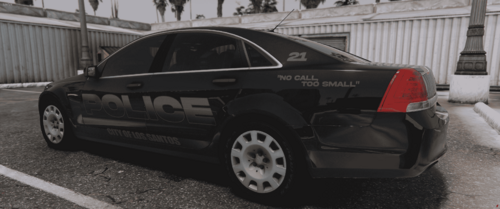
I recommend using your trainer to turn the paint to matte to get the pictured look, I personally have never liked the shiny textures.
Hit me up on Discord for commission work-
If you use my work in any videos please drop credit.
Model used:
Edited by JoshMoser
Short Description
LAPD texture for Lore Friendly Lenco Bearcat: Brute Centurion
https://www.lcpdfr.com/downloads/gta5mods/vehiclemodels/38289-lore-friendly-lenco-bearcat-brute-centurion-add-on-fivem-template/


![[DEV] 2015 Ford Falcon GTF 351](http://s3-screenshots.int-cdn.lcpdfrusercontent.com/resize/500/-/monthly_2026_07/2015-ford-falcon-gtf-351-1770235183-0.thumb.png.ac1f24ccffec5acddbc6274002900173.png)





Recommended Comments
Create an account or sign in to comment