





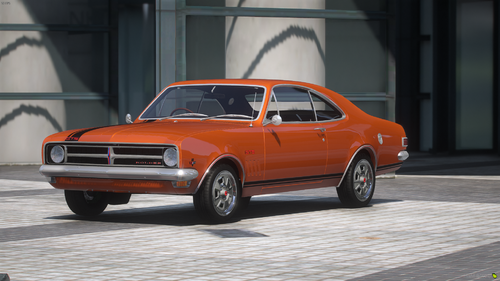
Welcome to the release of my 2015 Ford Falcon GT F 351
This model I got converted by ChocoTaco a few years back, used on some projects and let sit in dust for the past few years.
I've decided to release this model to allow the community to have the ability to use some decent quality models, for free...
MODEL INFORMATION
Tris: 254,751
Vertices 220,400
YTD Side: 4.45mb
MODEL NOTES
This is a RIGHT HAND drive vehicle, meaning you will require good-quality right-hand drive vehicle layouts for this to work correctly, default gta has a few that you can pull from.
I own full ownership rights from ChocoTaco for this model
MY DETAILS
Discord: https://zeakorsgarage.com/discord
Website: https://zeakorsgarage.com
Edited by ZeakorDesigns
ChocoTaco Model Conversion, Zeakor Designs / Zeakor's Garage Model retexturing, sorting out small issues like dummys for lights, door rotation nodes, etc, Forza for the base model + some textures







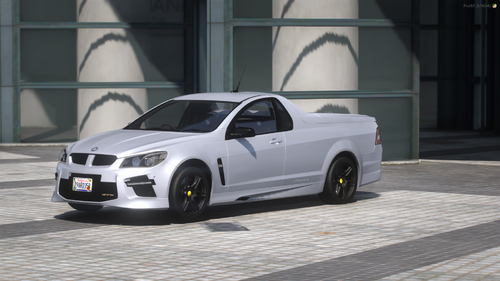
![[DEV] 2015 Ford Falcon GTF 351](http://s3-screenshots.int-cdn.lcpdfrusercontent.com/resize/500/-/monthly_2026_07/2015-ford-falcon-gtf-351-1770235183-0.thumb.png.ac1f24ccffec5acddbc6274002900173.png)


Recommended Comments
Create an account or sign in to comment