Skip to content
View in the app

A better way to browse. Learn more.

LCPDFR.com

A full-screen app on your home screen with push notifications, badges and more.

To install this app on iOS and iPadOS
  1. Tap the Share icon in Safari
  2. Scroll the menu and tap Add to Home Screen.
  3. Tap Add in the top-right corner.
To install this app on Android
  1. Tap the 3-dot menu (⋮) in the top-right corner of the browser.
  2. Tap Add to Home screen or Install app.
  3. Confirm by tapping Install.

Police ATV [SKIN] 1.1.0

(0 reviews)

3 Screenshots

Content:


EMS skin

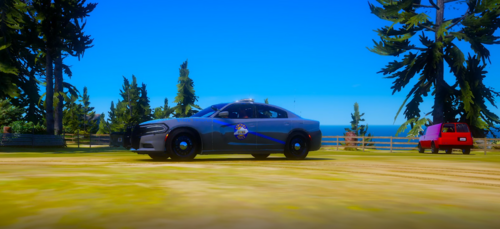
SAPR skin

LSSD skin


This skins are for rekram's ATV:


DON'T REUPLOAD MY SKINS WITHOUT MY PERMISSION!


What's New in Version 1.1.0

Released

Bags are edited.

User Feedback

Recommended Comments

pvtrojan32

Members

could you change what the bag says? kinda weird playing LSSD or SAPR with a police bag


FirefighterBas

Members Author

On 6-2-2016 at 1:28 AM, pvtrojan32 said:

could you change what the bag says? kinda weird playing LSSD or SAPR with a police bag


I will do in the next update

FirefighterBas

Members Author

On 6-2-2016 at 1:28 AM, pvtrojan32 said:

could you change what the bag says? kinda weird playing LSSD or SAPR with a police bag


Edited in version 1.1.0

NOW ONLINE!!!

pvtrojan32

Members

On 2/9/2016 at 0:30 PM, BasTheGamer55 said:

Edited in version 1.1.0

NOW ONLINE!!!

thank you!

Create an account or sign in to comment

Account

Navigation

Search

Search

Configure browser push notifications

Chrome (Android)
  1. Tap the lock icon next to the address bar.
  2. Tap Permissions → Notifications.
  3. Adjust your preference.
Chrome (Desktop)
  1. Click the padlock icon in the address bar.
  2. Select Site settings.
  3. Find Notifications and adjust your preference.