Skip to content
View in the app

A better way to browse. Learn more.

LCPDFR.com

A full-screen app on your home screen with push notifications, badges and more.

To install this app on iOS and iPadOS
  1. Tap the Share icon in Safari
  2. Scroll the menu and tap Add to Home Screen.
  3. Tap Add in the top-right corner.
To install this app on Android
  1. Tap the 3-dot menu (⋮) in the top-right corner of the browser.
  2. Tap Add to Home screen or Install app.
  3. Confirm by tapping Install.

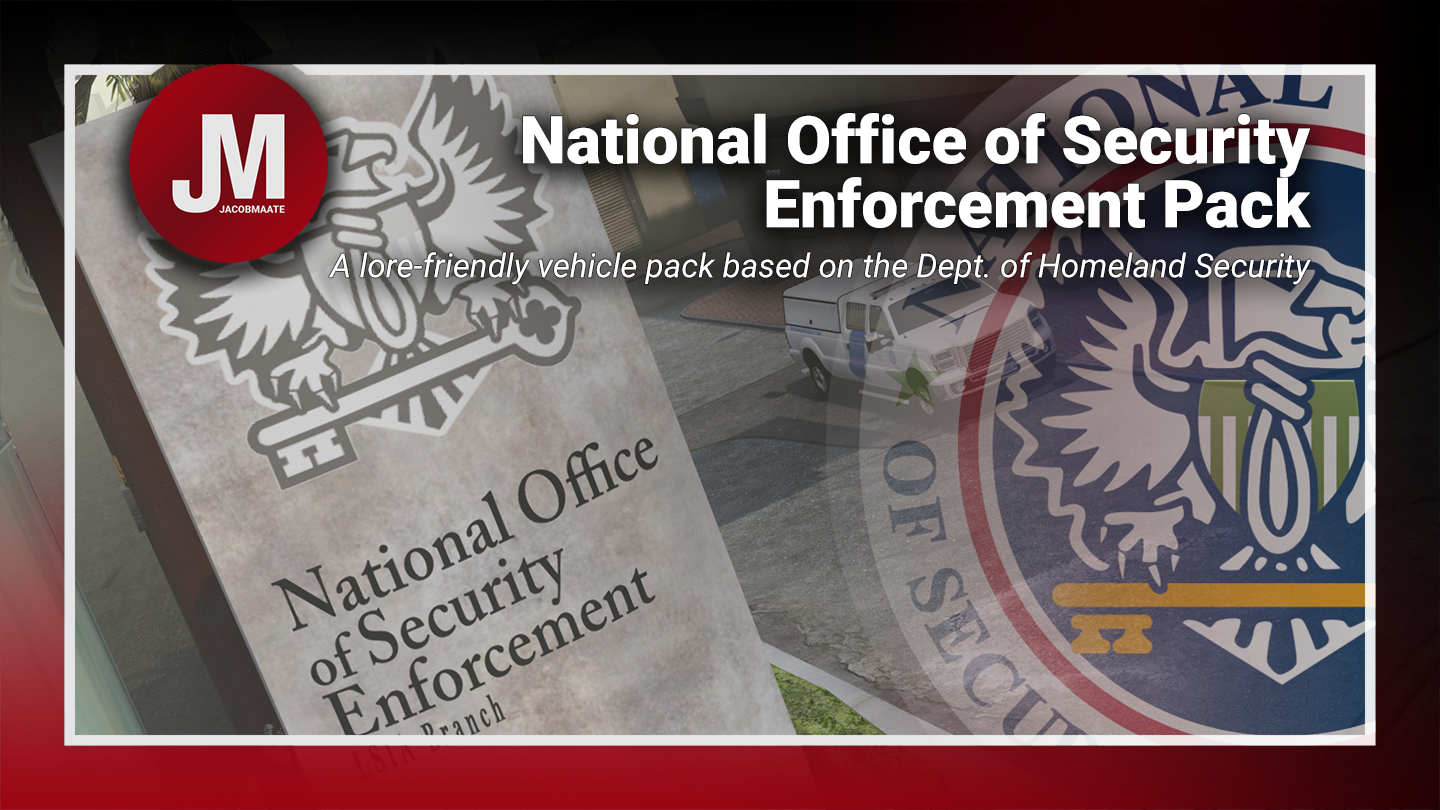
NOOSE Multi-Agency Pack 1.04

(4 reviews)

17 Screenshots

    NOOSE Mutli-Agency (Vehicle) Pack    


NOOSE Multi-Agency (Vehicle) Pack v1.04 by Jacobmaate et al.
(Based on DHS)

The first of NOOSE Pack v2.0 (being broken down into agency-specific sub packs) is scheduled for a Q4 2023 release. Included will be a number of bug fixes, overhauled fleet lists, updated assets and much more! Keep an eye out on my MAATE Modding Discord Server and other Social Media platforms for more information on this in the coming weeks and months ahead.
MAATE Modding Discord Server

What this mod includes:
U.S. Patriotism and Immigration Authority - based on the U.S. Customs and Border Protection
(PIA) U.S. Border Patrol
(PIA) Office of Field Operations
(PIA) Air and Marine Operations
Tactical Response Unit - based on the CBP/ICE Special Response Teams
Transportation Security Service - based on the Transportation Security Administration
Security Enforcement Police - based on the Federal Protective Service
A list of each agencies vehicle spawn codes can be found in the 'What's Included.txt' file included in this mod.


---- Features ----
• Basic Features: (LODs, Dirt Mapping, Breakable Glass/Glass Shards)
• Custom sirensettings/flashpatterns
• Custom soundbanks
• Custom handling
• Singleplayer ready


---- Change Log ----
v1.0 (October 01, 2019):
Initial release

v1.01 (October 06, 2019):
Misc. bug fixes

v1.02 (June 10, 2021):
SirenSetting Limit Adjuster (SSLA) Compatibility

v1.03 (June 22, 2021):
Added a FiveM-Ready package


v1.04 (Janurary 01, 2022):
- [5M] Updated FiveM-Ready resource manifest


---- Installation ----
Please see the included readme.txt file inside the archive for installation instructions.


---- Requirements ----
OpenIV - Required to install these files to your game
SirenSetting Limit Adjuster - Required to stop sirenSetting conflicts with other packs
Custom Gameconfig - Required to support multiple addon vehicles, otherwise your game may crash


CONTRIBUTORS :
A huge thanks goes out to the people who've helped contribute to this mod pack! (Not in any particular order):
TheF3nt0n, Voit Turyv, IlayArye, Glennoconnel, Aqaumenti, Eddlm, Skitty, Dani02, GCT, Boywond, Lt.Caine, Thero, 11john11, Vx5 Voltage, AlexanderLB, MrKote, Johnny362000 and The IVPack Team.


---- Permissions ----
• You're allowed to use this modification for your FiveM server, so long as appropriate credits are given.
• You're allowed to use my assets from this modification for your own mods, so long as appropriate credits are given.
• You're required to seek permission to use assets from other developers found in this mod from those respective developers - not myself. Please see the comprehensive credits listed above to see which assets are mine, and which are made by others.
• This modification is exclusive for download at GTA5-Mods.com and LCPDFR.com

Edited by Jacobmaate

What's New in Version 1.04

Released

v1.04 (Janurary 01, 2022):
- [5M] Updated FiveM-Ready resource manifest

v1.03 (June 22, 2021):
Added a FiveM-Ready package


Short Description

A lore-friendly vehicle pack based on the U.S. Dept. of Homeland Security

User Feedback

Recommended Comments

MKEDamian

Members

This is sick! The grangers/Alamos are amazing!

officerkatt

Members

Holy shit these are some really good quality lore friendly vehicles!!

Greyshadow

Members

I will be honest, I was a little iffy about installing a pack with ingame vehicles.


But I'll tell you what: It's amazing!  Good looking skins, Great lighting setups too, particularly the SEP Taurus/


You're not kidding when you say the BP Alamo has LOD issues... I think I made it about 5 feet before it turned frame on me.

once that and the Scout CTD issue  is resolved this will be a perfect, lore friendly, vanilla vehicle friendly pack.


I have decided to replace my Lenco NOOSE Bearcat with your TRU Insurgent it looks so good!

Jacobmaate

Members Author

On 10/1/2019 at 10:33 PM, DamianVictor said:

This is sick! The grangers/Alamos are amazing!


19 hours ago, officerkatt said:

Holy shit these are some really good quality lore friendly vehicles!!

Thanks, glad to hear you're enjoying the pack 🙂


16 hours ago, Greyshadow said:

I will be honest, I was a little iffy about installing a pack with ingame vehicles.


But I'll tell you what: It's amazing!  Good looking skins, Great lighting setups too, particularly the SEP Taurus/


You're not kidding when you say the BP Alamo has LOD issues... I think I made it about 5 feet before it turned frame on me.

once that and the Scout CTD issue  is resolved this will be a perfect, lore friendly, vanilla vehicle friendly pack.


I have decided to replace my Lenco NOOSE Bearcat with your TRU Insurgent it looks so good!

I appreciate everyone has their own play-style and preference for mod types, but really happy that you're enjoying this even if it wasn't something that you'd necessarily normally go for 😉
And yeah the BP Alamo was the last vehicle I edited before I uploaded the mod, and I can easily see what I've done wrong (the last edits I made was adding a spotlight and updating the wheel model), but it turns out I had only imported the L0 LOD of the car, and somehow completely forgot the import the others, so when I exported them all, the only things beyond L0 were the wheels and spotlight *eyeroll*. My bad. As for the Scout, I've not had this issue, but I've had a good few point it out to me so I'll give that a look over and hopefully can sort that one out.
With all that said, I'm hoping to update the pack by the 4th (since I'm out most of tomorrow), just to patch up the silly errors 😛 

Greyshadow

Members

Looking forward to it. 

mintymax

Members

(edited)

This pack looks amazing! Unfortunately I can't open the file as an archive with 7zip. Is there a problem with the file or am I doing something wrong?


SOLVED: 7zip couldn't open the file, tried another archive extractor and it worked.

Edited by mintymax

WMFong

Members

(edited)

Bug found for Noose Predator. This bug appears when I turn on light and siren, appear when I turn on light only too, hope you can fix it.


Edit: I found the same bug happen on Noose Dinghy too.image.png.646b68a5113d77098cc893a2c3e9a516.png


On 10/10/2019 at 10:30 PM, mintymax said:

This pack looks amazing! Unfortunately I can't open the file as an archive with 7zip. Is there a problem with the file or am I doing something wrong?


SOLVED: 7zip couldn't open the file, tried another archive extractor and it worked.

I use 7-zip to extract the file. And it worked. Not sure if you are doing something wrong.

Edited by WMFong

Jacobmaate

Members Author

On 6/4/2021 at 1:15 PM, WMFong said:

Bug found for Noose Predator. This bug appears when I turn on light and siren, appear when I turn on light only too, hope you can fix it.


Edit: I found the same bug happen on Noose Dinghy too.image.png.646b68a5113d77098cc893a2c3e9a516.png

Please download and install the following mod: https://www.gta5-mods.com/scripts/sirensetting-limit-adjuster

A future update for this (and all my other mods for that matter), will reassign sirensetting IDs to a new value and will require the sirensetting limit adjuster mod to work correctly.

WMFong

Members

1 minute ago, Jacobmaate said:

Please download and install the following mod: https://www.gta5-mods.com/scripts/sirensetting-limit-adjuster

A future update for this (and all my other mods for that matter), will reassign sirensetting IDs to a new value and will require the sirensetting limit adjuster mod to work correctly.

image.png.401bea0a11248c1de97355ef67f5babf.pngalready did


Jacobmaate

Members Author

1 minute ago, WMFong said:

image.png.401bea0a11248c1de97355ef67f5babf.pngalready did


Hmm thanks for the quick response. I'll see if I can put together a quick patch for SSLA compatibility. Mind if I PM you the files to test for me? (I'm on a fresh game install so have little to do conflict testing with).

WMFong

Members

Just now, Jacobmaate said:

Hmm thanks for the quick response. I'll see if I can put together a quick patch for SSLA compatibility. Mind if I PM you the files to test for me? (I'm on a fresh game install so have little to do conflict testing with).

Feel free to do so.

Hadyfaik

Members

So glad to see someone upload Vanilla vehicles! extremely underrated cars

Templipouet

Members

Hello! I really like your work and it's great that people show some love to federal agencies like that and I hope you'll release more (maybe a FIB police Secret Police pack 😉 ). However I have a quick question : Would you allow me to use some of your texture assets to make liveries for IRL vehicles and maybe releasing them? I would give proper credits and a link to your work, of course. Here is a preview of the liveries a made on a 2015 Tahoe.


I hope you have a great day!

IMG_20210816_123430.png

braydenisdude

Members

My game crashes every time I try to join LSPDFR ever since I got this pack can someone help?

Hello, I am exited to use this pack but I am having a strange problem, I followed the install instructions by putting the folder JMnoose in dlcpacks and put in the file line in dlclist, Some of the vehicles are spawnable in the trainer, but when I spawn them in they have a regular LSPD skin and the others like the insurgent skins are not there at all. im unsure if I simply installed it wrong or if its some sort or mod conflict. Help would be appreciated, thank you.

Woolfy123

Members

On 8/16/2021 at 5:39 AM, Templipouet said:

Hello! I really like your work and it's great that people show some love to federal agencies like that and I hope you'll release more (maybe a FIB police Secret Police pack 😉 ). However I have a quick question : Would you allow me to use some of your texture assets to make liveries for IRL vehicles and maybe releasing them? I would give proper credits and a link to your work, of course. Here is a preview of the liveries a made on a 2015 Tahoe.


I hope you have a great day!

IMG_20210816_123430.png

This looks amazing! Anything ever come of making an IRL vehicle replacement pack for this amazing mod?

Templipouet

Members

On 2/24/2023 at 6:54 PM, Woolfy123 said:

This looks amazing! Anything ever come of making an IRL vehicle replacement pack for this amazing mod?

Hi, I made a texture pack that works with IRL vehicles, the models I used are in the description of my mod, just check my profile. I originally planned on making more than just the PIA but never found the time due to studies.

Bidulo

Members

(edited)

Where can the "What's included.txt" file be found ? The cars are amazing, but I cannot make them spawn because of that !


EDIT : I found it. With OpenIV : GTAV\mods\update\x64\dlcpacks\JMnoose\dlc.rpf\x64\data\lang\<choose_one(all_same)>\global.gxt2


EDIT2 : It seems that the game crashes everytime 💀

Edited by Bidulo

meet1223

Members

how to spawn?

witchy

Members

Anyone know if there is an actual mod to make the noose immigration facility an actual station and make it a spawn and drop off point?

Markus Crowe

Members

Fantastic mod pack! Great and visually amazing fleet of vehicles! I love the unarmed Annihilators (just felt weird having dual cannons hot every time I fly over Del Perro), and they just look better then the ingame one.

Also love the TRU vehicles, excellent during pursuits with shots fired.

Gigi32r4324

Members

This mod is amazing but I am not able to access the other noose vehicles like the helicopters and the boats

Create an account or sign in to comment

Latest Mods

Account

Navigation

Search

Search

Configure browser push notifications

Chrome (Android)
  1. Tap the lock icon next to the address bar.
  2. Tap Permissions → Notifications.
  3. Adjust your preference.
Chrome (Desktop)
  1. Click the padlock icon in the address bar.
  2. Select Site settings.
  3. Find Notifications and adjust your preference.