
Skip to content
View in the app

A better way to browse. Learn more.

LCPDFR.com

A full-screen app on your home screen with push notifications, badges and more.

To install this app on iOS and iPadOS
  1. Tap the Share icon in Safari
  2. Scroll the menu and tap Add to Home Screen.
  3. Tap Add in the top-right corner.
To install this app on Android
  1. Tap the 3-dot menu (⋮) in the top-right corner of the browser.
  2. Tap Add to Home screen or Install app.
  3. Confirm by tapping Install.

Emergency uniforms pack - Law & Order 9.3.1

(236 reviews)

10 Screenshots


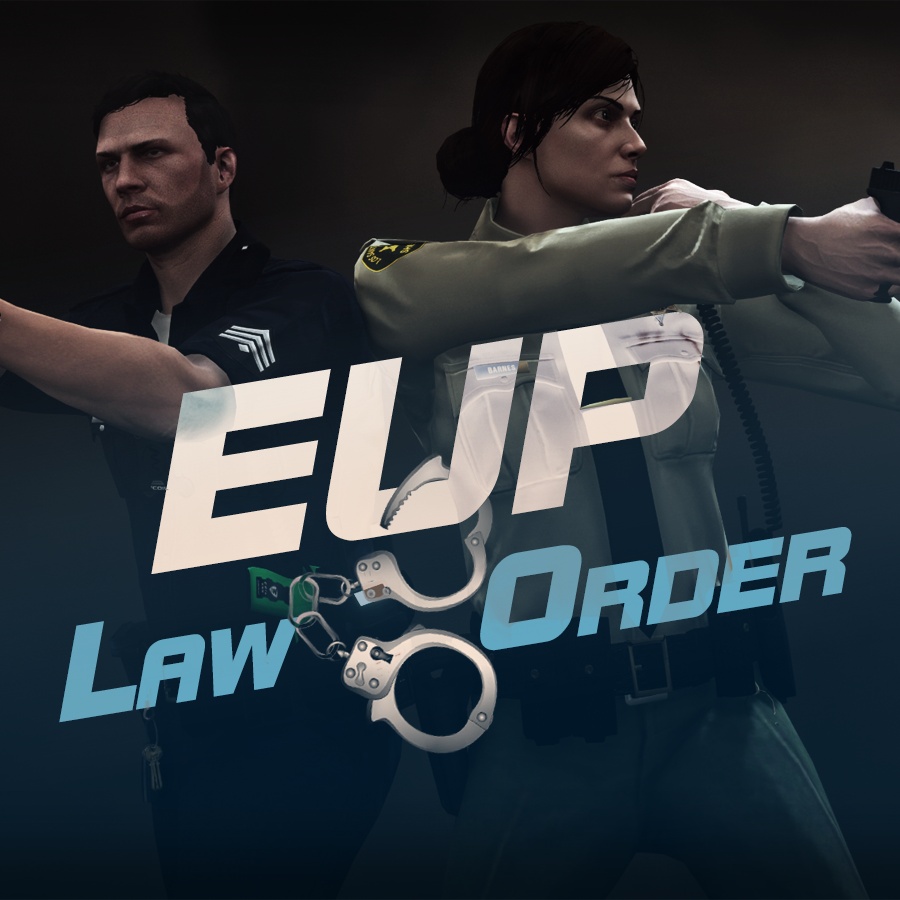
632635363_EUPlw.png.08a8e4d613dc7a278fc352b6b57ce8a2.png

EUP is an all-in-one modification that gives us the free range to create your own law enforcement officer as you patrol the streets and roads of San Andreas. U mad Ronson?

This time, play different - be different. Adapt your style to the situation. Get your gear on - use a High-Vis vest to direct traffic, a waterproof jacket on a rainy day or a tactical outfit when the situation gets hot. Choose from various lore-friendly departments base of real life. Customize various components of your outfits.

The mod that started as a holster and a vest retexture, now so expansive, most Australians finish downloading it right when an update comes out. Emergency Uniforms Pack Law & Order 8.2 offers an unrivaled catalog of lore-friendly California-inspired law enforcement uniforms for both male and female multiplayer characters. From tasteful evolutions of the classic LSPD outfits, you see AI cops wearing, to dozens of uniforms for entirely new lore-friendly law enforcement departments based on real-world California departments. Emergency Uniforms Pack has it all, and when tied with partner mods such as EUP Serve and Rescue, EUP Menu, and EUP LSPDFR Configs, you can totally transform your LSPDFR experience.

Creative Commons License
This work is licensed under a Creative Commons Attribution-NonCommercial-ShareAlike 4.0 International License.


If you were you were looking for the latest version of EUP and wish to support our work click the button down below:

Patreon

 
This mod is a free mod, the beta versions of EUP accessible only through our patreon page, is a tool for us to support the development of the mod and create a platform to interact with the community, 5 years later this mod became my main ''job'' and source of income, thanks to all the fans and supporters. Which means more quality and enhancements, since I can allow all my time to it and invest money into assets and programs.

The public version is still important to us and will receive updates, which is only made possible through our membership system.


For General discussions, beta registration, support, images contest and more follow join our Discord Server:


EUP Discord


Add-Ons


In order to select and customize outfits, you NEED to get the menu here:


Need help? Something went wrong? Not sure how to proceed?
Leave the comments and reviews alone, we don't really monitor them.


Follow the link to EUP Discord for help or comments


Edited by Alex_Ashfold
Links update

What's New in Version 9.3.1

Released

jsut updating the version umber to display a more accurate one. No need to downloand and reinstall, no new content.


Short Description

https://www.patreon.com/alex_ashfold

User Feedback

Recommended Comments

Gabe C.

Members

Anyone know how I get the traffic vest?

McAwesome6934

Members

3 hours ago, TFG said:

Anyone know how I get the traffic vest?

F11- Accessories- traffic vest. 

Gabe C.

Members

On 8/14/2016 at 10:02 PM, McAwesome6934 said:

F11- Accessories- traffic vest. 

What do I have to be wearing and where under accessories?

Thekillergreece

Members

(edited)

I am unable to download EUP as it automatically cancels download?

Edited by Thekillergreece

flyinggoatman

Members

5 hours ago, Thekillergreece said:

I am unable to download EUP as it automatically cancels download?

I am going to assume you're using google chrome. 


go to the URL chrome://downloads and look for the download that has been blocked. On that download click "recover malicious download".

Guest Titan3:16

Guest Titan3:16

Guests

the eup menu wont show up when i select my mp skin. i push f11 and nothing happens, i have the files installed in the right places. 

Lapd Code 3

Members

(edited)

6 hours ago, Guest Titan3:16 said:

the eup menu wont show up when i select my mp skin. i push f11 and nothing happens, i have the files installed in the right places. 

same i installed it just like it was supposed to and when i hit f11 nothing happens i tried ctrl+f11 and fn+f11 and nothing 

i been trying to fix this since 5pm est yesterday 

20160817042045_1.jpg

Edited by LapdCode3

Wippy

Members

(edited)

Hey guys, I really don't know what you are talkin about, because I haven't played on new RPH with EUP yet. But I was on Discord chat when 0.45 RPH was released, and I got a chat message from someone named as Alex (probably the developer, didn't see his last name, I really don't know who is who on Discord, so excuse me if I'm wrong), he was aware of it and dropped updated .dll file into the chat. Strangely, but he hasn't updated EUP here with new file. So I downloaded it thereat, and recalled it now, so if you want, you can grab this file and see if your problem is fixed. I personally haven't tested this yet, and I'm not responsible for anything that can happen. I see people reporting problems, and I have this file, so I give it to you. Official comment from developer would be much appreciated.

upd. checked this file on Virustotal, seems legit. Probably that guy was AlexBraun, I recognized his profile pic :) Safe to use, so test this until new EUP update comes.

EUPMenu.dll

Edited by Wippy

GothTrad

Members

Still not working dude, tells me there isn't any key assigned to the menu.

Guest CTD

Guest CTD

Guests

I don't know if there has been a fix yet, hard to go through the many..many comments, but after following install instructions my game crashes to desktop upon loading into the game now. Any ideas?

Wippy

Members

(edited)

12 hours ago, GothTrad said:

Still not working dude, tells me there isn't any key assigned to the menu.

I checked for myself and it works fine. I guess it works only on 0.45 RPH. If you're using 0.44 or earlier versions, then it may be a culprit. If you're not, then you should wait for "official" EUP update on this page.

Edited by Wippy

Narobic

Members

It gets rid of the attachments on my gun when I load my character

telinha

Members

(edited)

@Alex_Ashfold Installed today and the facial skin, is full of red dots, you know it can be?

Even carrying the male stand already is with this problem, And no skin effect left all none!

20160820151827_1.jpg

20160820153458_1.jpg

20160820153518_1.jpg

Edited by paschoalgamer

Alex_Ashfold

Insiders Author

1 hour ago, paschoalgamer said:

@Alex_Ashfold Installed today and the facial skin, is full of red dots, you know it can be?

Even carrying the male stand already is with this problem, And no skin effect left all none!

20160820151827_1.jpg

20160820153458_1.jpg

20160820153518_1.jpg

?????????????????????????????????????????????????????????????????????????????????? Facial Skin? Red Dots? Where? Carrying the male what? Skin effect left ? What Alone? ;_;

telinha

Members

 @Alex_Ashfold

Sorry for my English, I'm trying to say is that the facial skin is smeared with a red marks.


help.jpg

Alex_Ashfold

Insiders Author

56 minutes ago, paschoalgamer said:

 @Alex_Ashfold

Sorry for my English, I'm trying to say is that the facial skin is smeared with a red marks.


help.jpg

that's seems like a problem with your graphic card drivers

telinha

Members

(edited)

When I use the 7.2 version of EUPClothingMenu.dll does not occur this problem, but I can not customize. Anyway thank you for your attention.

@Alex_Ashfold

You got it right, I came back an old version of my vga and bingo, now works perfectly. Thank you very much!

thanks.jpg

Edited by paschoalgamer

Alex_Ashfold

Insiders Author

1 hour ago, paschoalgamer said:

When I use the 7.2 version of EUPClothingMenu.dll does not occur this problem, but I can not customize. Anyway thank you for your attention.

@Alex_Ashfold

You got it right, I came back an old version of my vga and bingo, now works perfectly. Thank you very much!

thanks.jpg

Glad it works fine now! stay stafe.

Lapd Code 3

Members

anyone know why im getting a press none to open the eup menu? the ini setting came with a settings.ini that had menucontrolkey F11

Kilyin

Members

2 minutes ago, LapdCode3 said:

anyone know why im getting a press none to open the eup menu? the ini setting came with a settings.ini that had menucontrolkey F11

make sure settings.ini is in \plugins\EUP and looks something like:

[SETTINGS]
MenuToggle=F11
MenuToggleModifier=None
MenuToggleController=LeftThumb
MenuToggleControllerModifier=A
DefaultCharacter=

Lapd Code 3

Members

(edited)

ok ill give this a shot any probs ill send a screenshot to support or here 


UPDATE: FIXED AND FULLY OPERATIONAL THANK YOU KILYIN it was the folder placement that confused me last time

Edited by LapdCode3

TerrorMango

Members

Can anybody help me out? Both the LSSD and BCSO campaign hats are shown as low-res cowboy hats.

Reinstall didn't help either. Screenshots: http://imgur.com/a/Jfkee


Also, any chance for some Trooper love? More hats maybe? Thanks.

xneb

Members

"Press None to open the EUP Menu".

In the settings.ini:

[CONTROLS]
EUPMenuToggle=F11


How can I fix this problem?

Kilyin

Members

(edited)

3 hours ago, xneb said:

"Press None to open the EUP Menu".

In the settings.ini:

[CONTROLS]
EUPMenuToggle=F11


How can I fix this problem?

Two posts above yours.

The settings.ini you posted is from an older version and no longer valid.

make sure settings.ini is in \plugins\EUP and looks something like:

[SETTINGS]
MenuToggle=F11
MenuToggleModifier=None
MenuToggleController=LeftThumb
MenuToggleControllerModifier=A
DefaultCharacter=

Edited by Kilyin

Create an account or sign in to comment

Latest Mods

Account

Navigation

Search

Search

Configure browser push notifications

Chrome (Android)
  1. Tap the lock icon next to the address bar.
  2. Tap Permissions → Notifications.
  3. Adjust your preference.
Chrome (Desktop)
  1. Click the padlock icon in the address bar.
  2. Select Site settings.
  3. Find Notifications and adjust your preference.














