
Skip to content
View in the app

A better way to browse. Learn more.

LCPDFR.com

A full-screen app on your home screen with push notifications, badges and more.

To install this app on iOS and iPadOS
  1. Tap the Share icon in Safari
  2. Scroll the menu and tap Add to Home Screen.
  3. Tap Add in the top-right corner.
To install this app on Android
  1. Tap the 3-dot menu (⋮) in the top-right corner of the browser.
  2. Tap Add to Home screen or Install app.
  3. Confirm by tapping Install.

Emergency uniforms pack - Law & Order 9.3.1

(236 reviews)

10 Screenshots


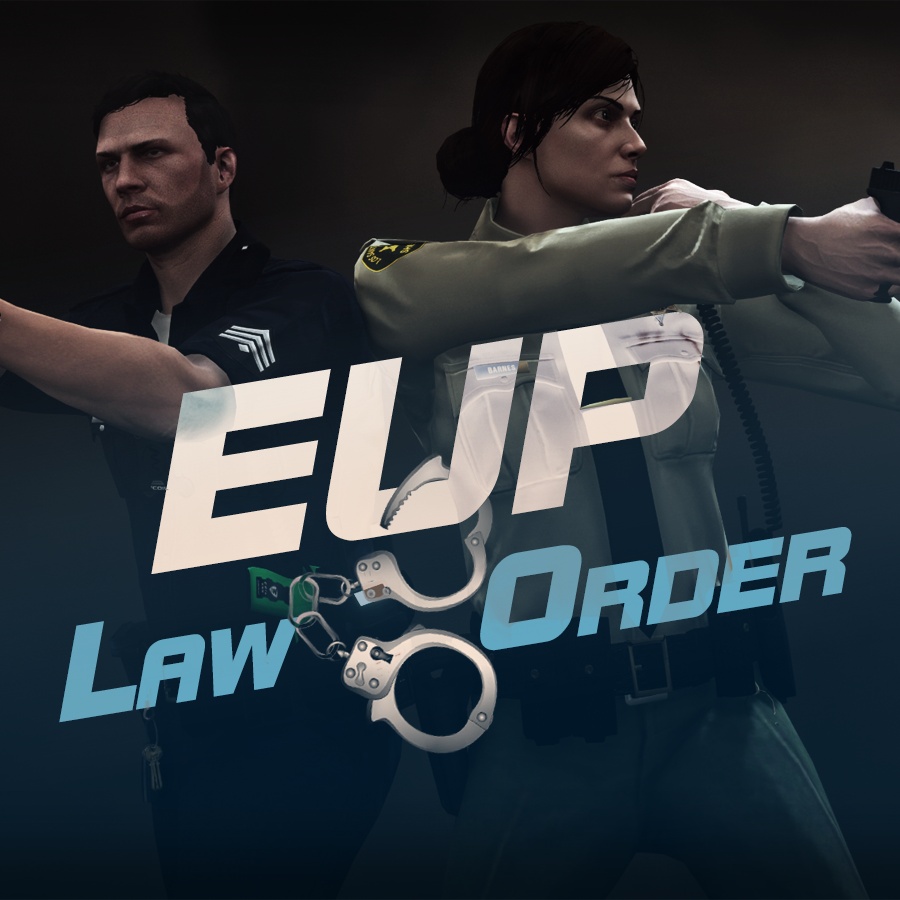
632635363_EUPlw.png.08a8e4d613dc7a278fc352b6b57ce8a2.png

EUP is an all-in-one modification that gives us the free range to create your own law enforcement officer as you patrol the streets and roads of San Andreas. U mad Ronson?

This time, play different - be different. Adapt your style to the situation. Get your gear on - use a High-Vis vest to direct traffic, a waterproof jacket on a rainy day or a tactical outfit when the situation gets hot. Choose from various lore-friendly departments base of real life. Customize various components of your outfits.

The mod that started as a holster and a vest retexture, now so expansive, most Australians finish downloading it right when an update comes out. Emergency Uniforms Pack Law & Order 8.2 offers an unrivaled catalog of lore-friendly California-inspired law enforcement uniforms for both male and female multiplayer characters. From tasteful evolutions of the classic LSPD outfits, you see AI cops wearing, to dozens of uniforms for entirely new lore-friendly law enforcement departments based on real-world California departments. Emergency Uniforms Pack has it all, and when tied with partner mods such as EUP Serve and Rescue, EUP Menu, and EUP LSPDFR Configs, you can totally transform your LSPDFR experience.

Creative Commons License
This work is licensed under a Creative Commons Attribution-NonCommercial-ShareAlike 4.0 International License.


If you were you were looking for the latest version of EUP and wish to support our work click the button down below:

Patreon

 
This mod is a free mod, the beta versions of EUP accessible only through our patreon page, is a tool for us to support the development of the mod and create a platform to interact with the community, 5 years later this mod became my main ''job'' and source of income, thanks to all the fans and supporters. Which means more quality and enhancements, since I can allow all my time to it and invest money into assets and programs.

The public version is still important to us and will receive updates, which is only made possible through our membership system.


For General discussions, beta registration, support, images contest and more follow join our Discord Server:


EUP Discord


Add-Ons


In order to select and customize outfits, you NEED to get the menu here:


Need help? Something went wrong? Not sure how to proceed?
Leave the comments and reviews alone, we don't really monitor them.


Follow the link to EUP Discord for help or comments


Edited by Alex_Ashfold
Links update

What's New in Version 9.3.1

Released

jsut updating the version umber to display a more accurate one. No need to downloand and reinstall, no new content.


Short Description

https://www.patreon.com/alex_ashfold

User Feedback

Recommended Comments

officerAMR

Members

27 minutes ago, Alex_Ashfold said:

delete your system32


You shouldn't presume people will understand on the internet, hes probably gone and done it lol 

Quakex64

Members

where does this install and where do I go to edit my MP cop in the first place?

Alex_Ashfold

Insiders Author

(edited)

@Quakex64 Read the documentation and the mod page, all instructions are there, I'm not gonna repeat for each single user. I t will only gonna take 10 minutes of your time.

Edited by Alex_Ashfold

Quakex64

Members

I asked WHERE does this install, not how... and the readme tells me to install using the OPEN iv package installer.. your link to a video of whats new with open IV and how it can now use packaged installs still doesnt answer my question of WHERE this installs, as in, its own DLC, in a patchday or title update??? 

PieRGud

Members Contributor

(edited)

33 minutes ago, Quakex64 said:

I asked WHERE does this install, not how... and the readme tells me to install using the OPEN iv package installer.. your link to a video of whats new with open IV and how it can now use packaged installs still doesnt answer my question of WHERE this installs, as in, its own DLC, in a patchday or title update??? 

It installs as its own DLC. You can rename the .oiv to .zip and you'll see all the files in the content folder.

Edited by PieRGud

Alex_Ashfold

Insiders Author

38 minutes ago, Quakex64 said:

I asked WHERE does this install, not how... and the readme tells me to install using the OPEN iv package installer.. your link to a video of whats new with open IV and how it can now use packaged installs still doesnt answer my question of WHERE this installs, as in, its own DLC, in a patchday or title update??? 

We don't provide support for manual instalation, if you add submit your issue on the support thread you would have seen your answer in the FAQ

What does the auto-installer changes?
That's the beauty of this mod it does not make heavy changes to your game here's what it does:

  1. Adds a new ''DLC'' in dlcpacks called ''eup'' the DLC is providing the clothes edits and additions to your game, without changing your originals files
  2. Adds a line of text in your dlclist.xml (located in your update.rpf/common/data) <Item>dlcpacks:\eup\</Item> So it doesn't replaces your original dlclist.xml
  3. Adds EUPclothingMenu.dll and EUPclothingMenu.ini to your plugins folder

Quakex64

Members

Thank you both for answering the question.. now had you put that in the readme or some kind of info text I would have known.

AllenKennedy

Members

On my all time wishlist of all time happiness, I have:

Fallout 5 set in New York

Hot Girlfriend

EUP Empty Holsters.

Not to nag, but, the minute we are able to edit .ydd's properly with zmodeler, I'm going to spend twenty minutes raging at why I can't make them myself, (Cos I suck.) before crying for twenty minutes, then another twenty of eating ice cream. 

Alex_Ashfold

Insiders Author

(edited)

16 hours ago, AllenKennedy said:

On my all time wishlist of all time happiness, I have:

Fallout 5 set in New York

Hot Girlfriend

EUP Empty Holsters.

Not to nag, but, the minute we are able to edit .ydd's properly with zmodeler, I'm going to spend twenty minutes raging at why I can't make them myself, (Cos I suck.) before crying for twenty minutes, then another twenty of eating ice cream. 

Get me one too, I'd like to join

Edited by Alex_Ashfold

AllenKennedy

Members

7 minutes ago, Alex_Ashfold said:

Get me one too, I'd like to join

haha okay, two buckets of ice cream it is.

AvidRoseLover

Members

(edited)

Hi, Do you know if I can change the face of the female LSPD cops? They look pretty ugly imho.

Edited by AvidRoseLover

Kenobi91

Members

Just a question: is it possible to change my character walk style to make him walk like vanilla cops? Especially when he walks with the gun in his hands! I would like to see him walking as A.I. cops do. Any ideas? Thanks :)

Alex_Ashfold

Insiders Author

20 minutes ago, Kenobi91 said:

Just a question: is it possible to change my character walk style to make him walk like vanilla cops? Especially when he walks with the gun in his hands! I would like to see him walking as A.I. cops do. Any ideas? Thanks :)

simple native trainer, model spawning, walk style menu

Kenobi91

Members

24 minutes ago, Alex_Ashfold said:

simple native trainer, model spawning, walk style menu

This one? https://it.gta5-mods.com/scripts/simple-trainer-for-gtav. If yes,I don't find the cop walkstyle in the walkstyle menu! I find just one cop walkstyle but it's not the one I was talking about!

Alex_Ashfold

Insiders Author

27 minutes ago, Kenobi91 said:

This one? https://it.gta5-mods.com/scripts/simple-trainer-for-gtav. If yes,I don't find the cop walkstyle in the walkstyle menu! I find just one cop walkstyle but it's not the one I was talking about!

LSPDFR interaction menu, hold cap locks while walking, you'll make a walk/idle animation and then you'll get stuck with the cop walk animation (to confirm with 0.3.1)

Terrow

Members

Had a bug with this. I used package installers for all of these and they work perfectly but then I used the package installer for a completely different mod (cars only) and now I can only use main apparel? The other options aren't highlighted, but the other packs are still inside the right places. 

Alex_Ashfold

Insiders Author

(edited)

41 minutes ago, Terrow said:

Had a bug with this. I used package installers for all of these and they work perfectly but then I used the package installer for a completely different mod (cars only) and now I can only use main apparel? The other options aren't highlighted, but the other packs are still inside the right places. 

the mod you installed most likely changed your dlclist.xml

Edited by Alex_Ashfold

Rex821

Members

yo alex so is there anyway we can get a eta on fire and ems uniforms


Zetufe

Members

Salut Alex, si on modifie la police (Qu'on met par exemple la NYPD) Comment avoir le mod EUP de compatible ? Merci d'avance ^^'

AMSAGENT000

Members

@Alex_Ashfold Hello, I just wanted to report that the short sleeve shirt for the BCSO has the wrong badge shape. I assume it's supposed to be a star instead of a shield? 

Alex_Ashfold

Insiders Author

5 hours ago, AMSAGENT000 said:

@Alex_Ashfold Hello, I just wanted to report that the short sleeve shirt for the BCSO has the wrong badge shape. I assume it's supposed to be a star instead of a shield? 

I assume you must be new around here?

AMSAGENT000

Members

4 hours ago, Alex_Ashfold said:

I assume you must be new around here?

Not quite, but I did have a big brain fart when I wrote that last night. Of course the badge is a shield becasue it's a reskin of the LSPD shirt since character model editing is not currently possible. Sorry :( 

Create an account or sign in to comment

Latest Mods

Account

Navigation

Search

Search

Configure browser push notifications

Chrome (Android)
  1. Tap the lock icon next to the address bar.
  2. Tap Permissions → Notifications.
  3. Adjust your preference.
Chrome (Desktop)
  1. Click the padlock icon in the address bar.
  2. Select Site settings.
  3. Find Notifications and adjust your preference.













