Skip to content
View in the app

A better way to browse. Learn more.

LCPDFR.com

A full-screen app on your home screen with push notifications, badges and more.

To install this app on iOS and iPadOS
  1. Tap the Share icon in Safari
  2. Scroll the menu and tap Add to Home Screen.
  3. Tap Add in the top-right corner.
To install this app on Android
  1. Tap the 3-dot menu (⋮) in the top-right corner of the browser.
  2. Tap Add to Home screen or Install app.
  3. Confirm by tapping Install.

Sp4s12sNewCallouts 0.1.3

(17 reviews)

19 Screenshots

warning48.pngIF YOU HAVE AN OLDER VERSION, DELETE ALL ITS FILES THEN INSTALL THE NEW ONE. PLUS, YOU NEED TO HAVE THE LATEST VERSION OF ScriptHookDotNet !warning48.png

Presentation

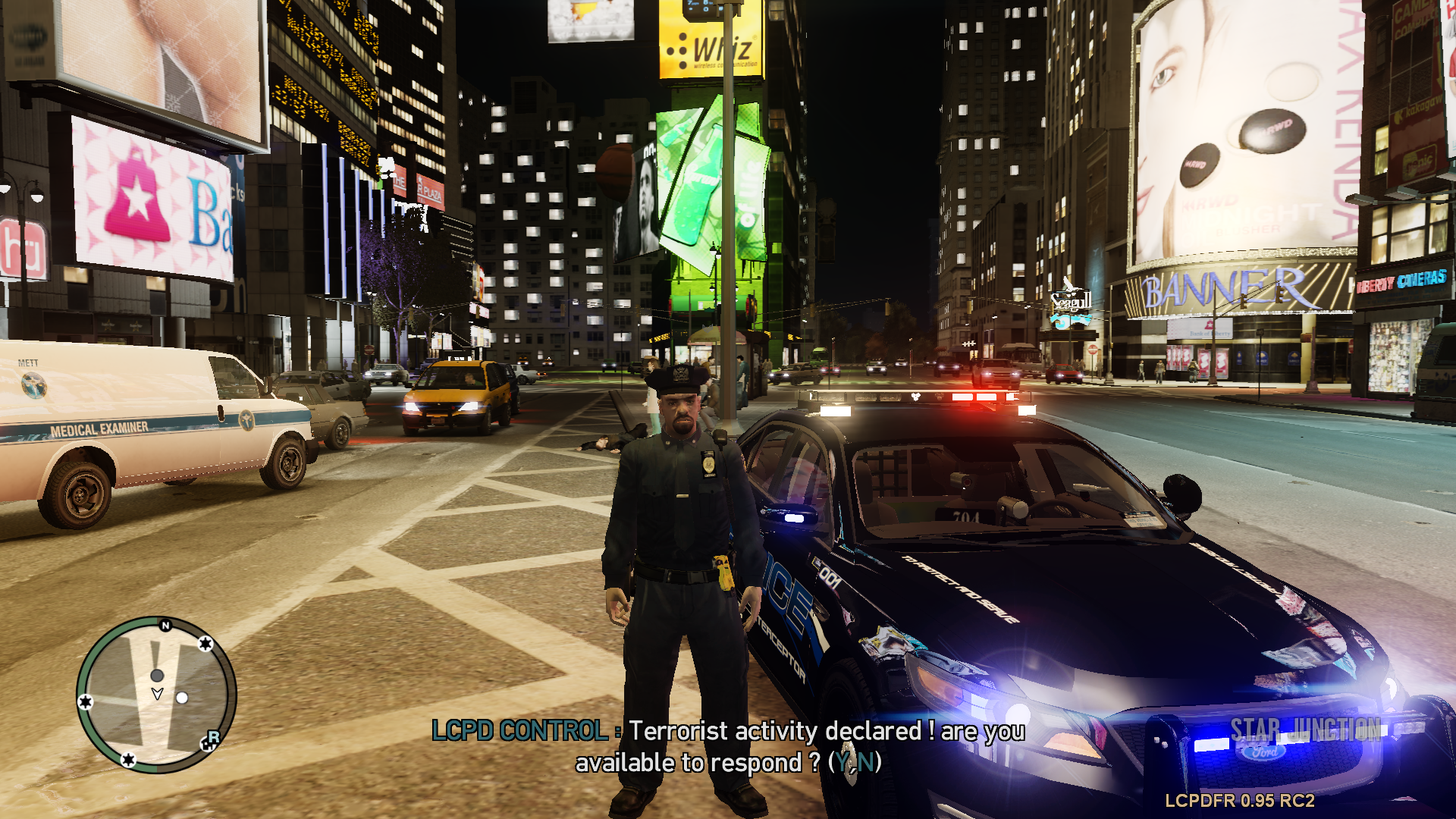
Sp4s12sNewCallouts is a script which will allow you to respond to more callouts when you'll be on duty. For now, I, as developper of this mod, have not the pretention to revolutionize the gameplay of LCPDFR. But I wanted to have more things to do within LCPDFR, especially some cinematographic callouts... I mean callouts that will gives you more action without touching the realistic side of things. So this is it, I present to you Sp4s12sNewCallouts. Obviously, my project is not over. I'll implement other callouts but I also need time to track bugs then clean them.

Sp4s12

(Sorry for my english)

https://www.youtube.com/watch?v=gb29xXrPupo

Features

- A config file where you'll be able to customize your personnal keys and preferences

- Callouts which will be as compatible as possible with LCPDFR

- Some audio stuff to make the experience much more realistic and fun

For any report or request, please, go to

What's New in Version 0.1.3

Released

  • Added a function to reload the config file.
  • Added a parameter to adjust the limit time of the injured civilian callout.
  • Minor bug fixes.

User Feedback

Recommended Comments

Caesar

Members

Nice job!

Slimory

Members

Would be pretty sweet if you implemented Motor Vehicle Accidents, i'm going to try this.

7ofer

Members

Wow! Good =D

drdetroit

Members

Nice!

NickieB

Members

Could you list the callouts that were added? I'm not asking for a detailed explanation of everyone but just an idea of what they are

J T

Members

cant get it to work...pushing f3 and its not doing anything

Andrew_Collin

Members

Could you list the callouts that were added? I'm not asking for a detailed explanation of everyone but just an idea of what they are

iEcosan

Members

Awesome!

GreenAid

Members

Why don't you make.... missions for SWAT or something like that? It's a thing we are really missing & it could be done with awesome vehicles like the Bearcat! :D

culley35

Members

nice, can you give me a link to the car you are using that looks nice :-) or message me with a link

Sp4s12

Members Author

nice, can you give me a link to the car you are using that looks nice :-) or message me with a link

HPD

Members

This script wont work for me, as soon as the game loads it displays an error message. Is anybody else getting this

FrazerJ0n35

Members

any chance you could upload your police officer files?
i can see an officer with a short sleeve and a bullet proof vest (i must have this!)

Darkangel

Members

sweet

efjk

Members

I like the script, however, you should tweak itt a little.

LSPDhotstuff

Members

This script wont work for me, as soon as the game loads it displays an error message. Is anybody else getting this

alexks101

Members

I like the script, however, you should tweak itt a little.

Grant

Members

Ive found a bug, when i receive a call out of terrorist activity an i press Y to respond i get a message saying please wait for more

Gunner 9213

Members

I like the mod bro. I especially like the radio chatter!

supergrunt

Members

interesting mod

tmusson21

Members

Man, you are doing an amazing job!

Sp4s12

Members Author

Thank you :)

Create an account or sign in to comment

Latest Mods

Account

Navigation

Search

Search

Configure browser push notifications

Chrome (Android)
  1. Tap the lock icon next to the address bar.
  2. Tap Permissions → Notifications.
  3. Adjust your preference.
Chrome (Desktop)
  1. Click the padlock icon in the address bar.
  2. Select Site settings.
  3. Find Notifications and adjust your preference.